Adobe Target - Reporting Source Settings | Community
Skip to main content
August 20, 2025
Question

Adobe Target - Reporting Source Settings

  • August 20, 2025
  • 1 reply
  • 398 views

Hi Community,

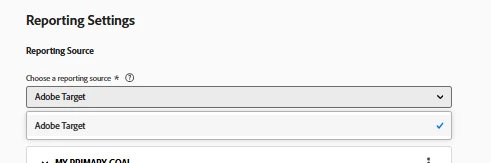
I’ve noticed that in Adobe Target I can no longer select Adobe Analytics as the reporting source, whereas I used to be able to in the past. I can’t figure out what has changed or how to restore this option.
Could you please help me understand how to fix this?
Thanks in advance!

1 reply

purnimajena
August 25, 2025

Hi @user36079 
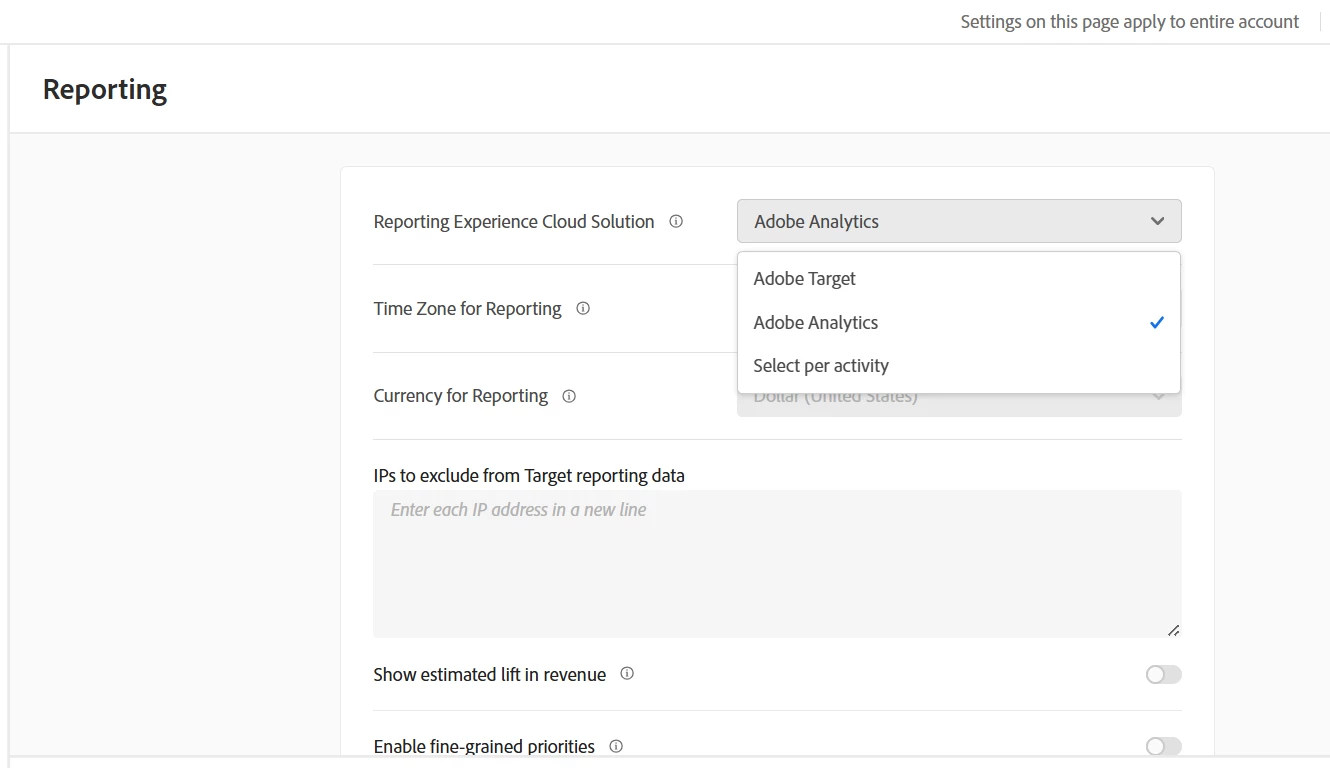
This issue usually happens if the reporting source in Adobe Target admin settings was changed to “Target” or “Customer Journey Analytics” globally. To get the option to select Adobe Analytics (A4T) back, have your admin go to Administration > Reporting and set the reporting source to “Select per activity.” This should restore the ability to choose Analytics as your reporting source when creating or editing activities.

user36079Author
August 25, 2025

Hi Purnimajena, thanks for your feedback.
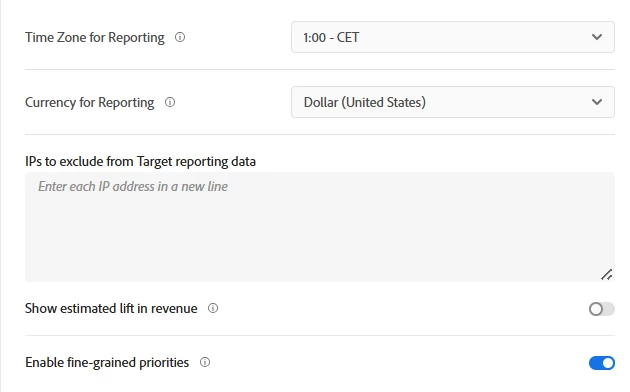
I went to the Reporting section but I don’t see any option there — could you clarify exactly where you mean? I also checked my role and it shows as Approver. However, I don’t see any Administrator role available to select in the Admin Console.


purnimajena
August 26, 2025

Hi @user36079 ,
I can see the options with my approver access , You can check with your admin console for this .