Adobe target admin api - list activities | Community
Skip to main content
April 21, 2023
Solved

Adobe target admin api - list activities

  • April 21, 2023
  • 3 replies
  • 3117 views

Hi team,

Am trying to pull out all the live activities in particular workspace using admin api, have created a project in developer console and have assigned  the product profile in the API settings.

I successfully get the api response for the https://mc.adobe.io/(tenatID)/target/activities But i get the activities list for the defalut work space but what i want is for particular workspace. can help any one help this regards.

This post is no longer active and is closed to new replies. Need help? Start a new post to ask your question.
Best answer by ShashankNigam02

@_ragulraj Please use below to fetch activities defined within workspace:

https://mc.adobe.io/{tenant-id}/target/activities/?workspace={workspace-id}

3 replies

ShashankNigam02
Adobe Employee
ShashankNigam02Adobe EmployeeAccepted solution
Adobe Employee
April 24, 2023

@_ragulraj Please use below to fetch activities defined within workspace:

https://mc.adobe.io/{tenant-id}/target/activities/?workspace={workspace-id}

Rajneesh_Gautam_
Community Advisor
Community Advisor
April 24, 2023

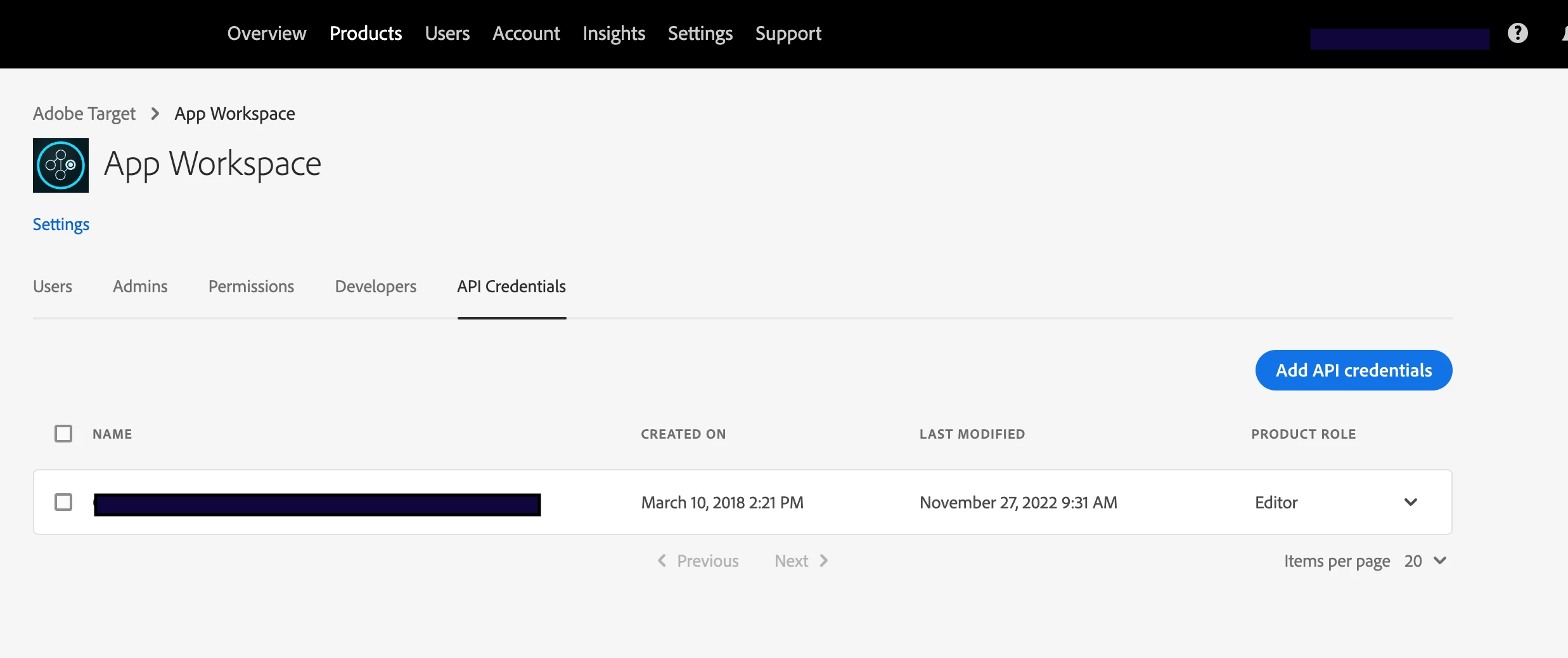
hello @_ragulraj  - while @shashanknigam02 has provided correct answer for how to fetch activities filtered by workspace-id, make sure you Adobe IO project has access to the workspace you are interested in.


1. Go to Adobe Cloud Admin console

2. Select the profile/workspace under Adobe Target product.

3. Check the API Credentials tab. If your Adobe IO project is not there, add it using Add API Credentials button.

Hope this helps,


Regards

Rajneesh

_RagulrajAuthor
April 25, 2023

Hi @rajneesh_gautam_ ,

We tried to insert workspace id in the api call (https://mc.adobe.io/{tenant-id}/target/activities/?workspace={workspace-id}) but still get the activities list for default workspace. can help in this regard?

ShashankNigam02
Adobe Employee
Adobe Employee
April 26, 2023

@_ragulraj It seems like you have not added that workspace/product profile to your Adobe IO API project. You will also have to assign product profiles to that Adobe IO project.

Amelia_Waliany
Adobe Employee
Adobe Employee
April 25, 2023

Thanks for your question @_ragulraj, and thanks for your helpful insights, @rajneesh_gautam_ and @shashanknigam02!