Adobe Target: A/B Testing - Redirect URL | Community
Skip to main content
October 21, 2019
Solved

Adobe Target: A/B Testing - Redirect URL

  • October 21, 2019
  • 3 replies
  • 5922 views

Hi Guys,

Recently I have tried to do the A/B testing for one of my client websites and I have used the redirect option to redirect the page to a different one.

But when redirecting the Experience B, there is an encrypted link after the original link followed like this:

www.example.com?mboxSession=67ee511f0aa54f77b9f2b509e7b763eb&adobe_mc_sdid=SDID%3D7F3167834415BC85-25F09354020D0A74%7CMCORGID%3D2C488785558BC9F67F000101%40AdobeOrg%7CTS%3D1571381040&adobe_mc_ref=https%3A%2F%2F

It seems like phishing the users. So How can I able to mask or remove this code from the original link URL?

I need to show only the original link URL.

I need your help guys

This post is no longer active and is closed to new replies. Need help? Start a new post to ask your question.
Best answer by

I have fixed the issue myself. And it's working fine. If anyone interested to know please let me know.

3 replies

Accepted solution
October 21, 2019

I have fixed the issue myself. And it's working fine. If anyone interested to know please let me know.

MihneaD
Adobe Employee
Adobe Employee
October 21, 2019

aravindbalu​,

Please share your solution with us! Much appreciated.

Mihnea Docea | Technical Support Consultant | Customer Experience | Adobe | (:: 1 (800) 497-0335

October 23, 2019

Hi Mike,

Sure, Here I am sharing the solution to all of you guys.

For those who want to redirect without the encrypted link, Here is the solution.

If you need to redirect a link URL with a different link URL for Experience A & B.

Experience A: www.example.com/a

Experience B: www.example.com/b

Don't use the below-mentioned method on the A/B testing activity for redirection.
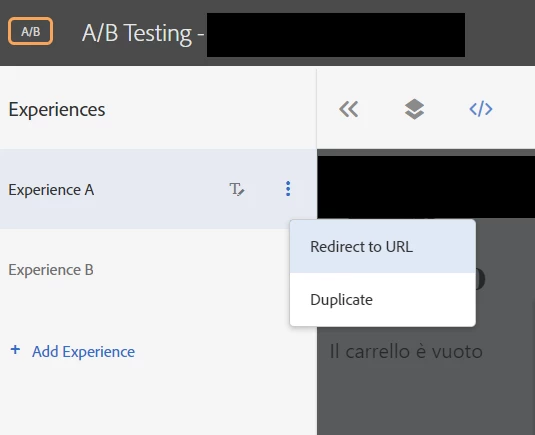
This will work, but you will get redirected with an encrypted link after the original domain as mentioned below:

http://www.example.com?mboxSession=67ee511f0aa54f77b9f2b509e7b763eb&adobe_mc_sdid=SDID%3D7F316783 4415BC85-25F09354020D0A74%7CMCORGID%3D2C488785558BC9F67F000101%40AdobeOrg%7CTS%3D157138104 0&adobe_mc_ref=https%3A%2F%2F

This looks like pishing,

Even if you uncheck the "Include Current Query Parameters" too it's not going to work.

Try this method: Click the plus symbol on the "Modifications" menu which is on the right side of the experience activity.
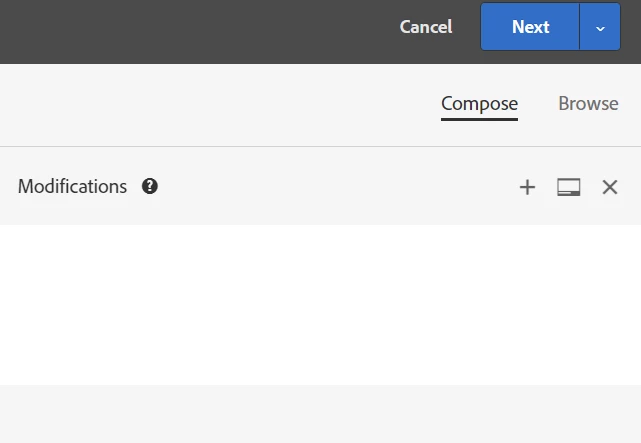
Select the "Modifications" and the screen will look like the image attached below:
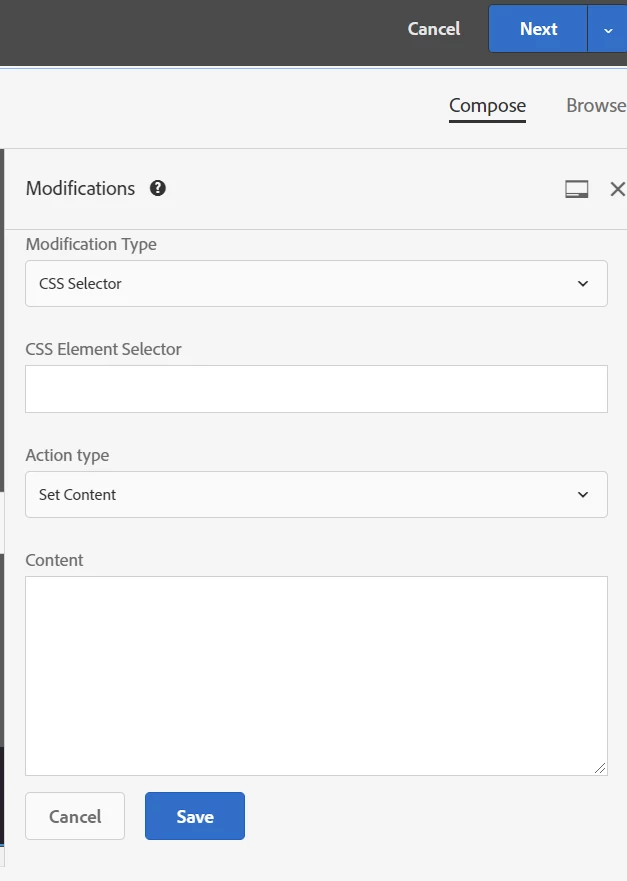
Select the Modification Type: you will get 3 options to choose from.

Select the "Custom Code" section from the Modification Type:
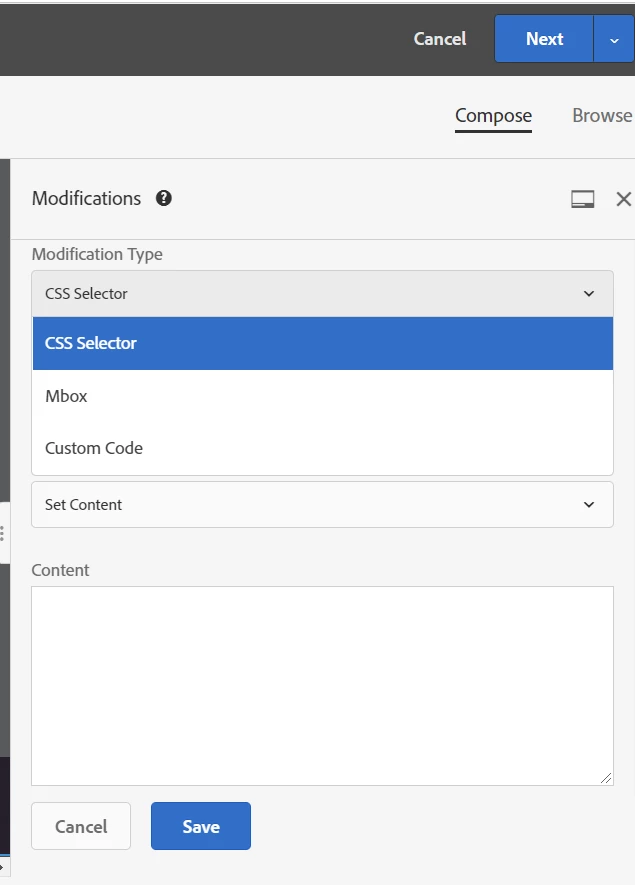
Replace the link URL with your Experience B link URL. Click save!
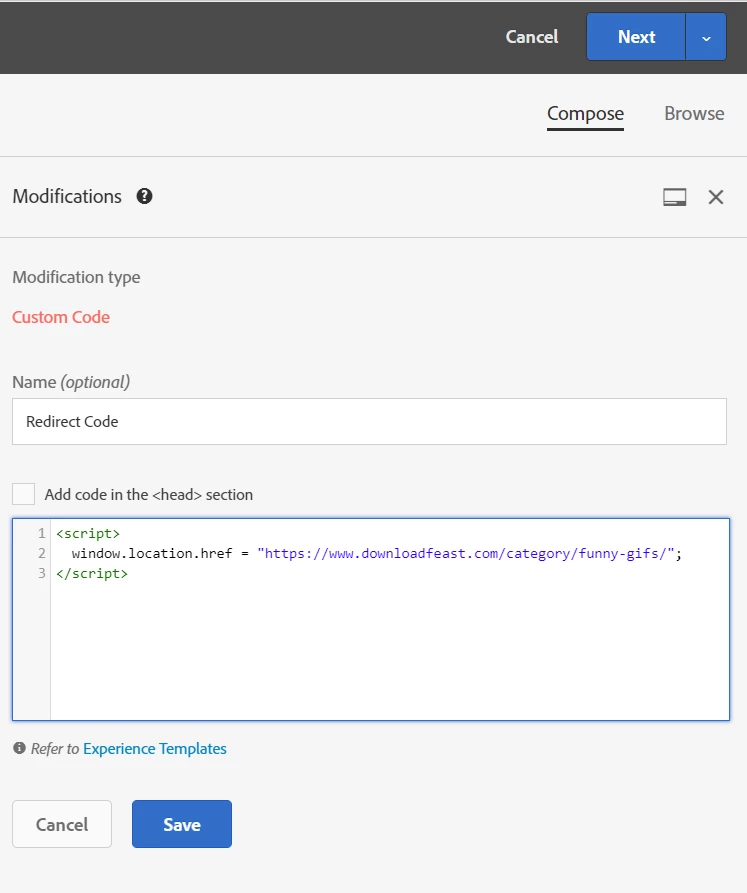
That's it, guys. you're ready to redirect the Experience B without the encrypted mbox session-id after the original link URL.

if you face any issues please let me know...

Level 2
October 12, 2021

Will this method work if we are redirecting to the same page with additional URL parameters?  For instance:


Default:  example.com

Redirect: example.com/?partnerid=1234

Mycal_Tamariki
Level 3
April 24, 2023

Hi @miketolin1 I'm looking to setup a similar experience to what you asked about - did you manage to get it working?  How did you do it? Your help would be greatly appreciated!