AB Test By Device | Community
Skip to main content
January 27, 2021
Solved

AB Test By Device

  • January 27, 2021
  • 2 replies
  • 1750 views

Can I segregate my AB test to Device specific, like Only Desktop?

This post is no longer active and is closed to new replies. Need help? Start a new post to ask your question.
Best answer by josejr19

Here is the step by step,

1. Create an A/B activity and the experiences that go with the a/b activity.

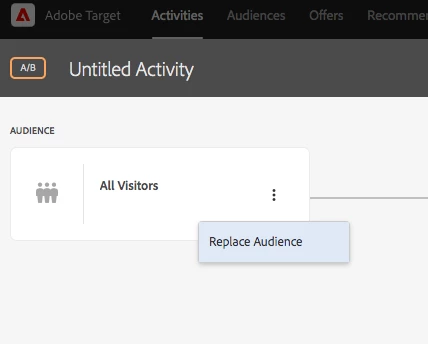
2. In the targeting step of creating the activity, click the three dots and select replace audience. Screenshot below
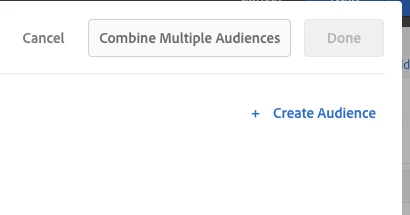
3. Click "Create Audience" on the right hand side of the page. Screenshot below
 

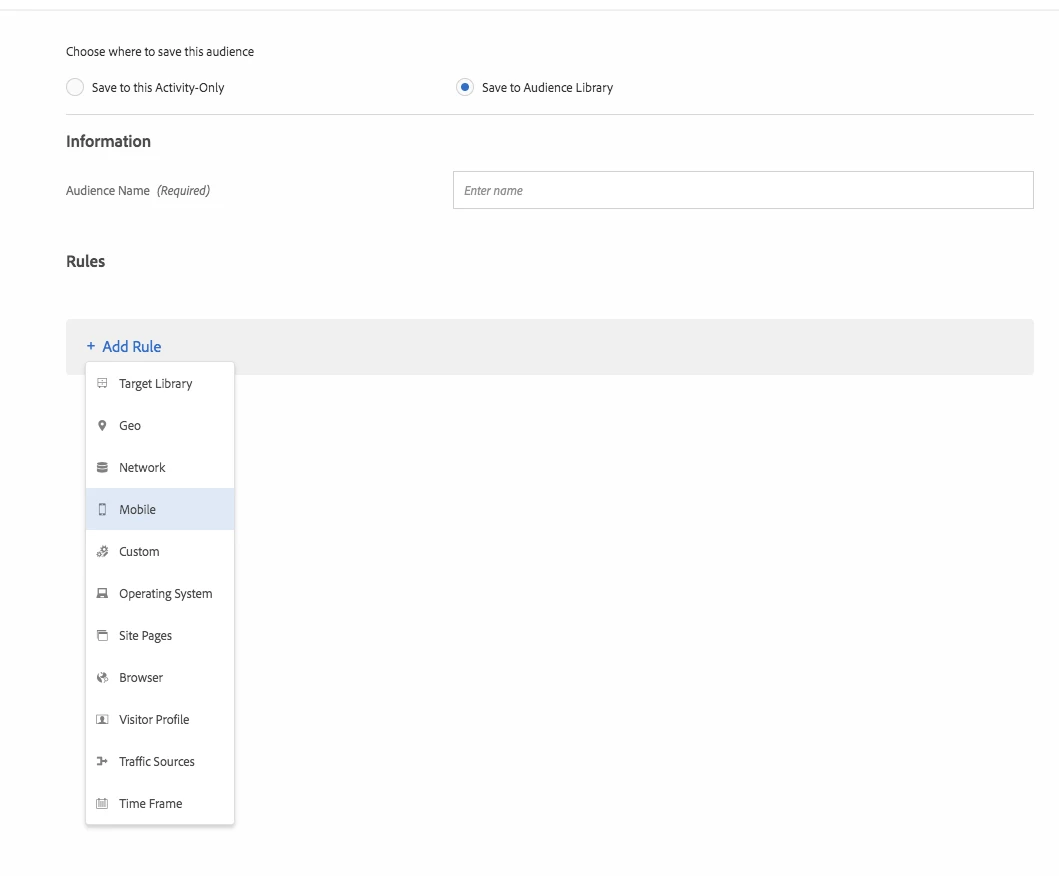
4. In the drop down menu, select "Mobile". Screenshot below
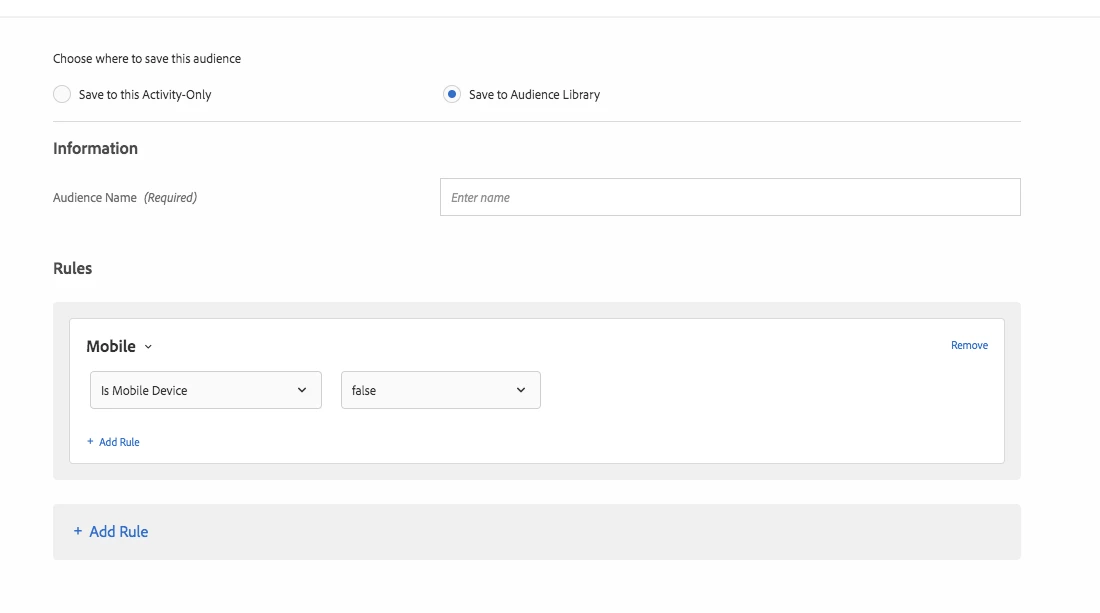
5. Finally, select from the nested drop down menu, "is Mobile Device" and set it to false. Save and you are now excluding this traffic from your a/b activity.
2 replies

January 27, 2021

@wyndep you have the ability to exclude traffic based on mobile device, there is an option for is mobile device, perhaps you can exclude this traffic. 

WynDepAuthor
January 27, 2021
Where exactly is that option when creating the AB test experience?
josejr19Accepted solution
January 27, 2021

Here is the step by step,

1. Create an A/B activity and the experiences that go with the a/b activity.

2. In the targeting step of creating the activity, click the three dots and select replace audience. Screenshot below

3. Click "Create Audience" on the right hand side of the page. Screenshot below


4. In the drop down menu, select "Mobile". Screenshot below

5. Finally, select from the nested drop down menu, "is Mobile Device" and set it to false. Save and you are now excluding this traffic from your a/b activity.

WynDepAuthor
January 27, 2021
You're awesome, thank you.