Mutually exclusive | Community
Skip to main content
sabahatu1546489
Level 2
November 3, 2017

Mutually exclusive

  • November 3, 2017
  • 1 reply
  • 11106 views

Hi there,

I have been trying to mutually exclude two Activites. For that I followed this tutorial Profile Scripts in Adobe Target - YouTube

All the steps were followed as described in the video but the profile script doesn't seem to work. It displays groupA and groupB in the audience list but when added to the Activity, it displays 0 visitors under reports.

We have tried launching 2 Activities to 50% on with GoupA and other with GroupB as an audience but still doesn't work some times it displays the variation (which I ignore blaming my browser) and open incoginto to test again. The report tab always show zero visitors.

Could you please tell what I missing apart from put the twoGroups code in the profile script and creating the audience of it?

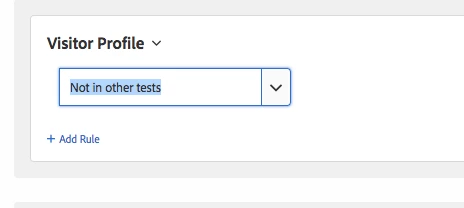
Could you also tell what is the "Not in other tests" Visitor Profile really do? Is it the same as Mutually exclusive?
Thanks,

This post is no longer active and is closed to new replies. Need help? Start a new post to ask your question.

1 reply

Adobe Employee
November 6, 2017

Can you share what your profile script looks like and the corresponding audience definition?

For "not in other test" it is an out-of-the-box profile which just enables you to create an audience for anyone who isn't already in any other test you have live on your site. So if you ONLY have the 2 tests running that you want to be mutually exclusive it could work. You create 1 test and throttle the audience to 50% of all visitors. Then create a 2nd test with an audience "not in other test" and allow 100% of visitors in. That would acheive a mutually exclusive test - but it only works in the case when you only have 2 active tests.

sabahatu1546489
Level 2
November 6, 2017

HI ryanr8

Please find the code below:  also please tell me whether it will consider the Background Activity set to 100% (for adding cookie) as a test to mutually exclude from?


if(!user.get("twoGroups"))

{

var random_number = Math.floor(Math.random()+99);

if(random_number<=49){return "GroupA";}else{return "GroupB";}

}

Adobe Employee
November 10, 2017

ryanr8​ Hi, I followed the exact same procedure. Please see the use case when it doesn't work

First Activity: Homepage

Audience: Homepage URL and Group B

1 Snaggy - easy screenshots

2 Snaggy - easy screenshots

First tried 100% then reduce it to 5%

Second Activity: About us
Audience: ABout us Link and Group A
1- Snaggy - easy screenshots
2- Snaggy - easy screenshots

Traffic 100%

When I launched the Homepage activity to 100%, then I could only see the Homepage variation running but not About us.

When I reduced the Homepage traffic to 5%, so the about us page will get rest of the traffic. but still about us Activity is not running


Hi sabahatu1546489,

You shouldn't modify the throttle rates in this use case. Your groupA/groupB audiences already control that. Set both activities to 100% of traffic (i.e., eligible traffic). If you get into the home page activity your visitor should not be able to see the about us activity. Keep that in mind when you QA. You will need to delete cookies (or use a new browser or incognito window) to appear as a new visitor and then you'll have only a 50/50 chance to get into the About us activity. Consequently, it may take a few trys of deleting cookies to get in the activity. This is normal and expected in this situation.