Unable to get the evar under the Pageview rule. | Community
Skip to main content
Level 3
May 30, 2025
Question

Unable to get the evar under the Pageview rule.

  • May 30, 2025
  • 3 replies
  • 530 views

I have two rules for page views. Once is the default Page view, and the other is the custom page view.


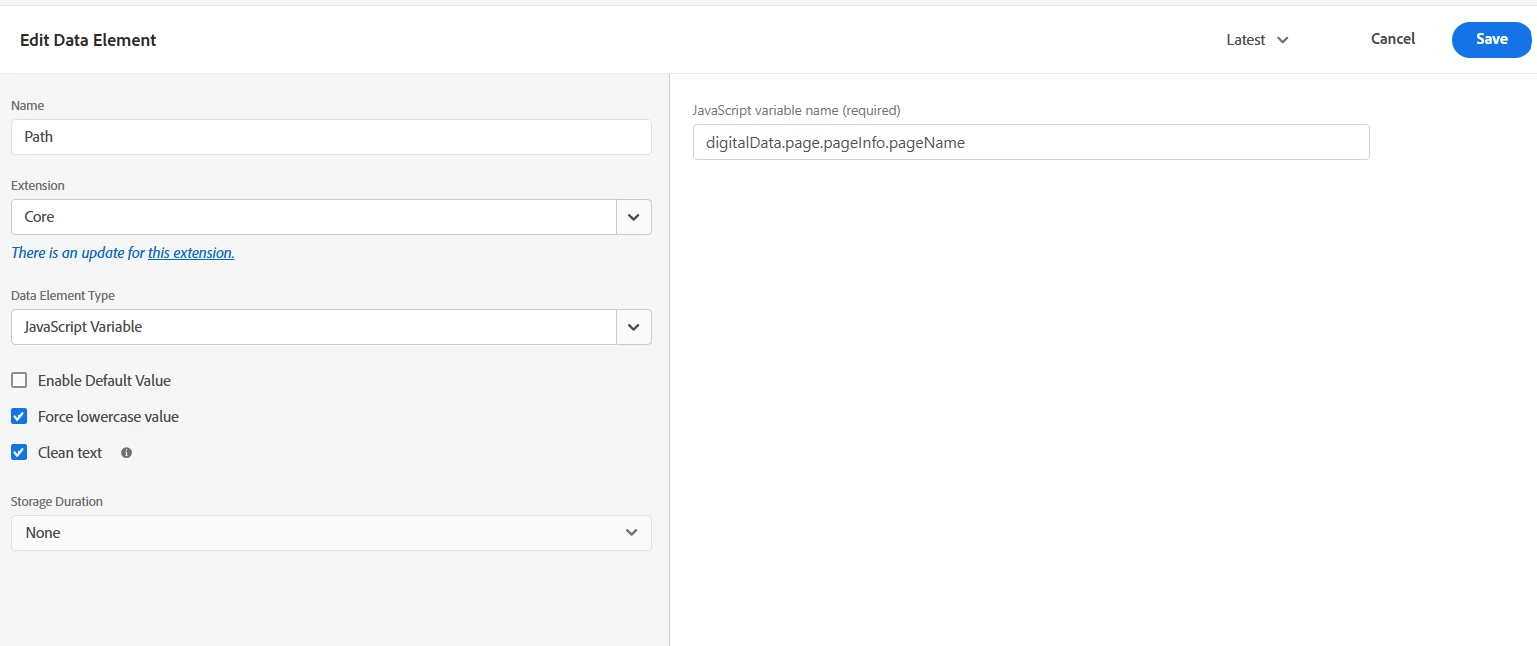
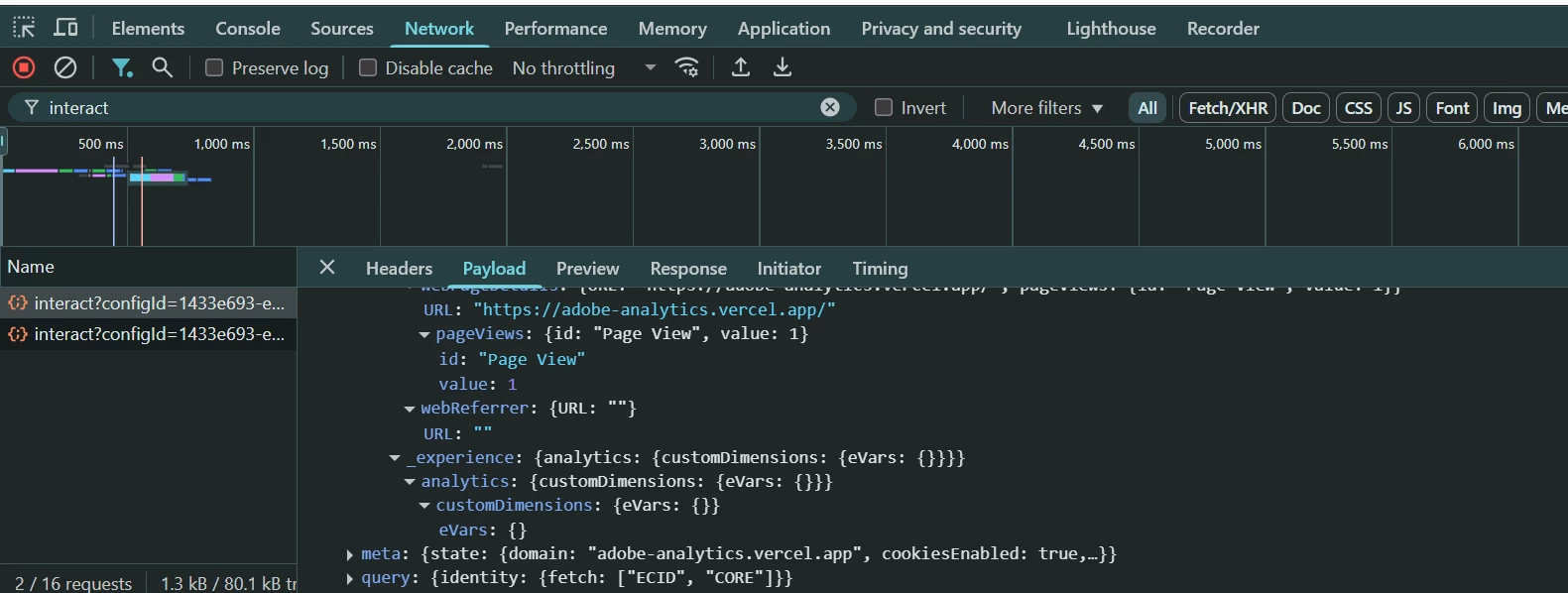
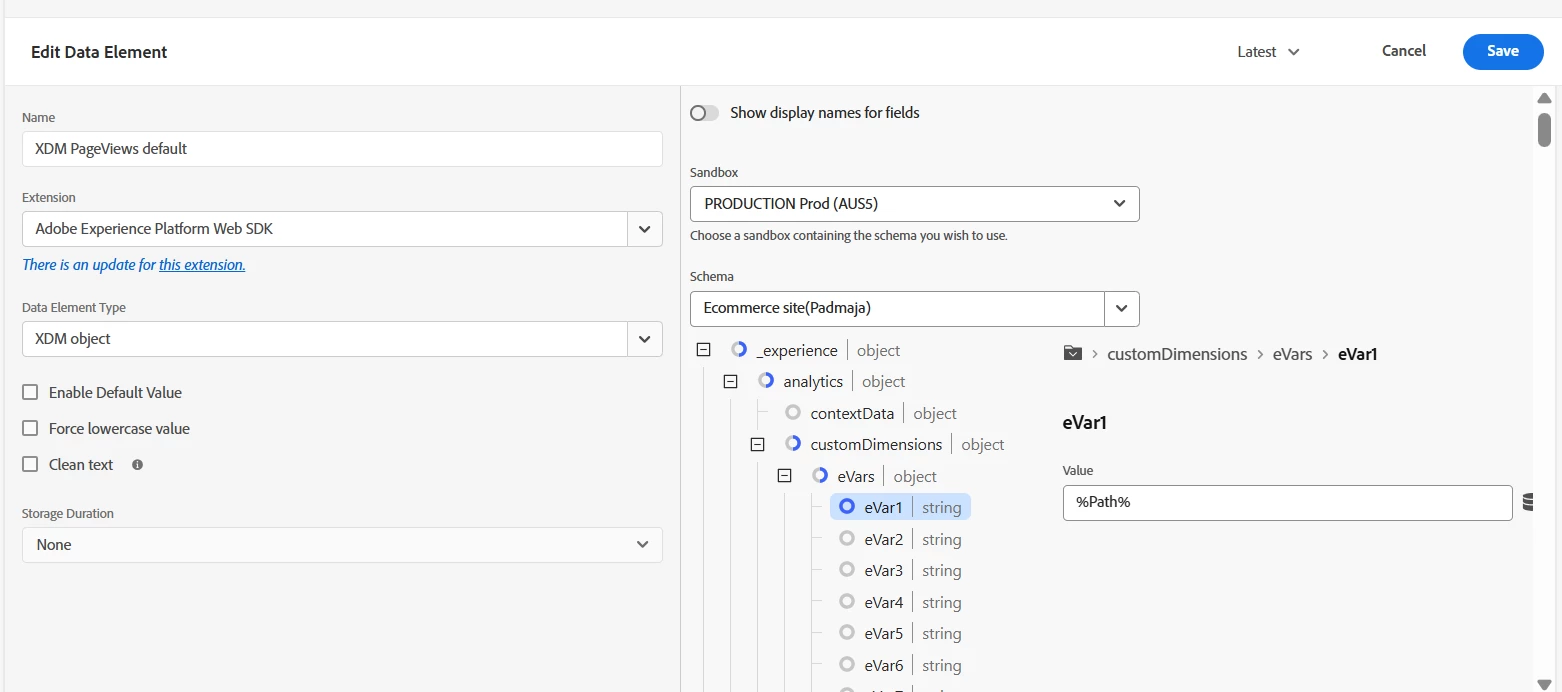
I configured the page path evar with a value from the data Layer in the XDM object for both page views. However, the evar was not rendered in the network call or the debugger. For default page views I didn't get the value for the evar, and for the custom page views, the value was getting. I will attach the Rule approach for the default page views below.


In this you can see the empty value for the evars


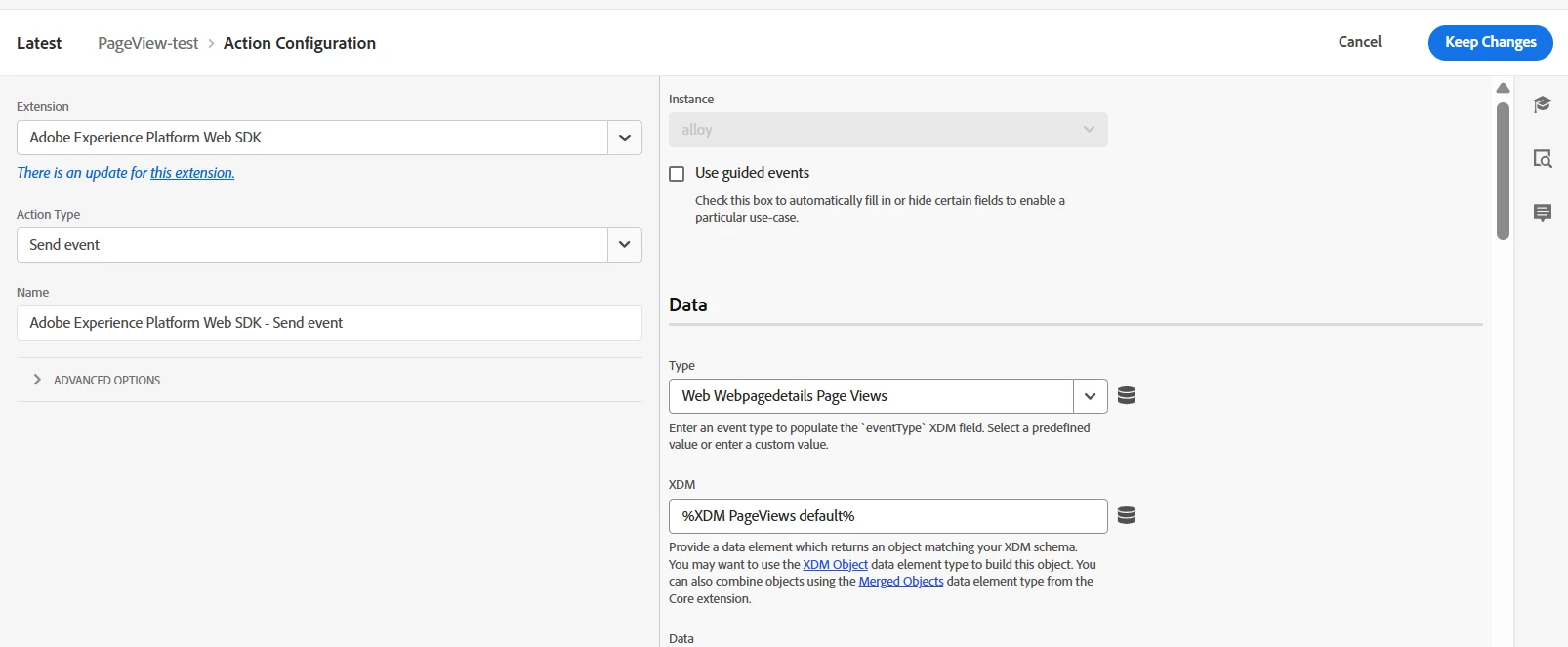
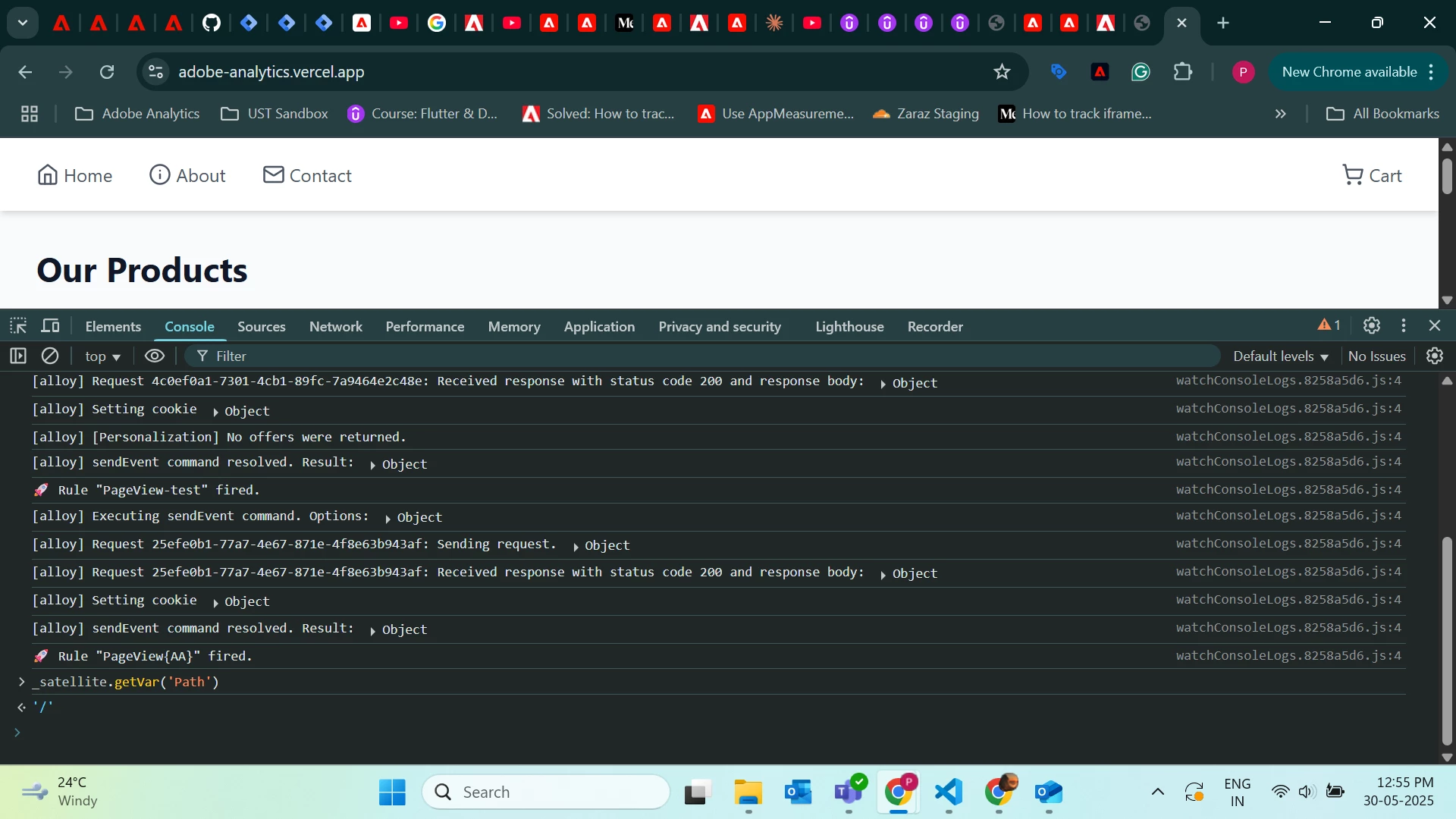
1. Here, PageView-test is a default page view, and PageView{AA} is a custom page view.
2. This is the XDM object for the default page view. Here I gave the evar for the Path and web page details for the default page view.
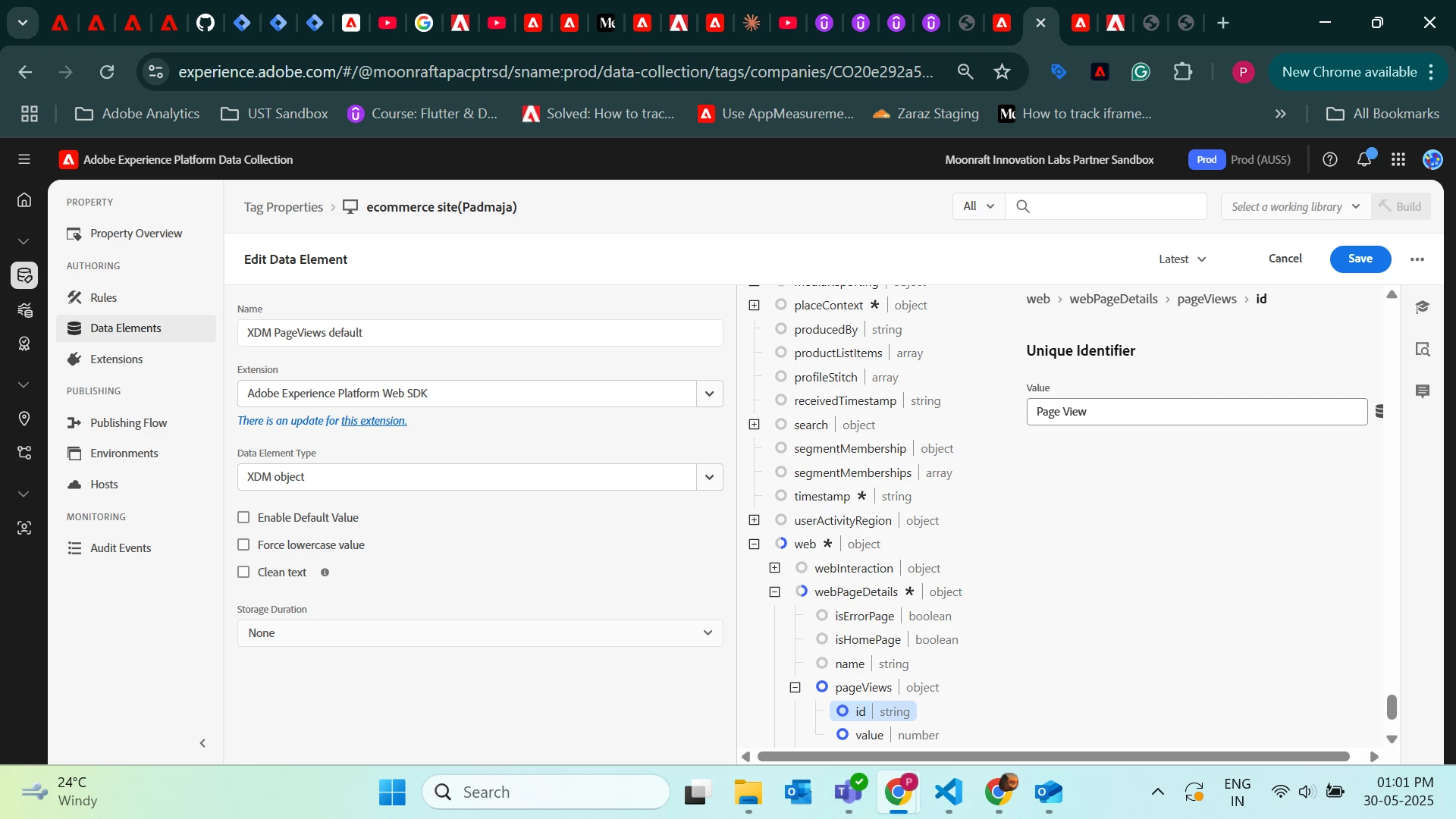
3. Rule for the default page view,
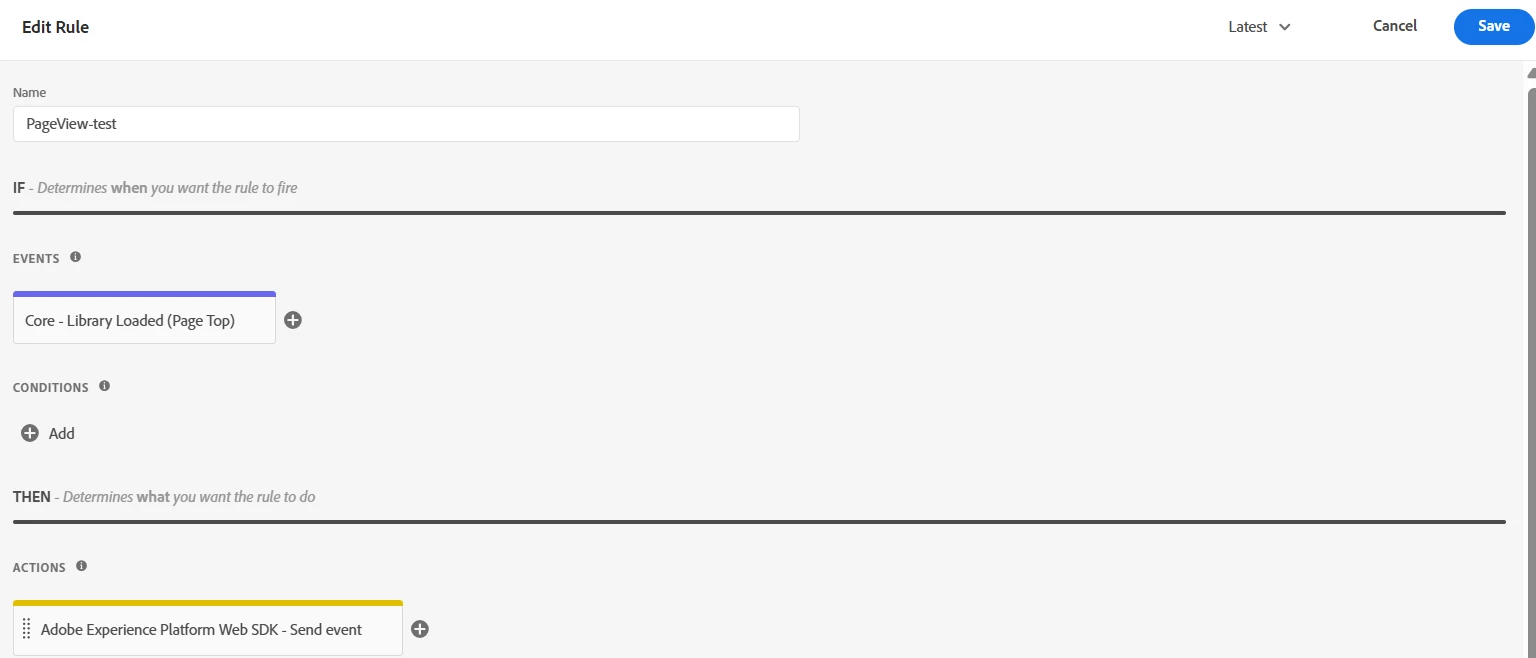


can anyone, please help me to set the evar for this.


3 replies

Asheesh_Pandey
Community Advisor
Community Advisor
May 31, 2025

@padmajas 

It looks like your eVar value isn’t being captured in the default pageview ("PageView-test") because when that rule fires (as the Launch library loads), the data element pulling from the dataLayer returns undefined.

To test this: try hardcoding a value into the eVar data element temporarily and check if the "PageView-test" rule then captures it.

To fix this: ensure the dataLayer values are available before the "PageView-test" rule fires or adjust the rule to fire after the page object is fully set.

PadmajaSAuthor
Level 3
June 3, 2025

Thanks for the input. I will try this by keeping the default value in rule

gautham_madala
Level 5
June 4, 2025

Why dont you map the evar from adobe analytics to the equivalent one to schema in custom code? 

PadmajaSAuthor
Level 3
June 17, 2025

I am not using any custom code in this rule. whether I need to add the custom code to this rule.

kautuk_sahni
Community Manager
Community Manager
July 2, 2025

@padmajas Just checking in — were you able to resolve your issue?
We’d love to hear how things worked out. If the suggestions above helped, marking a response as correct can guide others with similar questions. And if you found another solution, feel free to share it — your insights could really benefit the community. Thanks again for being part of the conversation!

Kautuk Sahni