Power BI connection with AEP | Community
Skip to main content
Michael_Soprano
Level 10
May 29, 2025
Solved

Power BI connection with AEP

  • May 29, 2025
  • 1 reply
  • 772 views

Which option do you rather choose?

If I click import then all 5GB dataset is downloaded?

How it work in details?

If I create custom field group then its always nested on 1st level:

And then how to load these records as a flat table? I know about adding ?flatten but I see that sometimes it does not work ....
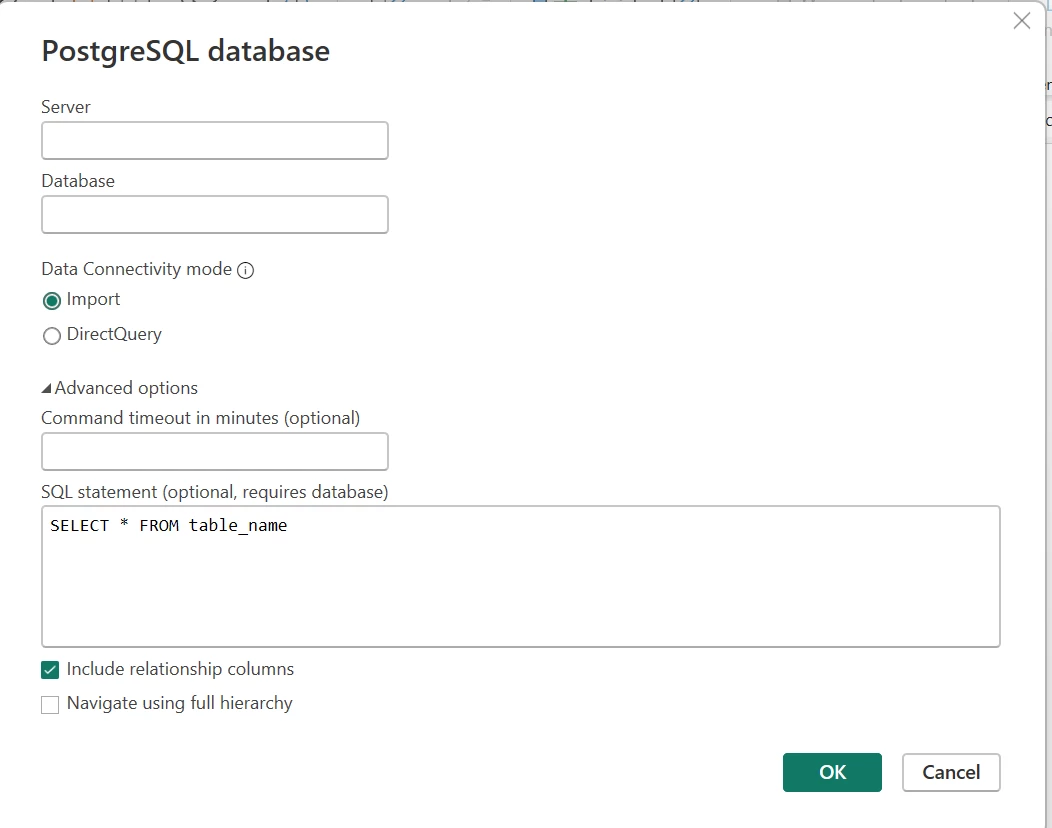



Best answer by SubeAEP

Hi @michael_soprano, you can try this. Click on advanced option and write your query to fetch all columns or few columns that you need. I generally use ?FLATTEN in the Database option, and it works perfectly for me. 

1 reply

TylerKrause
Adobe Champion
Adobe Champion
May 30, 2025

Hey Michael - for me I have always done all of my work within the query services UI, and once I am certain of the result of my query, at that point I run it as a Data Connectivity import to just pull the full table into BI. 


Within your query, if you select the paths that you need for each of your data points as opposed to doing a select *, you should be able to get a really nice flat table for whatever you're using.

I've pulled in up to 7 GB via this method and have had pretty good success.

Let me know if you have any other thoughts or run into any problems.

Tyler Krause 

Michael_Soprano
Level 10
May 31, 2025

@tylerkrause thanks for response!

You request data from RTCDP or Data Lake? 

I have really simple schema like that:

(its dummy data for demo purposes)

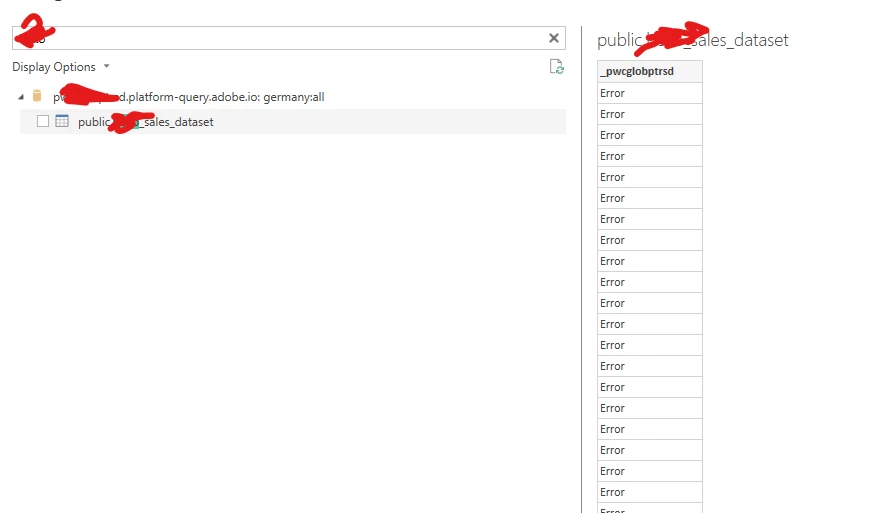
However the result in Power BI is like that:

Tried both import and directquery. Do you any hints?

SubeAEPAccepted solution
Level 2
June 2, 2025

Hi @michael_soprano, you can try this. Click on advanced option and write your query to fetch all columns or few columns that you need. I generally use ?FLATTEN in the Database option, and it works perfectly for me.