INGEST-1401-400 - Unable to parse the row - Ingestion error. | Community
Skip to main content
Level 2
May 9, 2025
Solved

INGEST-1401-400 - Unable to parse the row - Ingestion error.

  • May 9, 2025
  • 1 reply
  • 689 views

I have ingested a file into my dataset. through Azure blob storage source.
I am seeing this error for the first time.
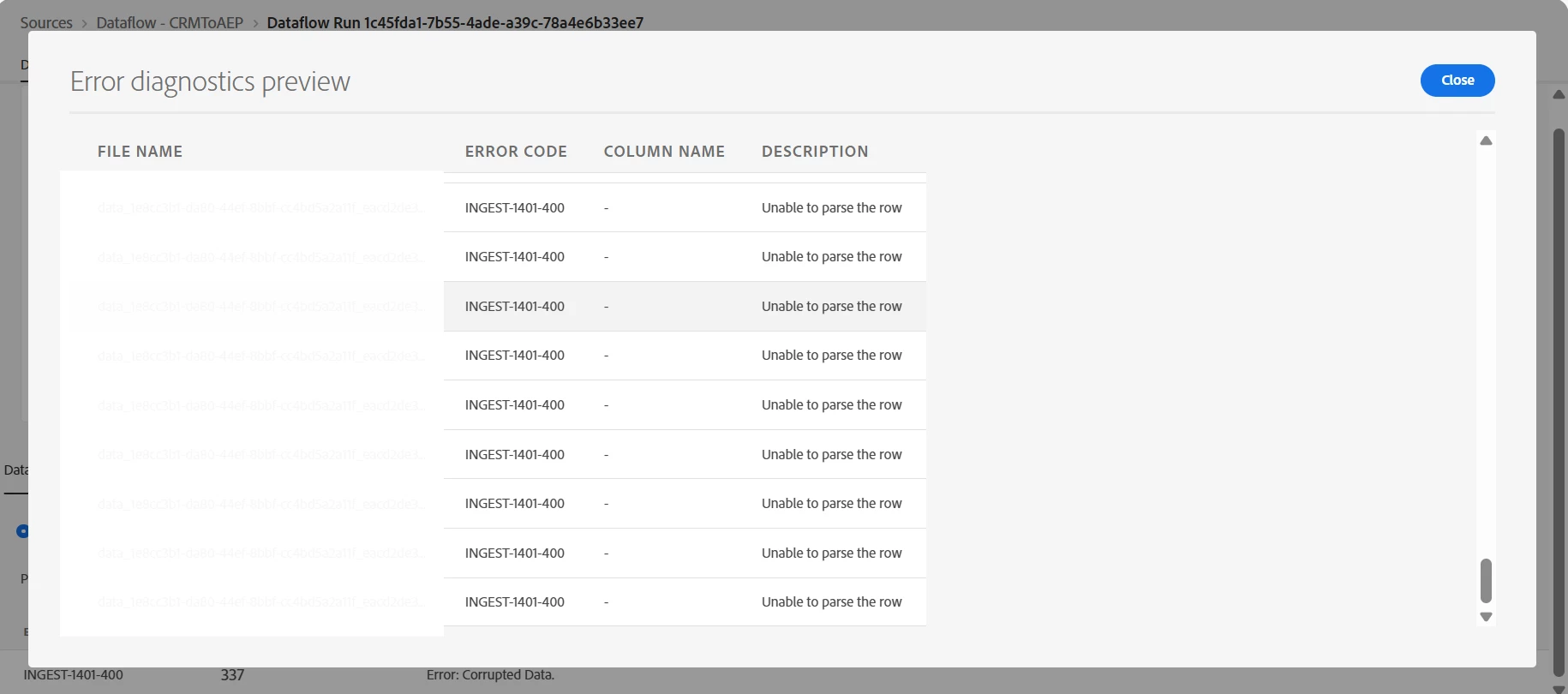
some one kindly let me know the meaning of this error, how can I solve this.


Best answer by Parvesh_Parmar

Hi @jettyro ,

Here are a few tips I would suggest:

  1. Check the file data manually, if possible. Since you're importing from Azure Blob, the file is likely in CSV or Parquet format — let's assume it's a CSV.

  2. Open the file and verify the delimiter used, the column structure, and whether there is a header row.

  3. Validate consistency — ensure all rows follow the same format as the header row (i.e., same number of columns and correct separators).

  4. Double-check the field mappings to make sure everything aligns correctly.

  5. One thing that often helps me: create a new source connection from scratch and test the import again. Even if it’s configured the same as before, this sometimes resolves hidden issues.

Hope these tips help you move forward!

Kind regards,
Parvesh

1 reply

Parvesh_Parmar
Community Advisor
Parvesh_ParmarCommunity AdvisorAccepted solution
Community Advisor
May 9, 2025

Hi @jettyro ,

Here are a few tips I would suggest:

  1. Check the file data manually, if possible. Since you're importing from Azure Blob, the file is likely in CSV or Parquet format — let's assume it's a CSV.

  2. Open the file and verify the delimiter used, the column structure, and whether there is a header row.

  3. Validate consistency — ensure all rows follow the same format as the header row (i.e., same number of columns and correct separators).

  4. Double-check the field mappings to make sure everything aligns correctly.

  5. One thing that often helps me: create a new source connection from scratch and test the import again. Even if it’s configured the same as before, this sometimes resolves hidden issues.

Hope these tips help you move forward!

Kind regards,
Parvesh

Parvesh Parmar – Adobe Community Advisor https://www.linkedin.com/in/parvesh-parmar/
August 15, 2025
Hello, I am also getting same error in one of of my dataflow and it looks like AEP can't handle special characters like "eëre". I am getting these types of special characters in source file and any idea how can I ingest this type of data? We can't mark the load partial data checkbox and please don't ask me why I want to load this type of value. Thank you. Regards, Suvo