import CSV datafile to Existing AEP Dataset | Community
Skip to main content
May 10, 2022
Solved

import CSV datafile to Existing AEP Dataset

  • May 10, 2022
  • 2 replies
  • 6129 views

I have a CSV datafile which needs to be loaded into Existing AEP Dataset mapped to a schema, which needs to be performed via API 


Data ingestion Questions:

while providing the Filepath as one of the Param in the URL, do we need to pass CSV file Schema structure or always JSON format ?

While uploading the File in body section is this needs to be  completely different from file used in FILE_PATH variable shown below or can we use same file in both section?

how to map a CSV file  attributes to existing Dataset Schema via API?
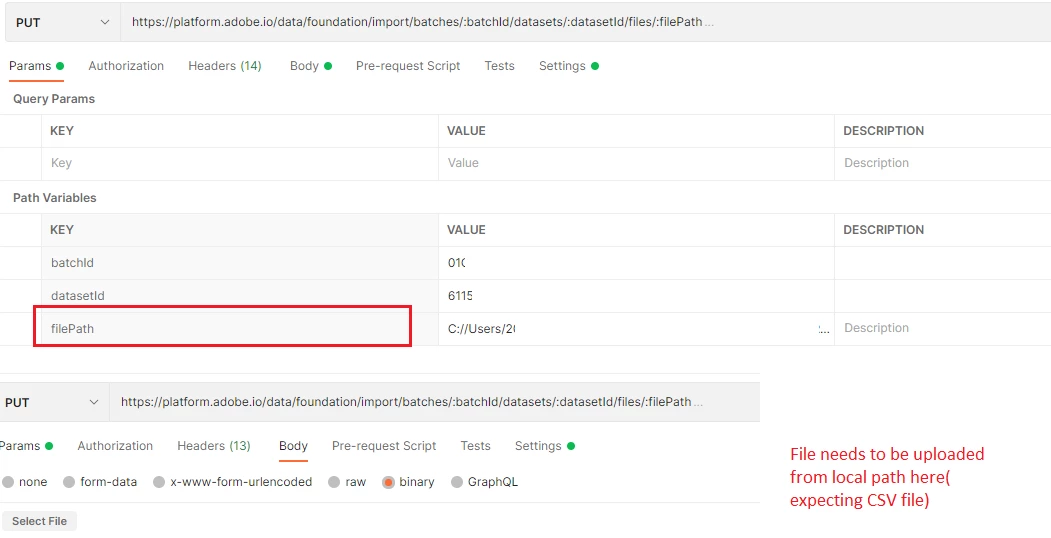
 

Scenario's tested  as of now:

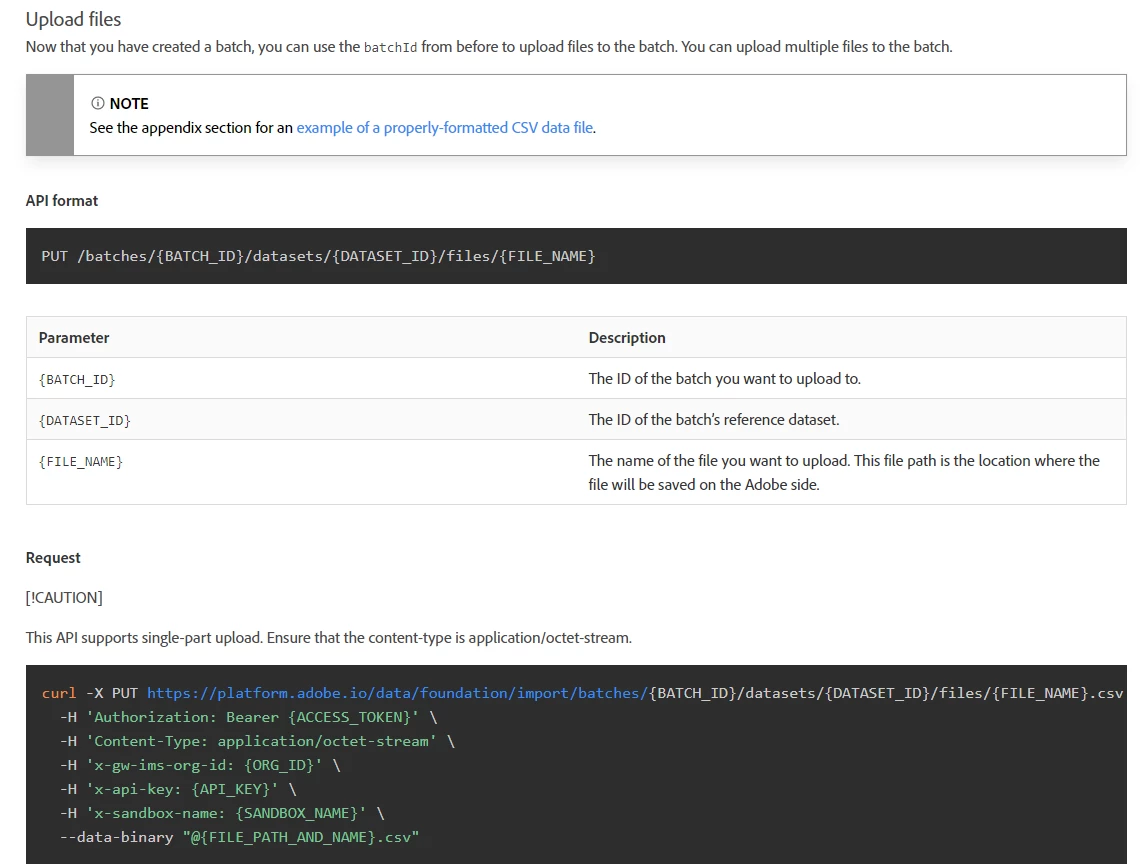
   1. Providing json file absolute path  in filePath variable and uploading json Datafile from body able to import data into existing DATASET in AEP

   2. Providing json file absolute path  in filePath variable and uploading CSV Datafile, able to trigger the batch but ended with ERROR.

  3. Providing CSV file absolute path  in filePath variable and uploading CSV Datafile, able to trigger the batch but ended with ERROR.



Dataset Question:

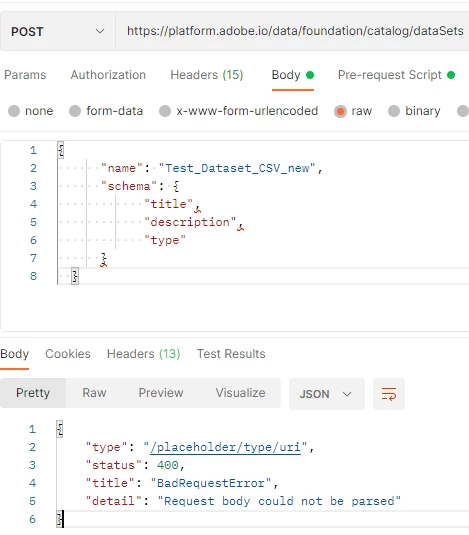
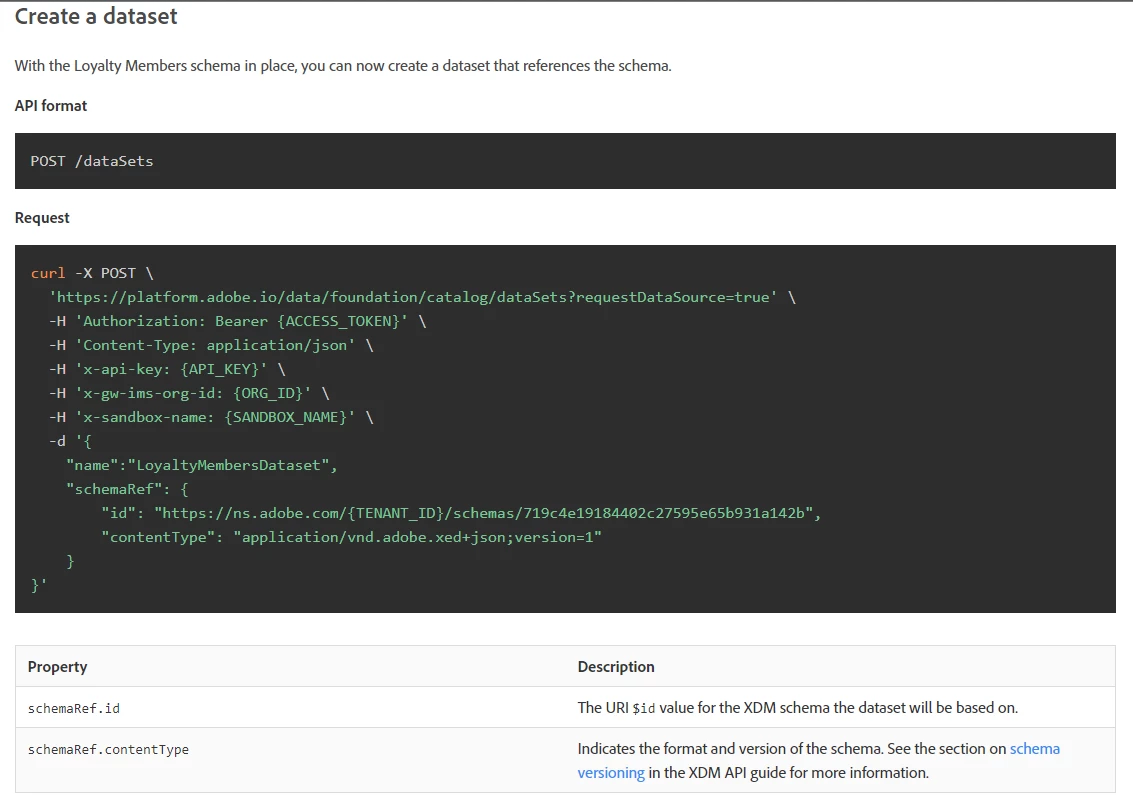
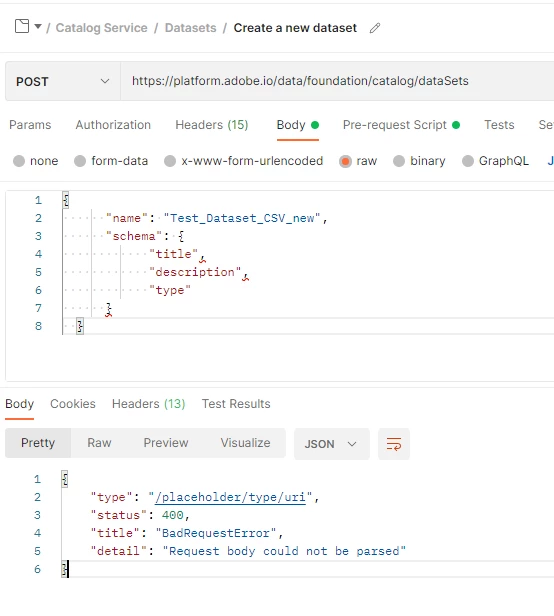
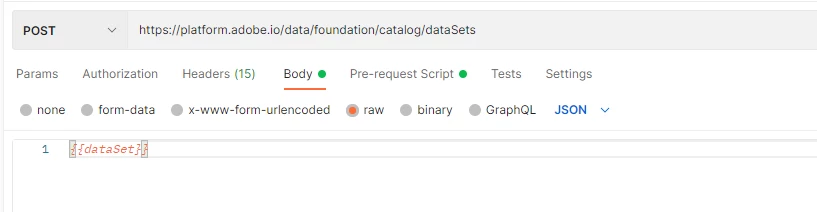
Can any one help how to create DATASET via API, as shown below what is the expectation in body section.


This post is no longer active and is closed to new replies. Need help? Start a new post to ask your question.
Best answer by Parvesh_Parmar

Hello @sandeep_crs ,


To import a CSV file you need to follow the following steps as mentioned in the documentations. 

Docmentation URL to ingest CSV:  Batch Ingestion API Guide | Adobe Experience Platform


1. Create a data set if required. But in your case you want to load in the existing data set then you can skip this one. 


2. Create a batch: When you creating a batch you need to define CSV as input format. Then you will get the batch id, which you need to next call when loading the file.


3. Load the files: Once you get the batch id, you need to use API to load the file.

4. File which you are going to load must be  matches the XDM schema of the data.

Batch Ingestion API Guide | Adobe Experience Platform

There is example for the profile csv file. 

experience-platform-etl-reference/CRM_profiles.csv at master · adobe/experience-platform-etl-reference · GitHub


As far as i see, column name and data type in csv should be same of schema. 

For e.g in your data set schema definition there is two field F_Name and L_Name. 

In your CSV file you can put F_Name and L_Name column header. Please try it, I think it might work.


I see you are using post man and in adobe documentation they are using a CURL. Normally it will work in post man also just pass the correct attribute as passing in CURL request.  


Thanks.

Parvesh.


2 replies

Parvesh_Parmar
Community Advisor
Parvesh_ParmarCommunity AdvisorAccepted solution
Community Advisor
May 11, 2022

Hello @sandeep_crs ,


To import a CSV file you need to follow the following steps as mentioned in the documentations. 

Docmentation URL to ingest CSV:  Batch Ingestion API Guide | Adobe Experience Platform


1. Create a data set if required. But in your case you want to load in the existing data set then you can skip this one. 


2. Create a batch: When you creating a batch you need to define CSV as input format. Then you will get the batch id, which you need to next call when loading the file.


3. Load the files: Once you get the batch id, you need to use API to load the file.

4. File which you are going to load must be  matches the XDM schema of the data.

Batch Ingestion API Guide | Adobe Experience Platform

There is example for the profile csv file. 

experience-platform-etl-reference/CRM_profiles.csv at master · adobe/experience-platform-etl-reference · GitHub


As far as i see, column name and data type in csv should be same of schema. 

For e.g in your data set schema definition there is two field F_Name and L_Name. 

In your CSV file you can put F_Name and L_Name column header. Please try it, I think it might work.


I see you are using post man and in adobe documentation they are using a CURL. Normally it will work in post man also just pass the correct attribute as passing in CURL request.  


Thanks.

Parvesh.


Parvesh Parmar – Adobe Community Advisor https://www.linkedin.com/in/parvesh-parmar/
May 12, 2022

hi Parvesh,


Thank you for the solution, it worked but have further clarification


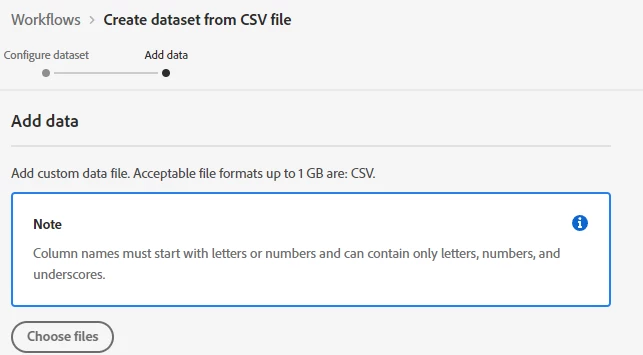
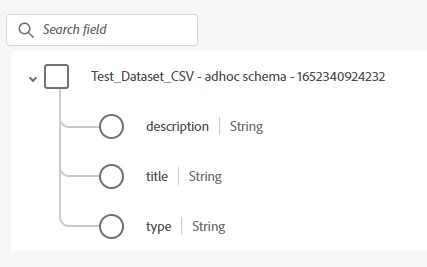
I was able to ingest CSV file by creating New Dataset with simple plan Schema 

Dataset via AEP: Successful

Schema in CSV file used:

{
"title","description","type"
}


since Dataset failed to create via API for the same  ended up with errors 


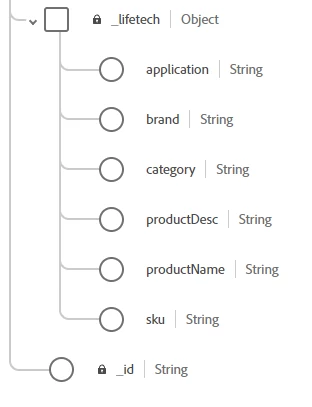
also I was not able to ingest CSV for existing Dataset tagged to Schema with struct type having multilevel datatype, in below Case "_lifetech"

Sample CSV data :


Is there any way we can ingest Data from CSV datafile to above Dataset having "_lifetech" kind of attribute?


Thanks,

Sandeep

May 12, 2022

Hello Sandeep, 


For e.g. If you want to insert data with JSON format then your request data will be in following format: 

{
"_lifetech": {
"application": "car loan",
"brand": "BMW",
"category": "car",
"productDesc": "electric car",
"productName": "X3"


}
}


Now you want to insert the same with CSV. Normally it would be like below: 

_lifetech/application_lifetech/brand_lifetech/category_lifetech/productDesc_lifetech/productName
car loanBMWcarelectric carX3

Please try it. 


For the data set: 

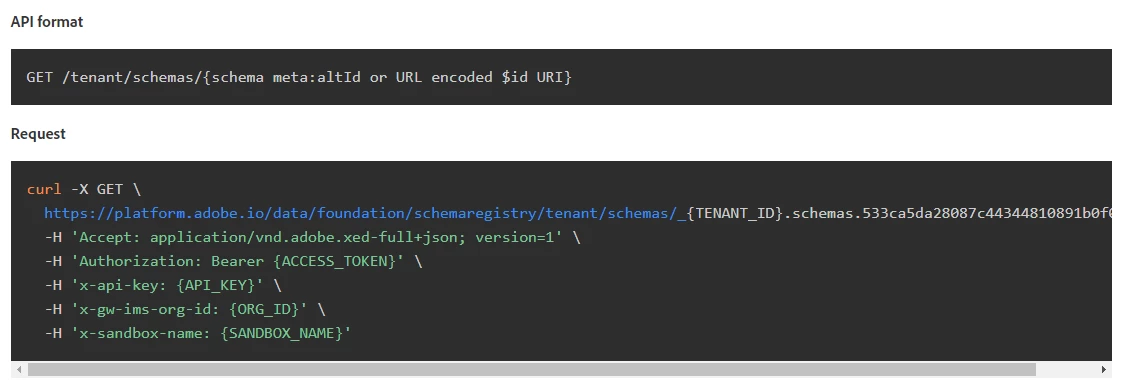
1. I would first suggest you first try to check your data schema definition and verify everything is OK with schema. 

API to read schema : Create a Dataset using APIs | Adobe Experience Platform


2. Create a data set: Once you verified your schema then use the following API to create data set. 

Send all the parameters. I saw parameters in your dataset requests  are not same as in documentation as below.


Create a Dataset using APIs | Adobe Experience Platform


Thanks. 

Parvesh.


hi Parvesh,


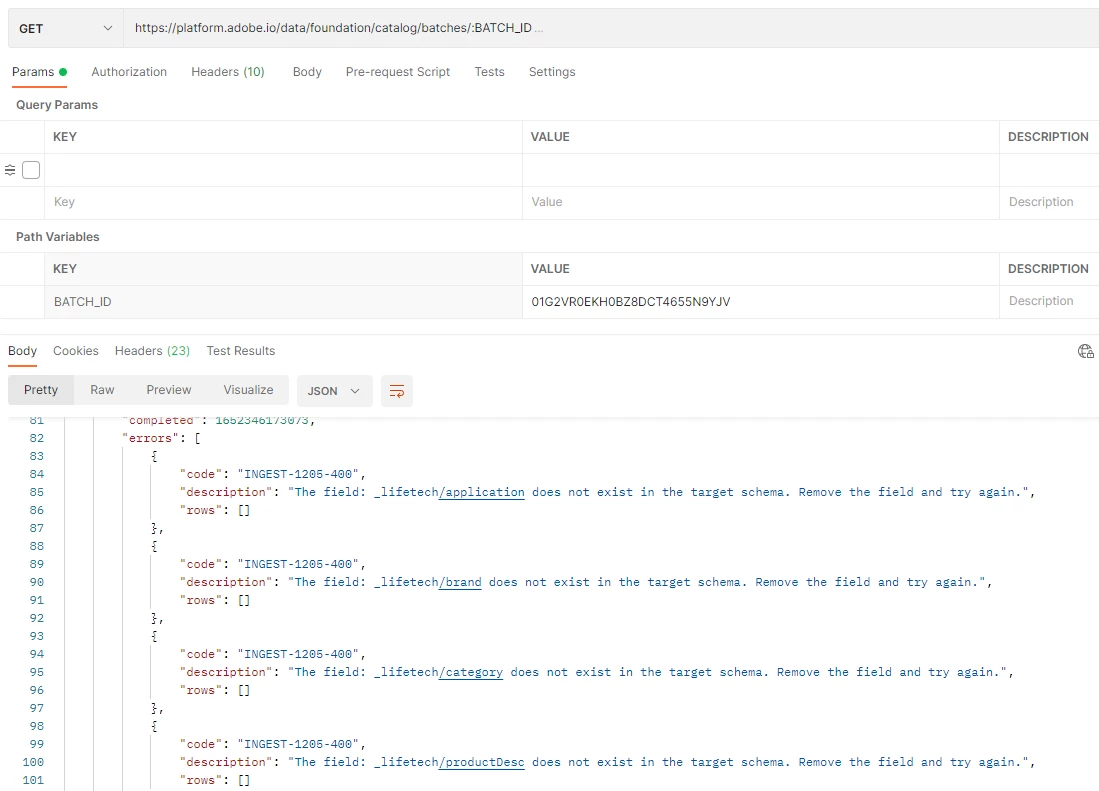
I tried with above method, load was not able to identify the attributes 


For Dataset creation,

I didn't captured the headers  as working via post and all parameter is set under environment section , I captured only BODY part of it where we need to pass json  text 


Thanks,

Sandeep 

September 13, 2022

Hi, did you get solution on error INGEST-1205-400 ?

September 13, 2022

As of now AEP doesn't support CSV  ingestion into Nested Dataset.

We can only ingest simple headers with no Multilevel