Date Conversion in calculated field from unix time to normal date | Community
Skip to main content
Level 2
June 12, 2024
Solved

Date Conversion in calculated field from unix time to normal date

  • June 12, 2024
  • 1 reply
  • 1859 views

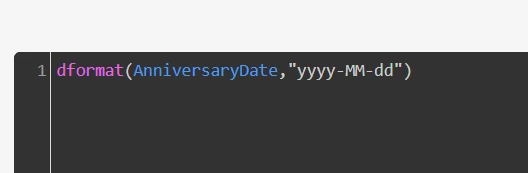
Hi All, I'm facing issue while converting unix timestamp to date field. here im using dformat for conversion and im getting only null values, but if i use specific timestamp like this -1652246442000 instead of "AnnivesaryDate" its showing me the correct result

the condition:
results
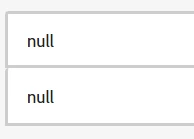
end result should be in this format 2022-02-10 so,can anyone help with these issue?

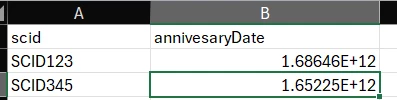
sample data which i used:
 

This post is no longer active and is closed to new replies. Need help? Start a new post to ask your question.
Best answer by Abishek_mathav12345678

Would like to understand, if you just reference the field(annivesaryDate), without dformat function, what is it returning at the moment?

Because, if it is stored as string, the additional characters, might be causing an issue. If that is the case you observe, you should have an additional to_int()/to_bigint() to convert the string to numeric value, since the dformat accepts bigint as the parameter. 
Hope this helps!


yeah correct while ingestion its taking the field(annivesaryDate) as string 


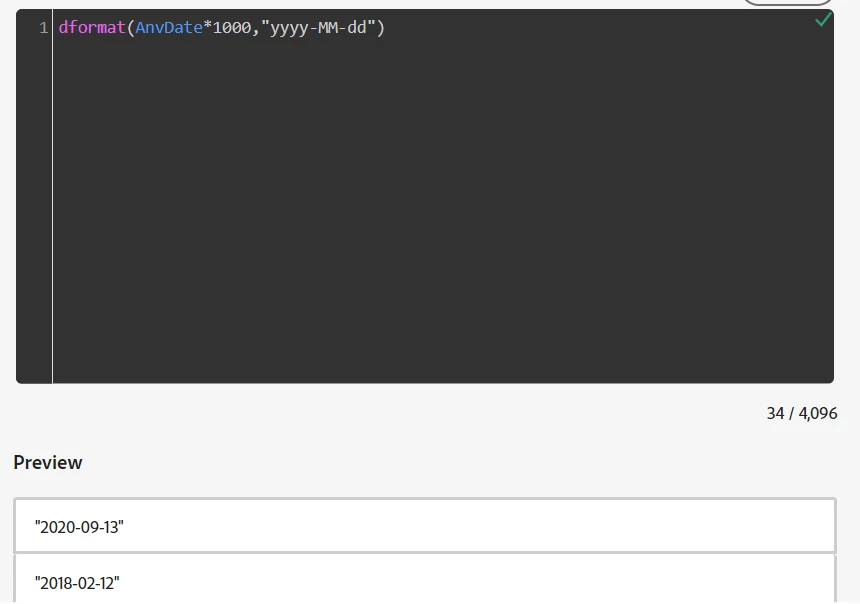
That’s the reason while performing dformat function in calculated field its showing null value and i have corrected the value(data in csv to 9digits(seconds) from 13digits(milliseconds) format) and while performing dformat function I have multiplied 1000 to field(annivesaryDate) so it will be in milliseconds format(dformat only accepts milliseconds) and now i can see the data in date format.


 Thank you all for your inputs

1 reply

Ankit_Chaudhary
Community Advisor
Community Advisor
June 13, 2024

hi @abishek_mathav12345678 

You are getting this error because you are trying this with a string(aniversaryData), but it is a field.

Try wrapping the field name in ${} to make it a legal identifier.

example: dformat(${aniversaryData},"yyyy-mm-dd")

Level 2
June 13, 2024

Thanks for the reply @ankit_chaudhary 

I tried with your input also still showing null values, any other pointer on this will be helpful.


Abishek_mathav12345678AuthorAccepted solution
Level 2
June 17, 2024

Would like to understand, if you just reference the field(annivesaryDate), without dformat function, what is it returning at the moment?

Because, if it is stored as string, the additional characters, might be causing an issue. If that is the case you observe, you should have an additional to_int()/to_bigint() to convert the string to numeric value, since the dformat accepts bigint as the parameter. 
Hope this helps!


yeah correct while ingestion its taking the field(annivesaryDate) as string 


That’s the reason while performing dformat function in calculated field its showing null value and i have corrected the value(data in csv to 9digits(seconds) from 13digits(milliseconds) format) and while performing dformat function I have multiplied 1000 to field(annivesaryDate) so it will be in milliseconds format(dformat only accepts milliseconds) and now i can see the data in date format.


 Thank you all for your inputs