Can we add Current timestamp dynamically in mapping set | Community
Skip to main content
Indra-2
Community Advisor
Community Advisor
December 18, 2024
Solved

Can we add Current timestamp dynamically in mapping set

  • December 18, 2024
  • 2 replies
  • 1038 views

Hi All,


We are using parquet file format and in mapping set I am trying to insert current timestamp into one of the attributes.

Tried below Mapping configuration


 "sourceType""ATTRIBUTE",
          "source""current_timestamp()",
          "destination""_XXXXX.systemTime"
      }
 
"sourceType""ATTRIBUTE",
          "source""{{now()}}",
          "destination""_XXXXX.systemTime"
      }
 
Timestamp is not ingested. any help will be appreciated!!

Best answer by Indra-2

I am trying to set current date in mapping set and using API to set this.


foundation/conversion/mappingSets


it worked with below 

"sourceType""EXPRESSION",
          "source""{{now()}}",
          "destination""_XXXXX.systemTime"
      }
 
Thanks for your inputs

2 replies

bjoern__koth
Community Advisor and Adobe Champion
December 21, 2024

Hi @indra-2 


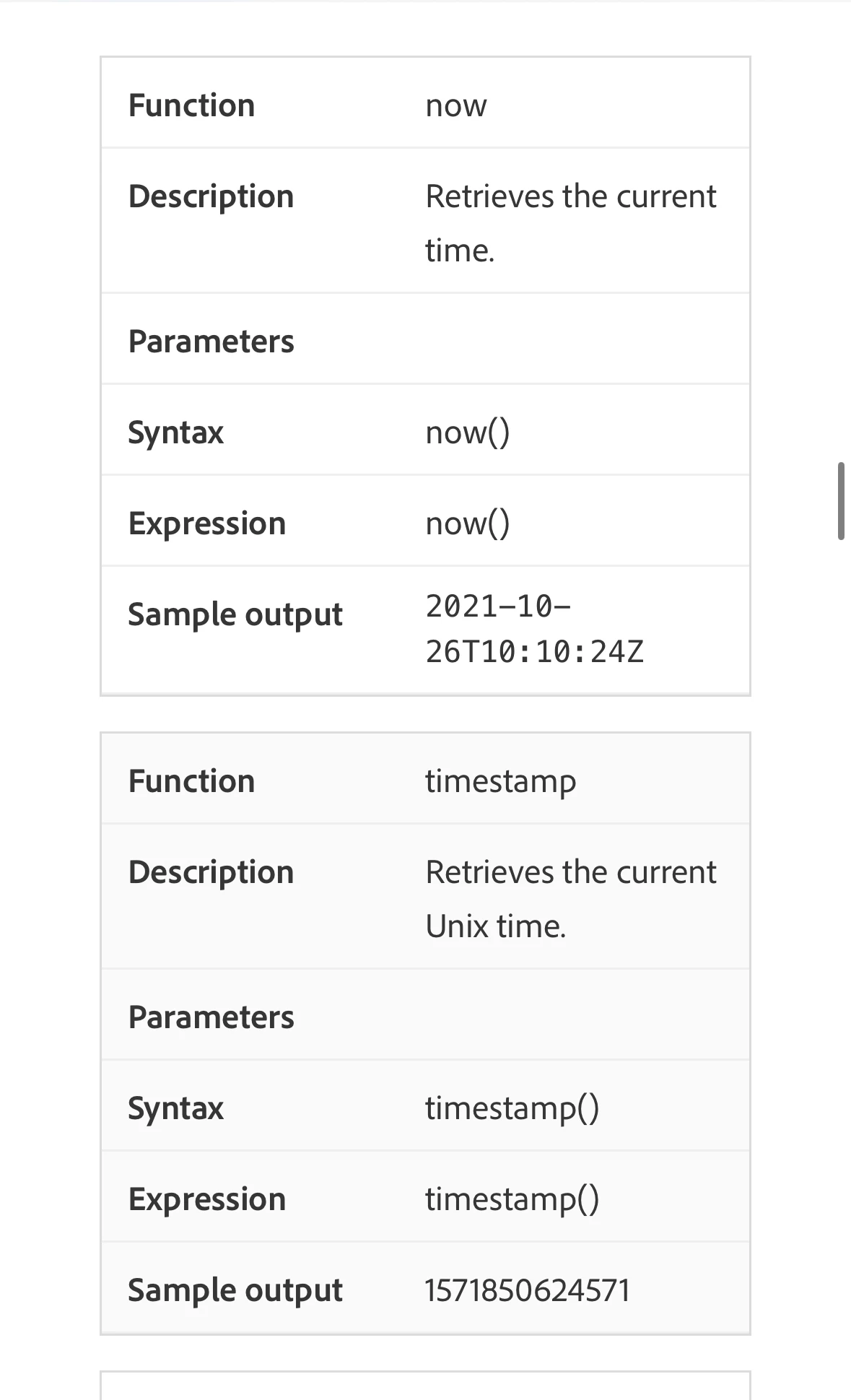
you may want to check out the "date and time functions" section in the documentation 


https://experienceleague.adobe.com/en/docs/experience-platform/data-prep/functions


Cheers from Switzerland!
Indra-2
Community Advisor
Indra-2Community AdvisorAuthor
Community Advisor
January 9, 2025

Tried, not working 

bjoern__koth
Community Advisor and Adobe Champion
January 9, 2025

Hi @indra-2 

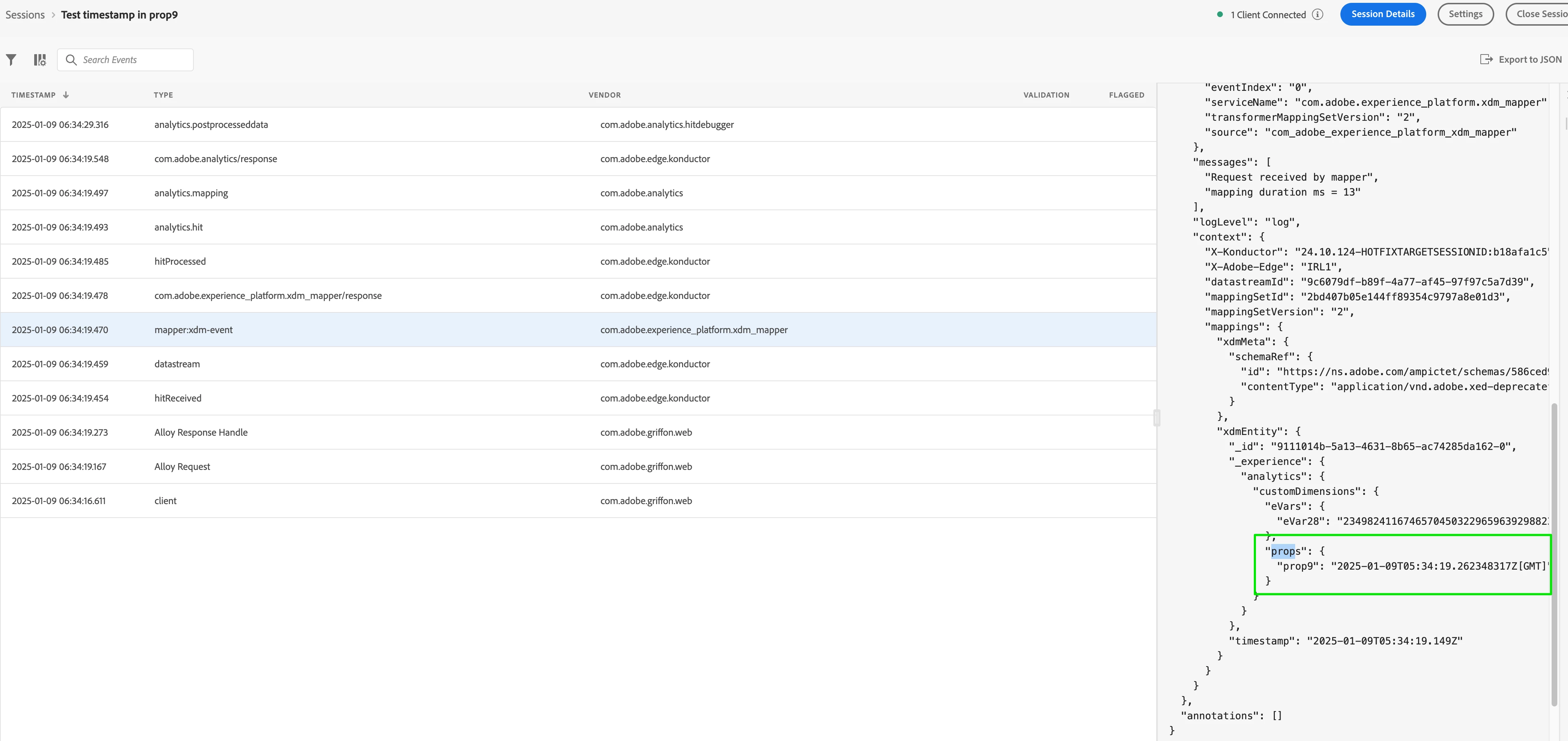
just tried to reproduce this by a datastream mapping with now() to prop9 in the datastream mapping configuration.


In my assurance session, I can see the timestamp being mapped


Waiting for the data to show in AA, but I am fairly certain that this should work at least on that side.


Wondering whether why it should be any different in your mapping.

Else, I would reach out to support about this

Cheers from Switzerland!
kautuk_sahni
Community Manager
Community Manager
February 17, 2025

@indra-2 Did you find the suggestions helpful? Please let us know if you need more information. If a response worked, kindly mark it as correct for posterity; alternatively, if you found a solution yourself, we’d appreciate it if you could share it with the community. Thank you!

Kautuk Sahni