Batch Evaluation run time | Community
Skip to main content
December 6, 2024
Solved

Batch Evaluation run time

  • December 6, 2024
  • 3 replies
  • 1115 views

Is there any other way to check the batch evaluation run time details?

Best answer by Rudi-Shumpert

From the AI Assistant:


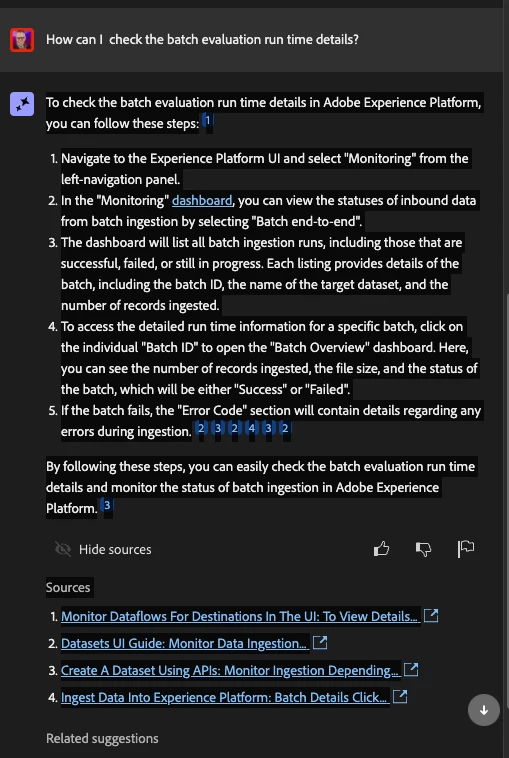
To check the batch evaluation run time details in Adobe Experience Platform, you can follow these steps:1

  1. Navigate to the Experience Platform UI and select "Monitoring" from the left-navigation panel.
  2. In the "Monitoring" dashboard, you can view the statuses of inbound data from batch ingestion by selecting "Batch end-to-end".
  3. The dashboard will list all batch ingestion runs, including those that are successful, failed, or still in progress. Each listing provides details of the batch, including the batch ID, the name of the target dataset, and the number of records ingested.
  4. To access the detailed run time information for a specific batch, click on the individual "Batch ID" to open the "Batch Overview" dashboard. Here, you can see the number of records ingested, the file size, and the status of the batch, which will be either "Success" or "Failed".
  5. If the batch fails, the "Error Code" section will contain details regarding any errors during ingestion.232432

By following these steps, you can easily check the batch evaluation run time details and monitor the status of batch ingestion in Adobe Experience Platform.3

3 replies

DavidRoss91
Community Advisor
Community Advisor
December 6, 2024

Hello @yashwanthpo 

You can use the Schedules API to retrieve this information:


GET https://platform.adobe.io/data/core/ups/config/schedules

December 6, 2024

I am getting the below error on clicking this https://platform.adobe.io/data/core/ups/config/schedules


{
"error_code": "403010",
"message": "Oauth token is missing."

DavidRoss91
Community Advisor
Community Advisor
December 6, 2024

@yashwanthpo 

You have to be authenticated in order to run API's in platform. Have you setup a project via the developer console and gained API access credentials via OAuth?

Rudi-Shumpert
Adobe Employee
Rudi-ShumpertAdobe EmployeeAccepted solution
Adobe Employee
December 6, 2024

From the AI Assistant:


To check the batch evaluation run time details in Adobe Experience Platform, you can follow these steps:1

  1. Navigate to the Experience Platform UI and select "Monitoring" from the left-navigation panel.
  2. In the "Monitoring" dashboard, you can view the statuses of inbound data from batch ingestion by selecting "Batch end-to-end".
  3. The dashboard will list all batch ingestion runs, including those that are successful, failed, or still in progress. Each listing provides details of the batch, including the batch ID, the name of the target dataset, and the number of records ingested.
  4. To access the detailed run time information for a specific batch, click on the individual "Batch ID" to open the "Batch Overview" dashboard. Here, you can see the number of records ingested, the file size, and the status of the batch, which will be either "Success" or "Failed".
  5. If the batch fails, the "Error Code" section will contain details regarding any errors during ingestion.232432

By following these steps, you can easily check the batch evaluation run time details and monitor the status of batch ingestion in Adobe Experience Platform.3

kautuk_sahni
Community Manager
Community Manager
December 16, 2024

@yashwanthpo Did you find the suggestions helpful? Please let us know if you require more information. Otherwise, please mark the answer as correct for posterity. If you've discovered a solution yourself, we would appreciate it if you could share it with the community. Thank you!

Kautuk Sahni