Adobe Experience Platform Debugger Not Working In Chrome Extension | Community
Skip to main content
July 11, 2022
Solved

Adobe Experience Platform Debugger Not Working In Chrome Extension

  • July 11, 2022
  • 2 replies
  • 7171 views


Hi Team, I am using this extension to validate the tags coming from different solutions/products. Looks like this AEP Chrome Extension is stop working in my chrome browser over the past 1 week. I tried un-install and re-install this extension so many times but my bad I am unable to get that debugger UI.


But, some other machine I am able to access the this extension without any issues. Could you kindly help here, how we can fix that issue only on my browser.

What I tried so far,

  1. Un-install the extension and re-install again
  2. Clear the browser cached before I tried 1 step.

Is there any options that I need to change in chrome browser (or) any other options please let us know.

Thanks,

Vijay

This post is no longer active and is closed to new replies. Need help? Start a new post to ask your question.
Best answer by deepakkv

Extensions designed for Google Chrome can also be used in Microsoft Edge as well. So  Install the Adobe experience platform debugger in Microsoft edge and use it. 


Please check the below documentation from Microsoft for more details. 

https://support.microsoft.com/en-us/microsoft-edge/add-turn-off-or-remove-extensions-in-microsoft-edge-9c0ec68c-2fbc-2f2c-9ff0-bdc76f46b026


Let me know if you need any more details.

2 replies

VaniBhemarasetty
Adobe Employee
Adobe Employee
July 12, 2022

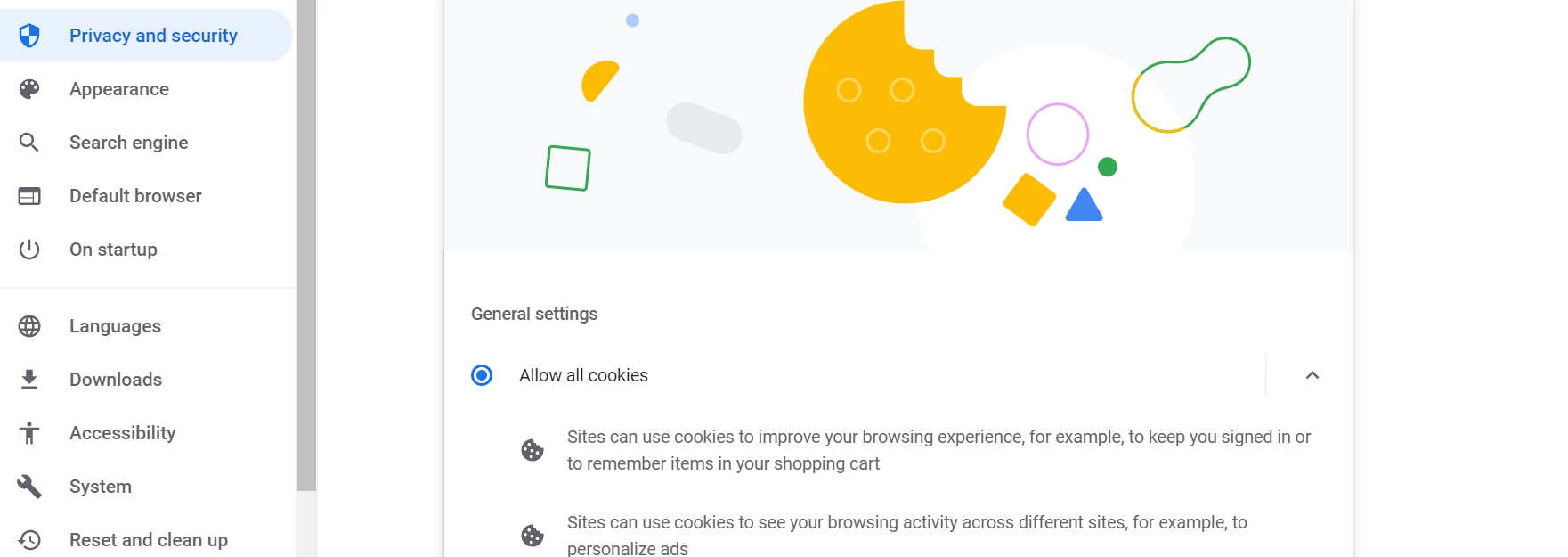
@vijayakumar_raju_cbe Right now we do not see any issues with AEP debugger, can you please check if thrid party cookies are allowed in your browser


Chrome -- settings -- Privacy and security


Also check if there are any specific websites, JS scripts, or websites are blocked on your browser, the extension is dependent on browser settings to work

July 18, 2022

Hi @vanibhemarasetty,

Thanks for the steps but looks like it won't help me to resolved. Is there a way to raise as bug and fix if possible.

Thanks,

Vijay

July 18, 2022

The debugger working in Microsoft edge, but not in Chrome.

July 18, 2022

Hi @deepakkv,

Could you please elaborate more, good to see if that is possible in Microsoft edge browser. 

Thanks,

Vijay

deepakkvAccepted solution
July 18, 2022

Extensions designed for Google Chrome can also be used in Microsoft Edge as well. So  Install the Adobe experience platform debugger in Microsoft edge and use it. 


Please check the below documentation from Microsoft for more details. 

https://support.microsoft.com/en-us/microsoft-edge/add-turn-off-or-remove-extensions-in-microsoft-edge-9c0ec68c-2fbc-2f2c-9ff0-bdc76f46b026


Let me know if you need any more details.