Migration SDK 4 and Adobe Analytics Mobile Service | Community
Skip to main content
Luca_Lattarini
Level 9
July 17, 2020
Solved

Migration SDK 4 and Adobe Analytics Mobile Service

  • July 17, 2020
  • 1 reply
  • 1269 views

Hello everyone,


Currently Adobe Analytics Mobile Service is sending custom variable (evars,props) to AA report suite as showed below.   During the migration from SDK 4 to AEP SDK, shall I migrated this part as well? Another question is: after the SDK migration, Adobe Mobile Service will handle  the new AEP sdk?
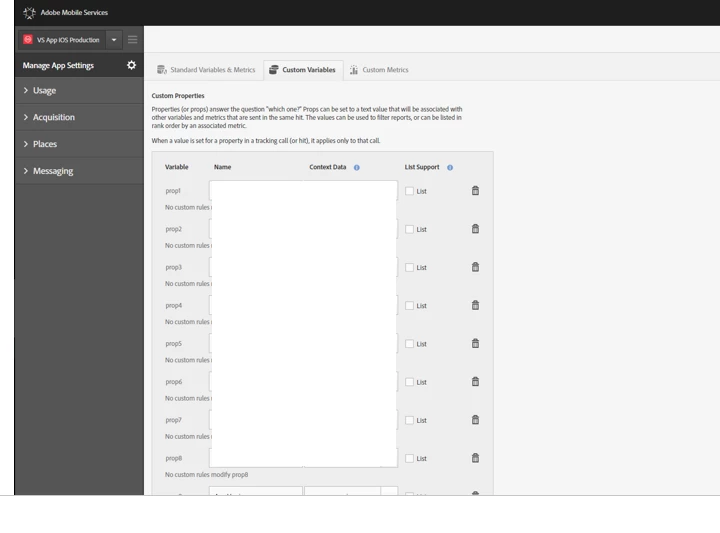
 

thanks

This post is no longer active and is closed to new replies. Need help? Start a new post to ask your question.
Best answer by shesingh

Hi,

Using the methods trackState and trackAction you are able to send additional data.

Steps to perform.


To answer your query, you will need to migrate the processing rules to Analytics interface as mentioned here. As you are familiar with "props and eVars" in Analytics, you will notice that these variable names are not in the AEP SDK. All key/value data coming from the SDK will be sent as contextData variables , and as such will need to be mapped to props or eVars (or other variables) by using Processing Rules in the Analytics UI(Analytics Admin Report Suites >  Edit Settings General Processing Rules).

Set evars through processing rules.

Set events through processing rules.


Hope this helps!

1 reply

shesinghAdobe EmployeeAccepted solution
Adobe Employee
August 5, 2020

Hi,

Using the methods trackState and trackAction you are able to send additional data.

Steps to perform.


To answer your query, you will need to migrate the processing rules to Analytics interface as mentioned here. As you are familiar with "props and eVars" in Analytics, you will notice that these variable names are not in the AEP SDK. All key/value data coming from the SDK will be sent as contextData variables , and as such will need to be mapped to props or eVars (or other variables) by using Processing Rules in the Analytics UI(Analytics Admin Report Suites >  Edit Settings General Processing Rules).

Set evars through processing rules.

Set events through processing rules.


Hope this helps!