
Tracking "Form Submission" rule configured in Launch not firing correctly | Community
Skip to main content
JyotiSharmaV
Community Advisor
Community Advisor
April 15, 2021
Solved

Tracking "Form Submission" rule configured in Launch not firing correctly

  • April 15, 2021
  • 3 replies
  • 1966 views

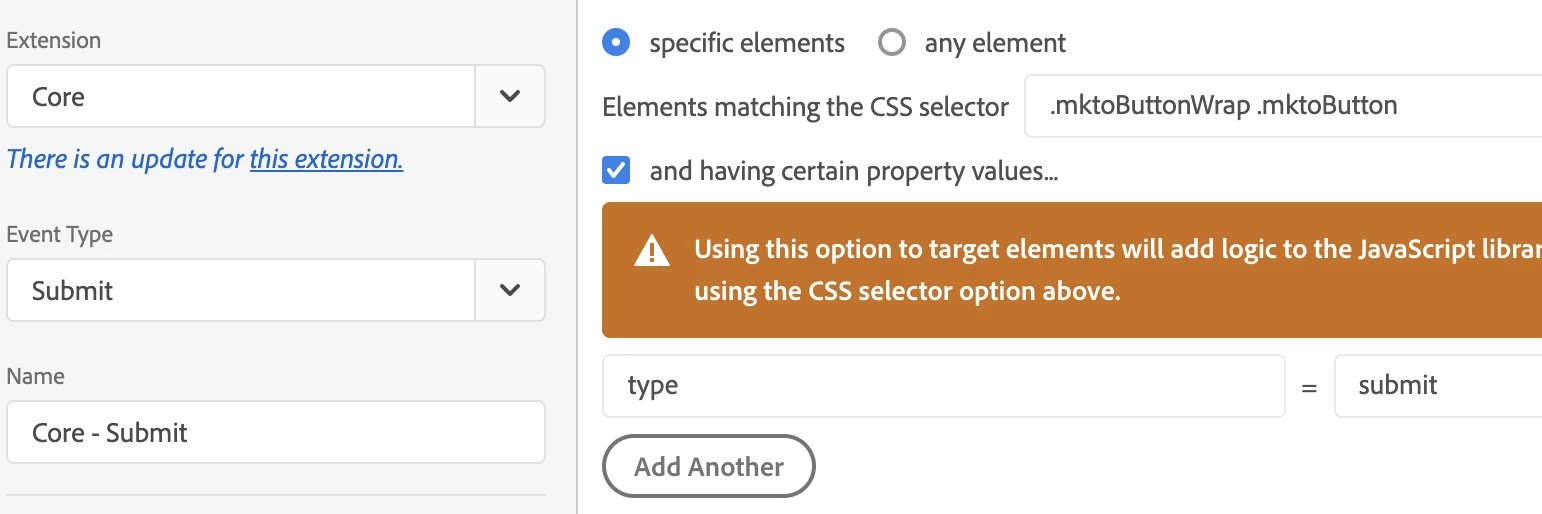
I built a Click event rule in Launch for the "Form Submit" button. But this rule is firing even if you just click submit button even if the fields of the form are not entered. Any solution to that?


I have also tested it by changing it to event type Form "Submit" and now nothing is coming in the debugger. 
 

This post is no longer active and is closed to new replies. Need help? Start a new post to ask your question.
Best answer by yuhuisg

Given your situation, it would be best for your developers to trigger a Direct Call _satellite.track() when their form submission script runs successfully. You can then build a Rule from that Direct Call to track your form submission.

3 replies

JyotiSharmaV
Community Advisor
Community Advisor
April 15, 2021

@yuhuisg I have tried implementing by changing the event type but it's not working. Also, my page url does not change after submission it just shows the "Thank you message". 


yuhuisg
Community Advisor
yuhuisgCommunity AdvisorAccepted solution
Community Advisor
April 17, 2021

Given your situation, it would be best for your developers to trigger a Direct Call _satellite.track() when their form submission script runs successfully. You can then build a Rule from that Direct Call to track your form submission.

Jennifer_Kunz
Adobe Champion
Adobe Champion
April 19, 2021

I want to say sometimes the "submit" trigger is looking for the element of the FORM that is being submitted, not the submit button.  If you can't get the developers to set a reliable direct call for you, I'd try either changing the trigger to be click-based on the submit button, or submit-based on the form, if that makes sense.