debugging "alien" beacon being fired | Community
Skip to main content
October 25, 2018
Solved

debugging "alien" beacon being fired

  • October 25, 2018
  • 4 replies
  • 2895 views

Hello,

I am completing a tagging implementation and during testing I came across a strange problem: I see that not one, but two Adobe Analytics beacons are fired on page load, and the second is NOT a duplicate. One of the beacons matches the rules and Adobe Analytics variables I set up in Launch, but the other one has different tags and I have no idea where they come from! They might come from a previous iteration of rules that have been deleted.

How do I get rid of the second beacon containing incorrect tags?

Any help would be deeply appreciated.
This post is no longer active and is closed to new replies. Need help? Start a new post to ask your question.
Best answer by Stewart_Schilling

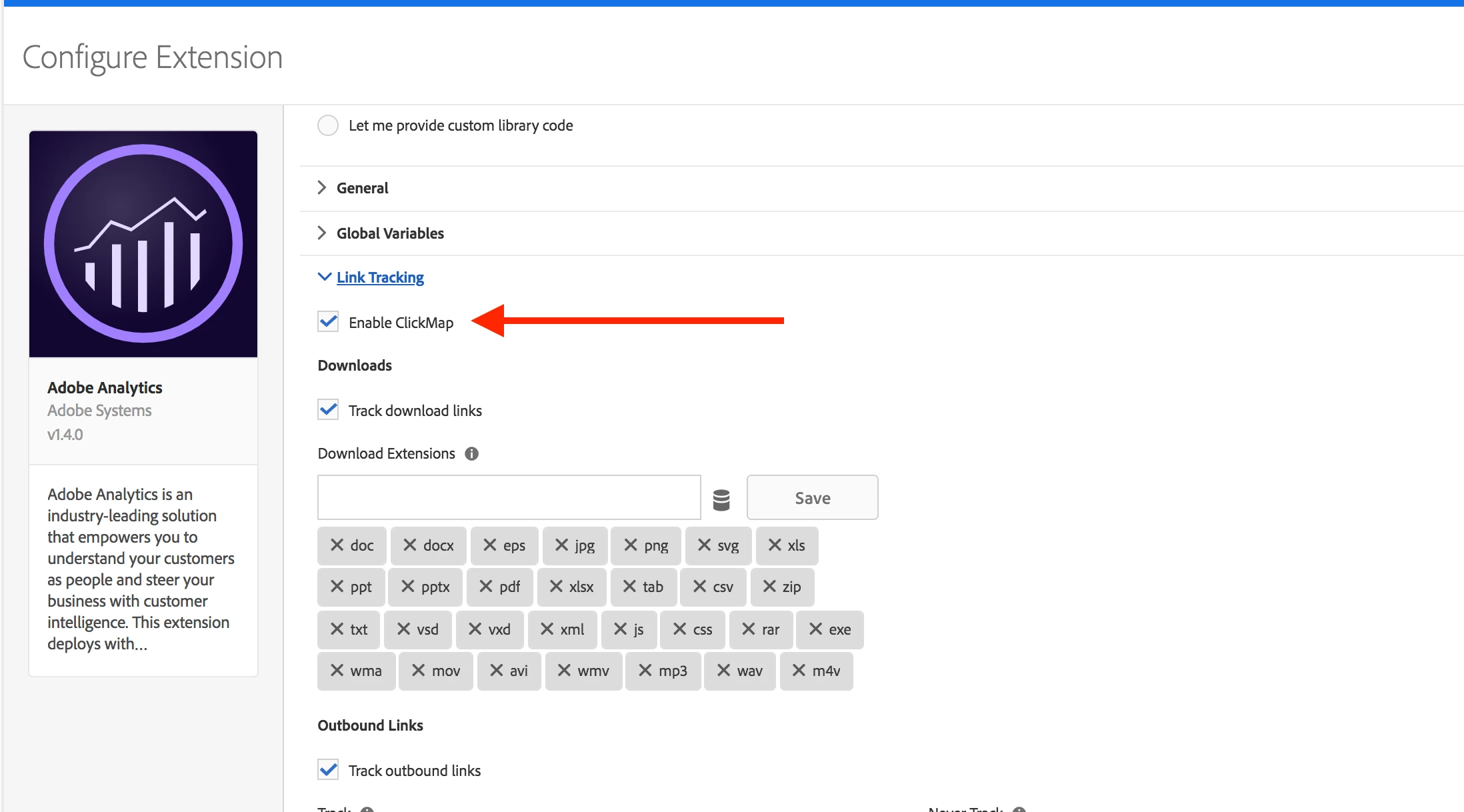
This looks like ClickMap / Activity Map.  In your Adobe Analytics Extension, de-select `Enable ClickMap`, then Save, Build, and Test.

4 replies

Level 6
October 29, 2018

Do you by chance have any Page Bottom Rule in place? I had some similar issue where I didn't even have the _satellite.pageBottom() method in my code, but the rule got fired anyway.

Is the second beacon also an s.t() or an s.tl(). if the later, you should see a "pe=lnk_o" and a "pev2" parameter whit which value you would have a bigger chance to see what rule was fired.

Stewart_Schilling
Community Advisor
Community Advisor
October 29, 2018

You might also try using Launch Monitoring Hooks as described in this excellent blog post: https://medium.com/launch-by-adobe/launch-library-monitoring-hooks-8495dd91b57

-Stew

October 30, 2018

I don't have any bottom page rules, but indeed on the second beacon I have these parametres:

    1. Object Id (oid): Search
    2. Object Id Tag (oidt): 3
    3. Object Tag (ot): SUBMIT
  1. Page Information (17)
    1. .a:
    2. .activitymap:
    3. .c:
    4. Link Name (pev2): link clicked
    5. Link Type (pe): lnk_o

So it seems this beacon is triggered by the click on the submit button, but so is the "legit" beacon... I have the impression the second beacon comes from a rule I cannot see!

Stewart_Schilling
Community Advisor
Stewart_SchillingCommunity AdvisorAccepted solution
Community Advisor
October 30, 2018

This looks like ClickMap / Activity Map.  In your Adobe Analytics Extension, de-select `Enable ClickMap`, then Save, Build, and Test.