
Using dynamic Datastream ID value in WebSDK extension. | Community
Skip to main content
John_Man
Community Advisor
Community Advisor
July 9, 2024
Solved

Using dynamic Datastream ID value in WebSDK extension.

  • July 9, 2024
  • 1 reply
  • 2264 views

Hi,


We are using Web SDK and working on a scenario where the data has to be sent to a different report suite and also event forwarding destinations depending if the web page is accessed in mobile web view or normal browser.


We thought of using Datastream report suite override but it seems it cannot take care of the event forwarding destinations.


So we created 2 differnet data streams, and tried to use the "Enter Values" in the Web SDK extension Data Stream config., like below,
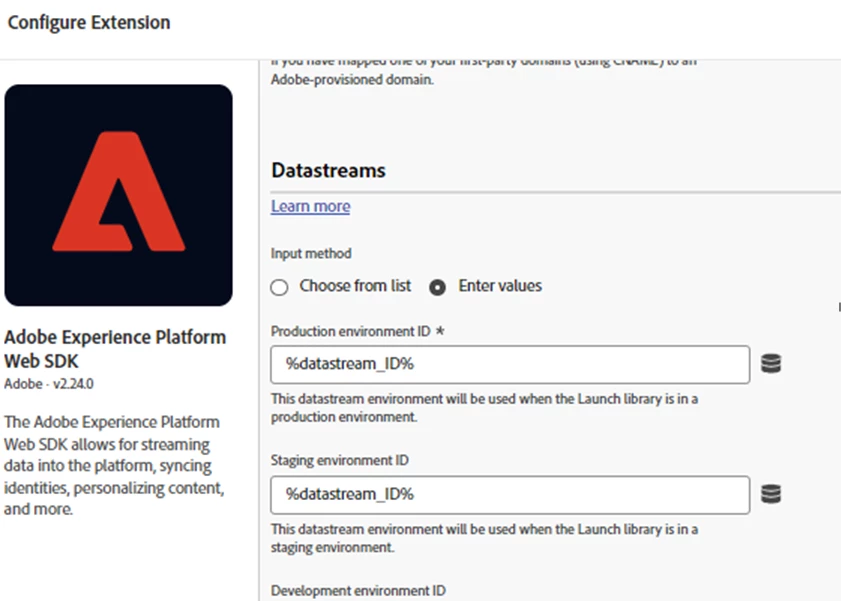
 

But it is not working as expected, as the data stream ID always follows the default value of the data element, and it won't use the other data stream ID value popluated.


Anyone have experience on this?


Thanks,

John


This post is no longer active and is closed to new replies. Need help? Start a new post to ask your question.
Best answer by John_Man

Hi @anil_umachigi 


The data element value for the data stream ID is populated in a button click event, so there should be no race condition. And we still see the event call sent to the default data stream ID.


Thanks,

John


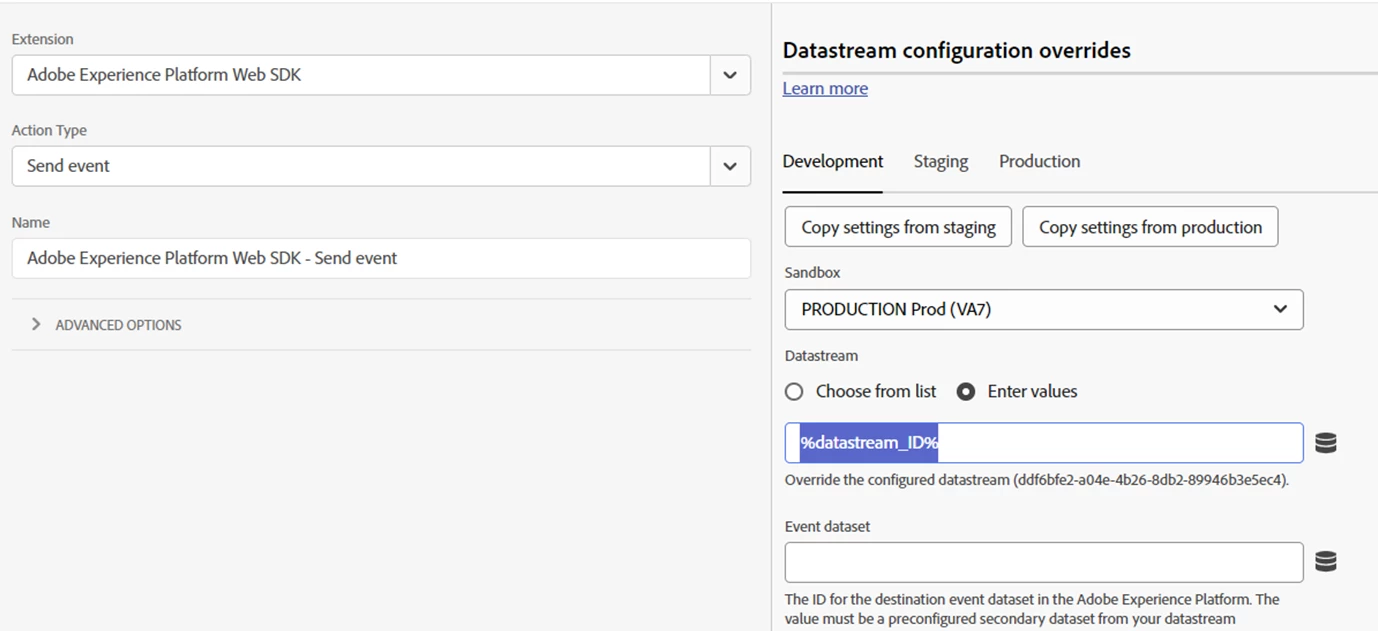
Just found that it's possible to override the whole Data Stream ID in the rule/sendEvent level.


Not sure why the same setting in the extension level does not work, but we tested the one in the rule/sendEvent level and it works.


1 reply

Anil_Umachigi
Adobe Employee
Adobe Employee
July 10, 2024

@john_man The datastream override is for configurations made within the datastream and not really overriding the actual datastream. 

You can achieve the adobe analytics reportsuite override with this approach but not really switch datastream using the webSDK extension. 


There are however couple of ways to do this 

  1. use WebSDK ( alloy.js) within the app and dynamically change the configurations (datastream etc..) 
  2. use WebSDK serverside and switch configurations on the go 

Anil


John_Man
Community Advisor
John_ManCommunity AdvisorAuthor
Community Advisor
July 10, 2024

Hi @anil_umachigi 


Thanks for your reply.


Since we also need to send to different server side forwarding destinations, datastream override seems cannot help.


Apart from the other methods you mentioned. Would also like to understand more on why it's allowed to enter data element as values for the Data Stream ID in the Web SDK extension config?


Thanks,

John

John_Man
Community Advisor
John_ManCommunity AdvisorAuthor
Community Advisor
September 19, 2024

Just found that it's possible to override the whole Data Stream ID in the rule/sendEvent level.


Not sure why the same setting in the extension level does not work, but we tested the one in the rule/sendEvent level and it works.


Just received an update from Adobe that this issue is fixed, i.e. we can use a data element variable as the data stream ID in the Web SDK extension level, and when you send event, the data stream ID will be based on the run-time value of the data element.