Unable to configure Extensions | Community
Skip to main content
February 15, 2024
Solved

Unable to configure Extensions

  • February 15, 2024
  • 3 replies
  • 2922 views

Hi Folks,

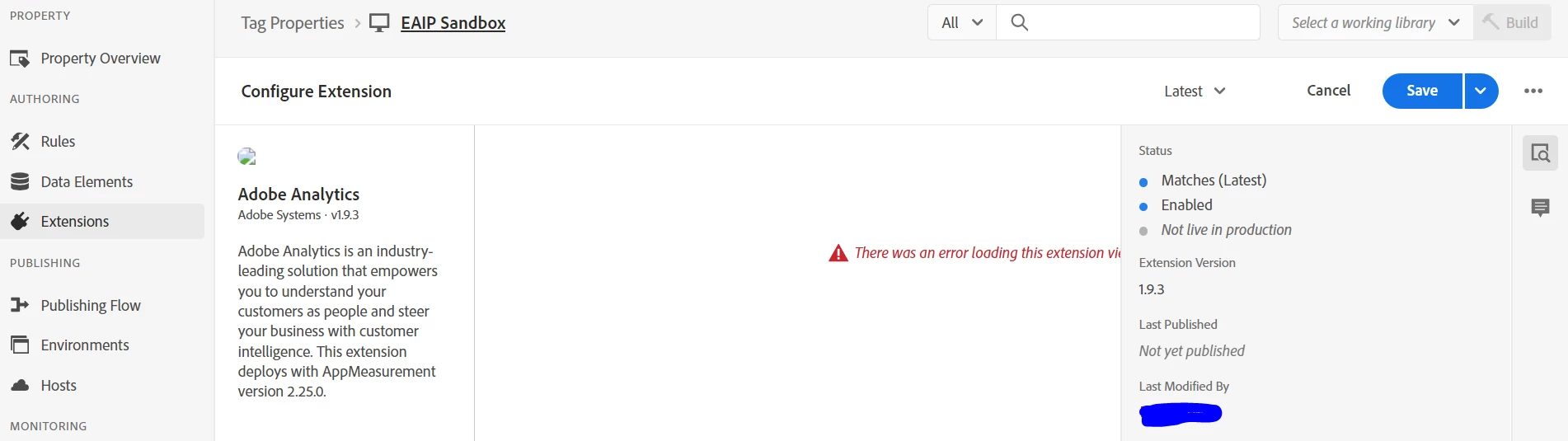
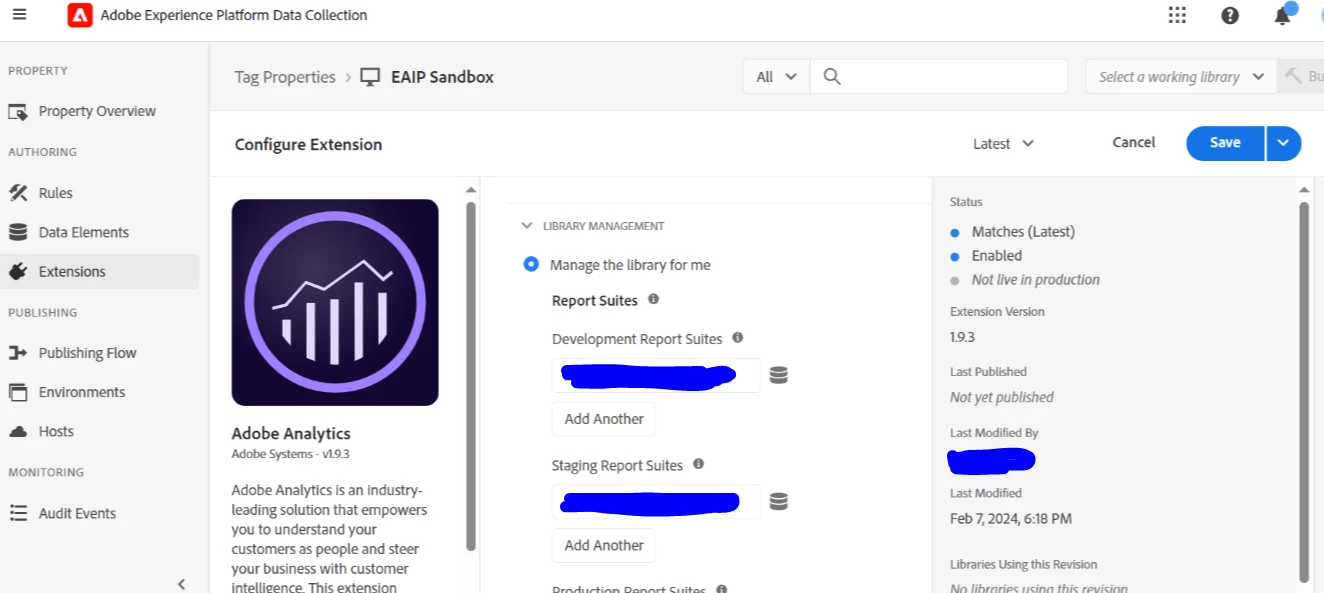
I'm new to Adobe Analytics and started working on "Data Collection" when i'm trying to configure Adobe Extensions, it is showing error on my browser, however it is working fine on my colleagues machine (we both have same permissions).

I have tried below:

- Clearing cache and relogging in to the application (same issue)

- Opening in Incognito mode (same issue)

- Trying different browsers (same issue)

Issue on my Machine:
on my Team-mates machine:
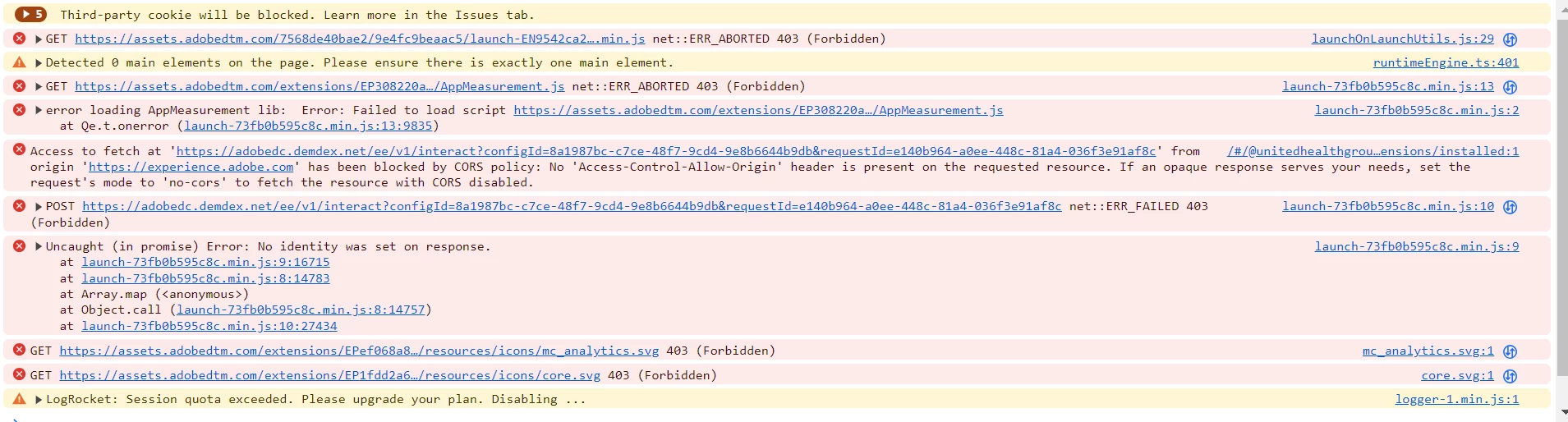
Error in the web developer console
Any suggestions to fix it would be of great help 🙂

Thank you 🙂 @yuhuisg @jantzen_b 

 

This post is no longer active and is closed to new replies. Need help? Start a new post to ask your question.
Best answer by BalrajPitlola

Issue is fixed by our IT Team, Problem is there is an hidden role which was blocking all the websites which has user tracking. They removed that role and it worked 🙂 


Thanks everyone for the support 🙂

3 replies

yuhuisg
Community Advisor
Community Advisor
February 15, 2024

You are getting HTTP error 403 when your browser tries to load the Launch script. That means something in your browser is preventing the Launch script from even loading in the first place. Do you have any ad blockers in your browser?

February 20, 2024

We do not have any ad blockers, i tried disabling all the extensions. Still same issue.

February 20, 2024

Hi @balrajpitlola 


Browser Extensions: Sometimes browser extensions can interfere with the functioning of web applications. Try disabling any browser extensions you have installed, especially ones related to privacy or security, and see if that resolves the issue.


Network Configuration: Ensure that your network configuration isn't blocking any necessary connections for Adobe Analytics. This could include firewall settings, proxy configurations, or VPN restrictions.


Browser Settings: Check if there are any specific browser settings that might be causing the issue. For example, certain security or privacy settings could be preventing the Adobe Analytics extension from functioning properly.

February 20, 2024

Same settings like mine in another colleagues machine is working without any issues. However it is failing on my machine. It looks like something is blocking, unable to trace what is causing this issue.

February 22, 2024

I check with my credentials on my colleagues machine and it is working without any issue. Looks like some issue with my machine/Profile. 


checked second point... ?

User Profile Issues: Try creating a new user profile on your machine and see if the issue persists when logged in with the new profile. This can help determine if the problem is specific to your user profile

BalrajPitlolaAuthorAccepted solution
February 28, 2024

Issue is fixed by our IT Team, Problem is there is an hidden role which was blocking all the websites which has user tracking. They removed that role and it worked 🙂 


Thanks everyone for the support 🙂