Try to track internal link on adobe launch | Community
Skip to main content
akshays10917848
December 19, 2018
Solved

Try to track internal link on adobe launch

  • December 19, 2018
  • 2 replies
  • 3208 views

Hi,

I am trying to track the internal link of the below categories.

below is the html part:
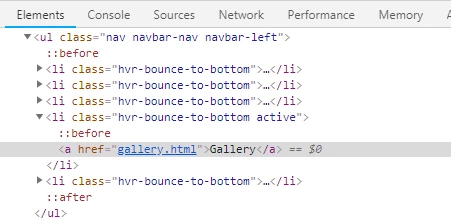
I want the link names on every click. like:'Gallery', 'Codes' etc.

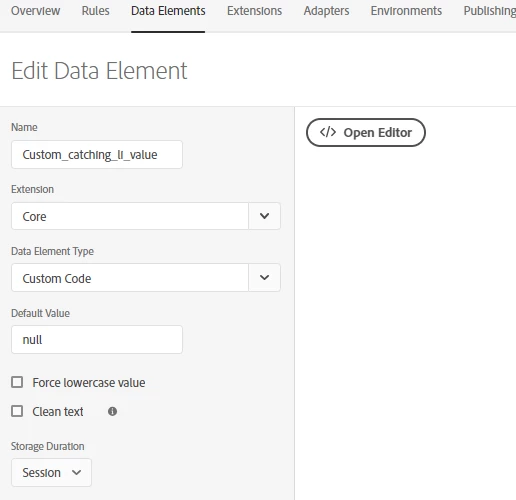
Created a data element with custom code:
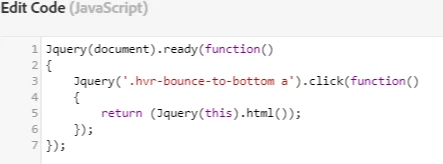
below is the JavaScript code which is in the editor:
On Adobe launch, i Set this rule below:
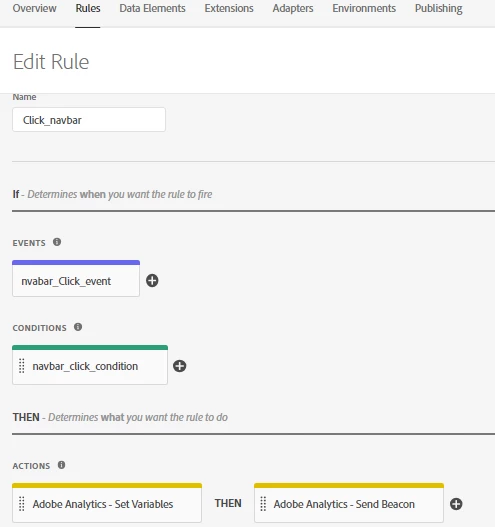
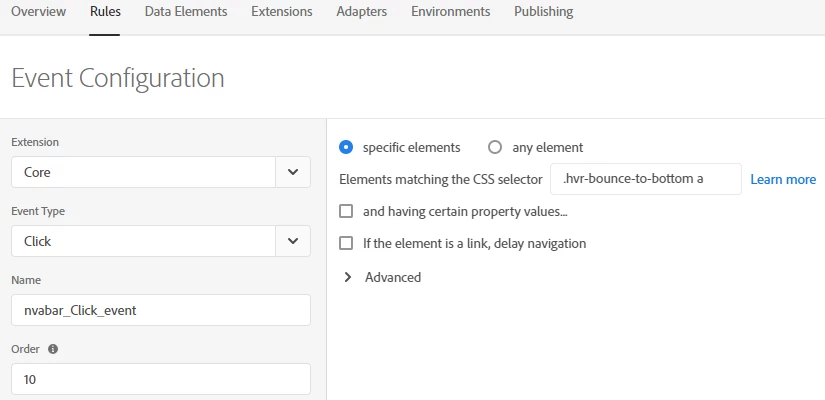
I want to track the click on the categories, so select the 'click' event type and added the css selector part below:
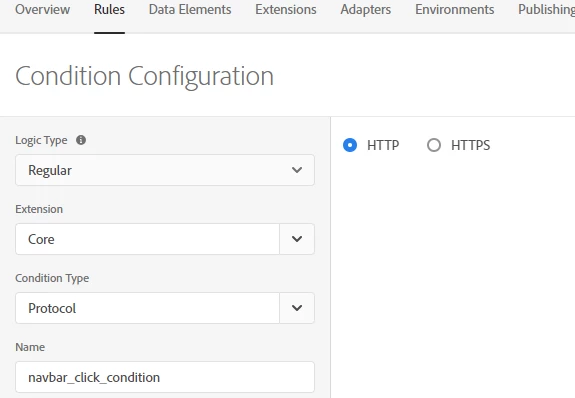
Added a simple condition which will work easily:
Now in Action Configuration, i set the variables: evar4 Set as %Custom_catching_li_value%
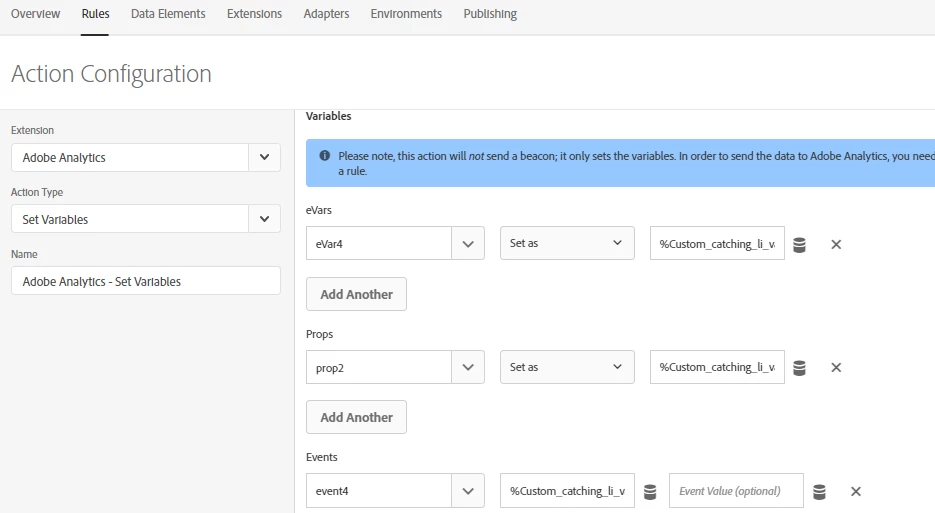
But in launch assets request, v4 is not coming, c2 is coming null, events: event4

Can anyone help, How to fix this and make it better?

Please help to advise.

Thanks!

This post is no longer active and is closed to new replies. Need help? Start a new post to ask your question.
Best answer by Stewart_Schilling

This looks pretty good with the exception of how you are using data elements.

There are a couple things worth noting:

1). There is no need to set up event listeners in code.  Launch does all that for you depending on the type of event that triggers your rule.

2). Data Elements are like functions that get called whenever they are referenced.  If the data element is Core > Custom code, that code is expected to return something.  In yours, you establish a listener that has a return, but it won't be fed back as the return value of the data element.  Also, there is a timing issue, since the data element is not evaluated until after the rule is triggered, which then sets up a listener that might get triggered upon the next click.

Anyway, while there are some legitimate reasons to set up event listeners in custom JS in Launch, those cases are pretty rare.

So...  What's the solution?

2 replies

Stewart_Schilling
Community Advisor
Stewart_SchillingCommunity AdvisorAccepted solution
Community Advisor
December 20, 2018

This looks pretty good with the exception of how you are using data elements.

There are a couple things worth noting:

1). There is no need to set up event listeners in code.  Launch does all that for you depending on the type of event that triggers your rule.

2). Data Elements are like functions that get called whenever they are referenced.  If the data element is Core > Custom code, that code is expected to return something.  In yours, you establish a listener that has a return, but it won't be fed back as the return value of the data element.  Also, there is a timing issue, since the data element is not evaluated until after the rule is triggered, which then sets up a listener that might get triggered upon the next click.

Anyway, while there are some legitimate reasons to set up event listeners in custom JS in Launch, those cases are pretty rare.

So...  What's the solution?

Stewart_Schilling
Community Advisor
Community Advisor
January 4, 2019

Did this help?  Did it solve your issue?  If so, please mark the answer as correct.  If not, let's pick the discussion back up.

-Stew