Tag Firing Twice
Hi all, I'm at my wit's end trying to figure out why a relatively simple tag is firing twice on the page. It's a gtag (google analytics tag) that fires on click of an anchor element with the telephone attribute. (see pictures below)
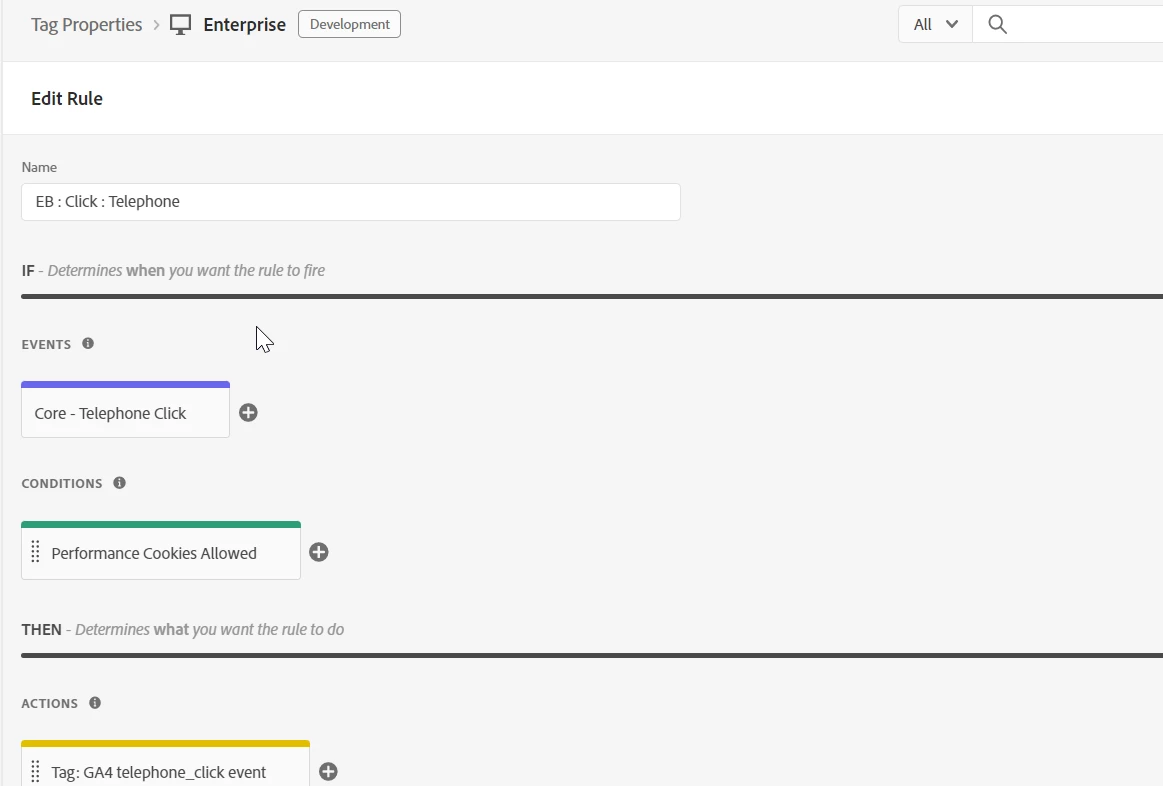
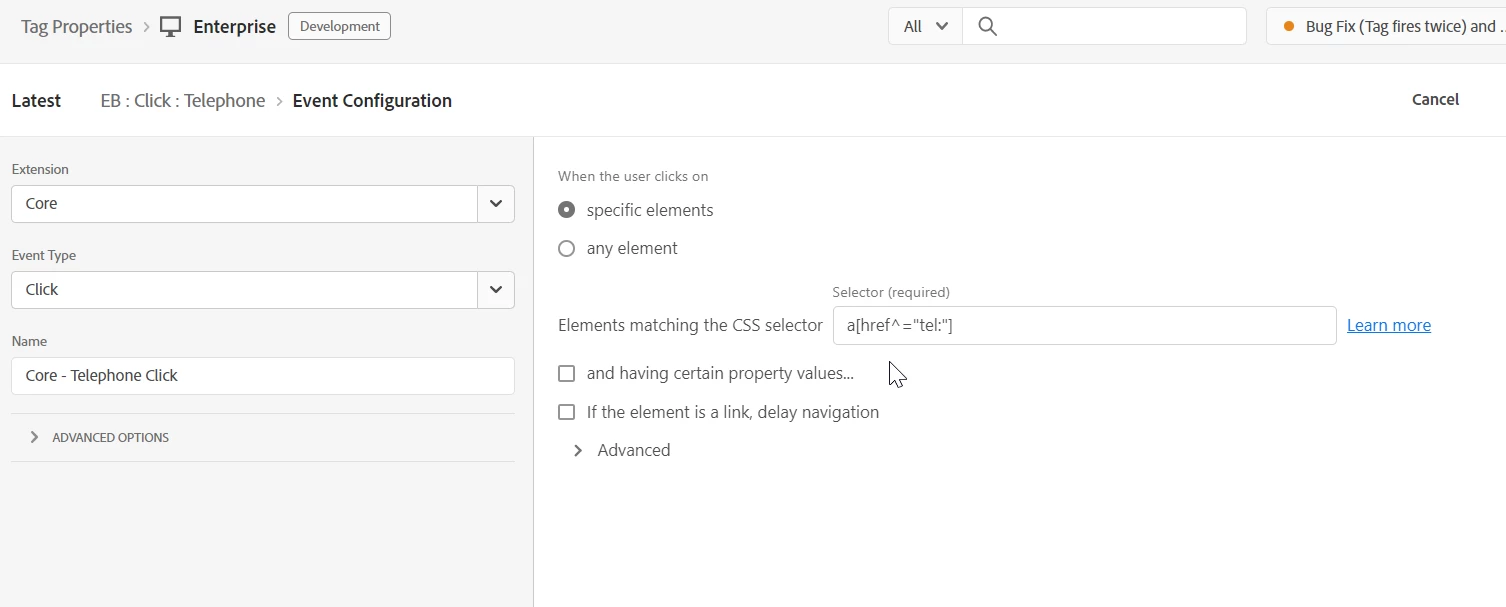
This is the script inside of the action 'Tag: GA4 telephone_click event'
try{
var e = this;
let linkText = e.innerText.trim();
let href = e.closest('a').href;
const regex = new RegExp('tel:*')
//capture the url by getting everything AFTER the 'tel:'
const link_url = href.substring(href.indexOf(':') + 1);
if(regex.test(href)){
gtag('event','telephone_click', {
'link_text': linkText || undefined,
'link_url': link_url || undefined
});
}
}
catch(e){
satellite.logger.error('[GA4] telephone_click error: ',e);
}
When I check the network requests and data layer however.. I see the 'telephone_click' event two times. I don't know why this is happening. I'm also including a picture of the html code for an example of an item I'd be clicking.
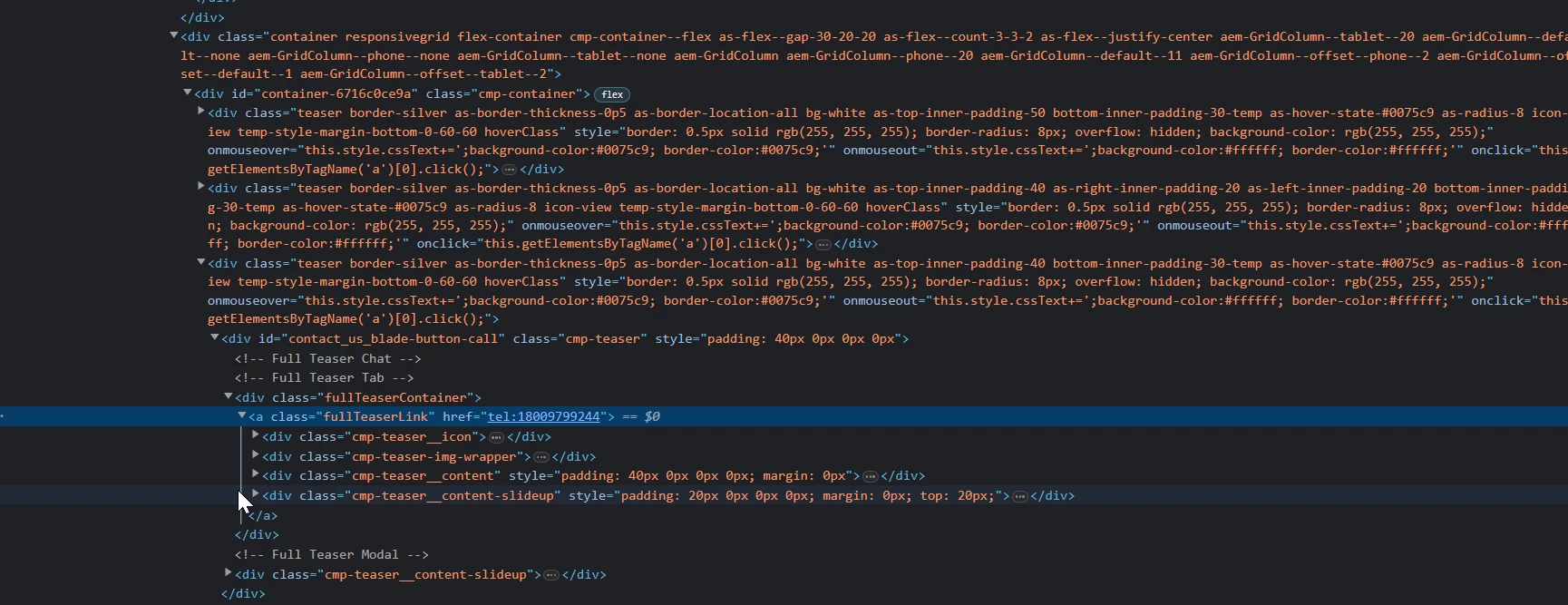
After just one click this is how the network request tab looks
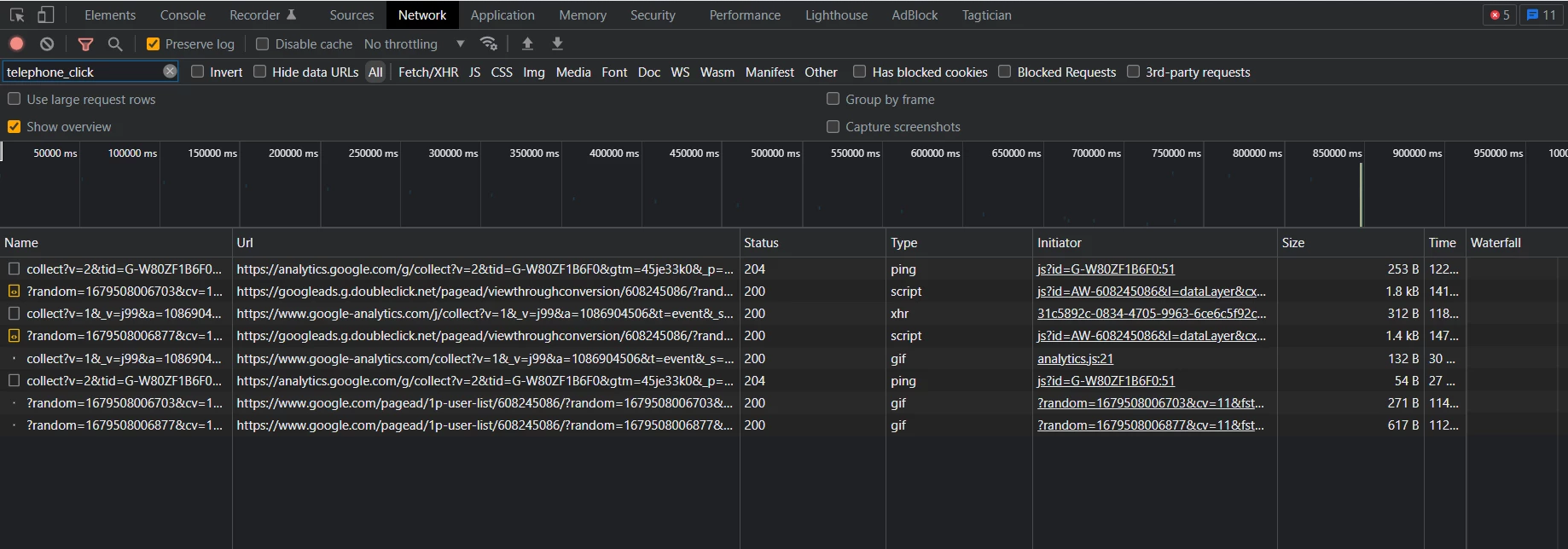
Any advice or suggestions is very much appreciated. I tried Googling and looking at previous questions in addition to unchecking 'Allow this rule to run even if the event already triggered a rule targeting a descendant element' in the advanced options of the event.
Thank you!


