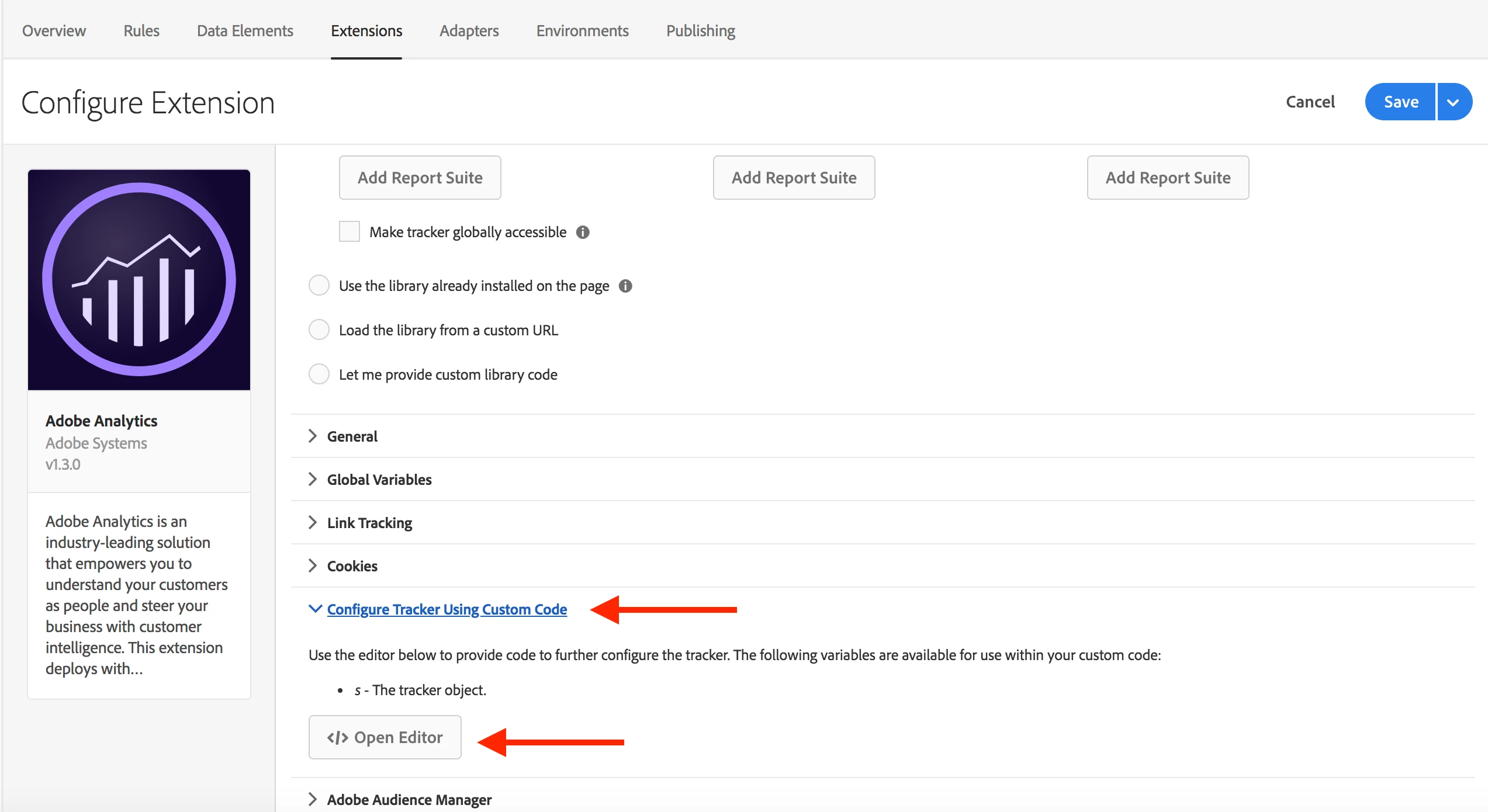
Under Extensions in Launch, you'll need to install and configure the Adobe Analytics extension (I assume that you've gotten this far).
Within the extension configuration, you'll find a section named "Configure Tracker Using Custom Code". This is the place where you will add your plug-in functions and set up your s.doPlugins function.
Here is some example implementation code :
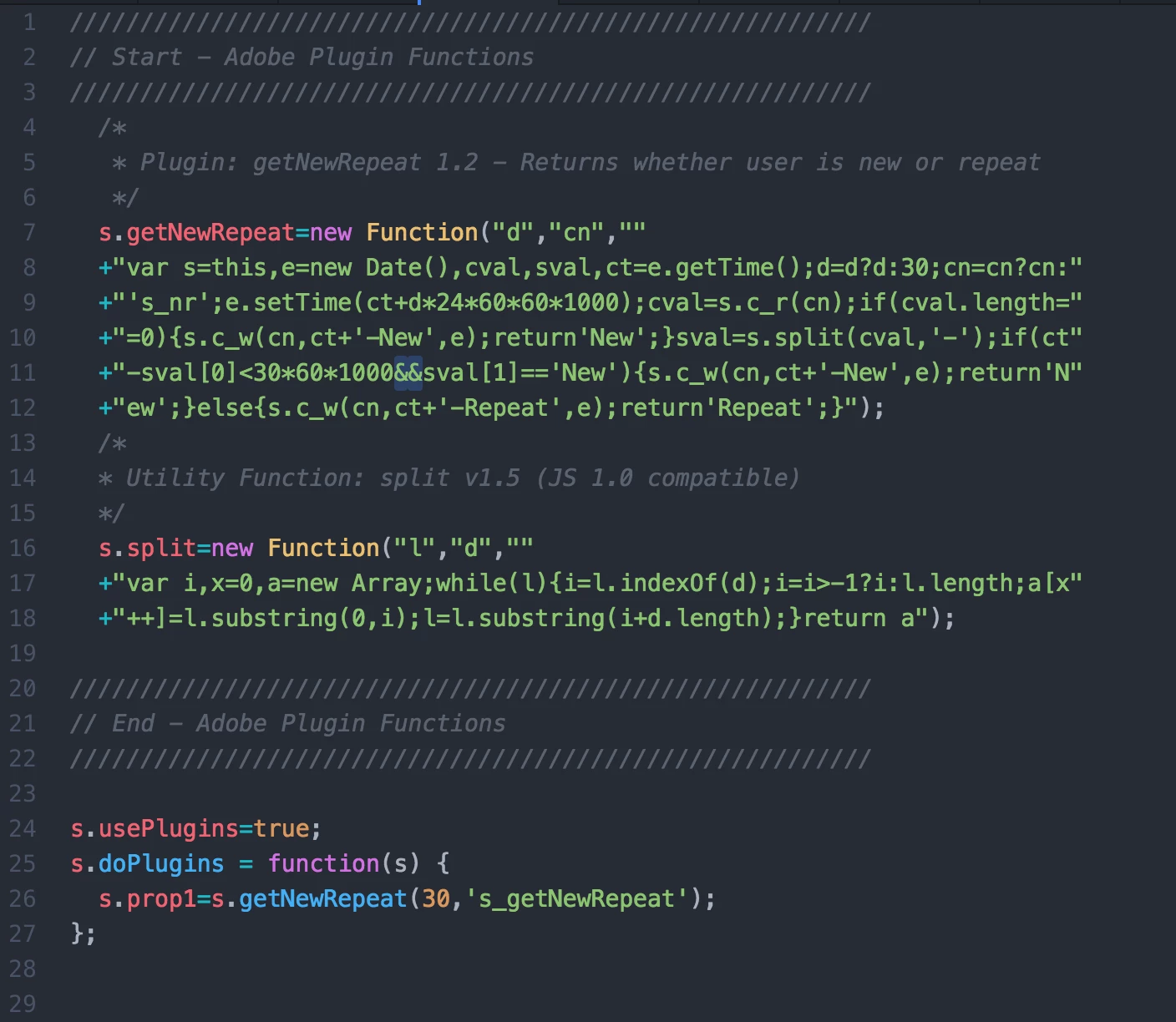
In the code above, there are a few things to note:
1) Timing - This code is executed just after the Adobe Analytics library is loaded which is just after the Launch library inits. In other words, this will run very early in the scheme of things.
2) The first part (blocked by comments Start ... End) of this code simply defines the plugin functions on the "s" object. This makes them available for use later.
3) line 24 - s.usePlugins=true. This is a flag for Adobe Analytics that tells it to execute the doPlugins function just before sending beacons across the wire ( as part of s.t, s.tl, activityMap, and link tracking).
4) Lines 25-27 s.doPlugins = ... This is the function that will be run. This is where you set you props, evars, events and do anything else you want to accomplish on every beacon that you send.
5) This example shows the structure of things. You can add more plug-ins and more logic to your doPlugins function.
6) This code would also be a good place for other AA customizations like loading the media module for video tracking.
Links to the documentation are here:
Implementation Plug-ins
s.usePlugins
s.doPlugins
