Native Target App - Mobile - profileParameters | Community
Skip to main content
Level 2
June 12, 2020
Solved

Native Target App - Mobile - profileParameters

  • June 12, 2020
  • 3 replies
  • 4168 views

For the mobile app- Native implementation we are trying to add a banner dismissal code so that we know that user has dismissed this banner and they should see the next activity in the list. After following the Adobe documentation we are sending it as profile parameters as you can see below request but for some reason, the profile is not getting attached to the user so we don't know if the user has dismissed the banner or not and the user seeing the same banner again and again.


Also - In the target, I don't see user.mobile_banner_dismissed_clicked_AS00839_AI_SA_ALL_SG_DM_ACAI0240_XT is coming back so I am not sure what I am doing wrong here.

Any more questions let me know


Any help would be highly appreciated as I am stuck don't know how to move forward. Please help

"execute" : {
    "mboxes" : [
      {
        "index" : 0,
        "name" : "dashboardMiddle_NonsecureAccT3",
        "parameters" : {
          "a.OSVersion" : "Android 2.0"
          
        },

       "profileParameters":{
                "mobile_banner_dismissed_clicked_AS00839_AI_SA_ALL_SG_DM_ACAI0240_XT":"true"

      }
        
This post is no longer active and is closed to new replies. Need help? Start a new post to ask your question.
Best answer by Rajneesh_Gautam_

Can you share code for your profile attribute?


Also, would recommend testing with Postman (you'll need the trace  which you get with an http-debugger such as Charles).


Regards,

Rajneesh

3 replies

Rajneesh_Gautam_
Community Advisor
Rajneesh_Gautam_Community AdvisorAccepted solution
Community Advisor
June 12, 2020

Can you share code for your profile attribute?


Also, would recommend testing with Postman (you'll need the trace  which you get with an http-debugger such as Charles).


Regards,

Rajneesh

garora8Author
Level 2
June 12, 2020

Hi Rajneesh,


Thanks for getting back to me. 


We are using postman services to check the responses. we are creating below parameters - on click of the button we are sending the mobile button clicked "true" as you can see below but it's not getting attached to your 3rd party id. which means every time the user dismiss and see the same banner again . We are not sure what we are missing here .. The profiles are not getting attached to the third party id. 

Let me know if you need any more information, thanks again.


"profileParameters":{
                "mobile_banner_dismissed_clicked_AS00839_AI_SA_ALL_SG_DM_ACAI0240_XT":"True"

      }
 
 
Adobe Employee
June 16, 2020

Hi @garora8,


Can you confirm if you are seeing the network request being made from charles/logs with the provided profile parameters when using the Mobile SDK?

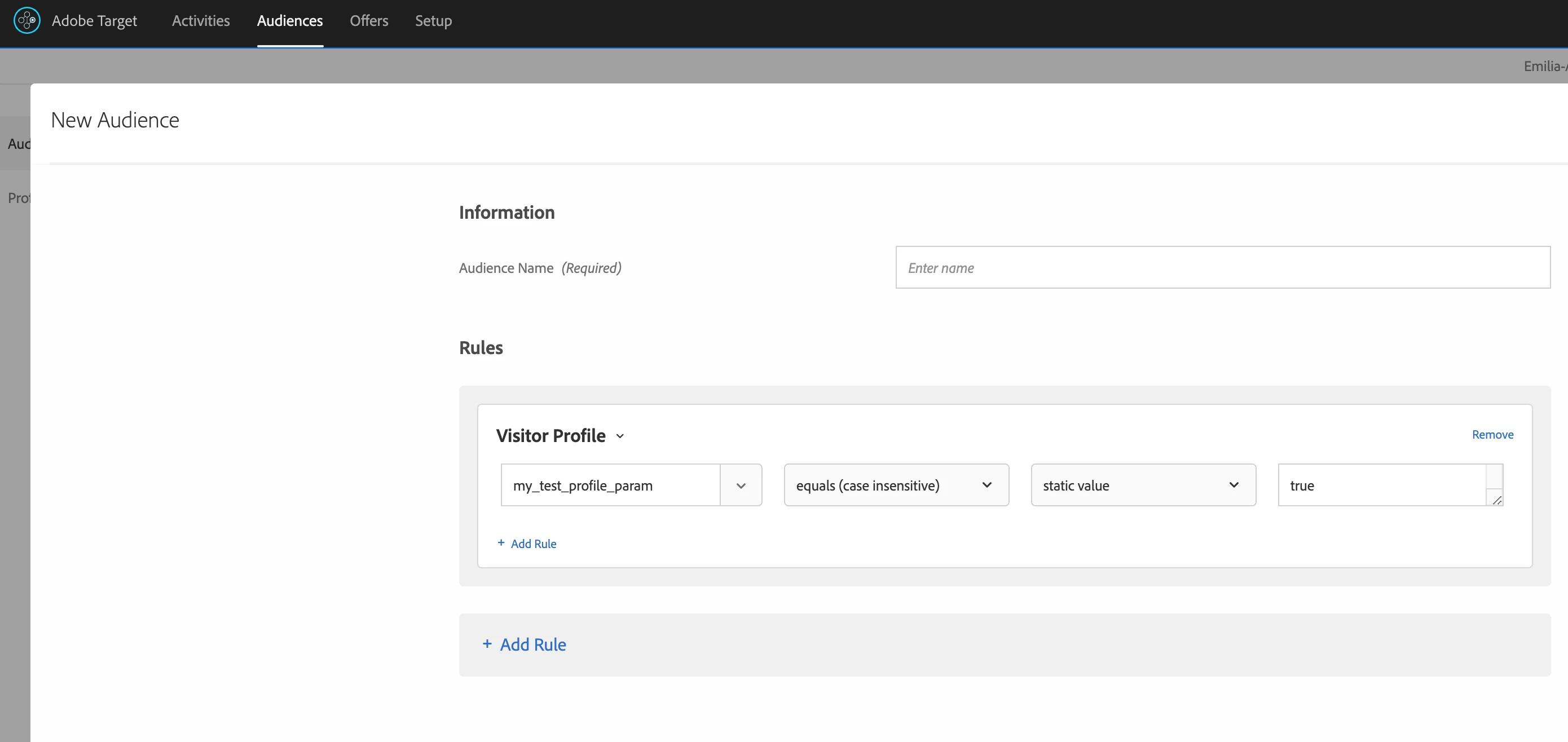
Also are you able to create audiences with the new profile parameter in Adobe Target UI? In the Audiences tab, when you create a new Audience and select Visitor Profile do you see your key mobile_banner_dismissed_clicked_AS00839_AI_SA_ALL_SG_DM_ACAI0240_XT in the drop-down? This parameter should become available in your activity only after sending it first time from the Mobile SDK.

If not, can you provide more details about the Mobile SDK version you are using, platform, steps to reproduce? 


Thank you,

Emilia Dobrin

Computer Scientist

Adobe Experience Cloud

garora8Author
Level 2
June 16, 2020
HI Emilia, Also,
Adobe Employee
June 17, 2020

Hi @garora8,


The request body fragment with profileParameters you shared looks correct to me. As long as you are sending these profile parameters in the Target API calls it should show in the Target UI. Please note that it usually takes a few minutes until they become available in the UI after you sent them for the first time from the mobile app. Then you should be able to create new audiences with this Visitor Profile parameter like in the screenshot below and use it in your activities:

 For Charles setup, I recommend following the charlesproxy documentation. Alternatively, you can enable verbose logging mode in your app:

MobileCore.setLogLevel(LoggingMode.VERBOSE);

and check the logs in Android Studio. You should then see the Target requests sent by the Mobile SDK.

Let us know if this is working for you and your development team. 


Thank you,

Emilia Dobrin


garora8Author
Level 2
June 18, 2020
Thanks, Emilia, It has been more than 5 days since we made a call via API to the profile pararmetere and it's not showing in the Target UI. Next step would ask sdk devleopers to add log(MobileCore.setLogLevel(LoggingMode.VERBOSE);may be this would help. Thank you very much for your help.)