Last Night's Debugger Update Doesn't Work with WebSDK | Community
Skip to main content
Level 2
October 20, 2023
Solved

Last Night's Debugger Update Doesn't Work with WebSDK

  • October 20, 2023
  • 2 replies
  • 983 views

Hello,


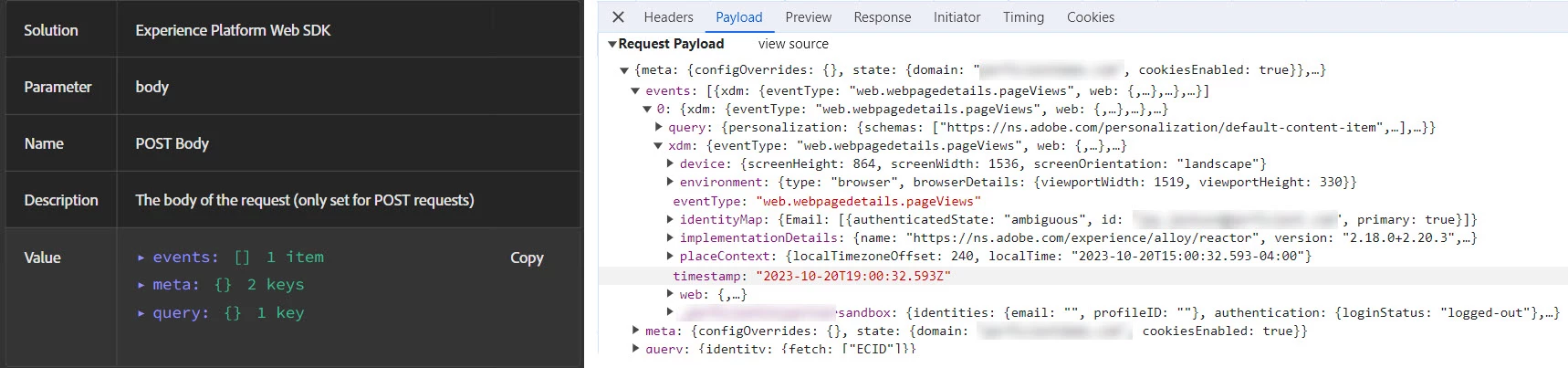
This morning there was a new Debugger (there doesn't appear to be version numbers but the Property names are in blue) and none of the WebSDK calls are being captured correctly.  The information is in fact in the interact call so the world isn't coming to an end but it is definitely more time consuming to use the dev console.  And yes, tried all the clear cache/cookie stuff.


Who do we report this to?


This post is no longer active and is closed to new replies. Need help? Start a new post to ask your question.
Best answer by MktgCloudUser

No, in the Experience platform Web SDK entries....there are a number of posts in this forum indicating the same behavior.  Double entries per page view, having to click multiple times in the Post Body to see the data (when previously all of the data appeared automatically), etc.

2 replies

Level 2
October 23, 2023

Any update on this?  Still a problem.  Any Adobe on this forum know how to forward this to the correct internal team?

Adobe Employee
October 24, 2023

Is this on the Logs->Client screen of the Debugger?

MktgCloudUser
MktgCloudUserAccepted solution
Level 4
October 25, 2023

No, in the Experience platform Web SDK entries....there are a number of posts in this forum indicating the same behavior.  Double entries per page view, having to click multiple times in the Post Body to see the data (when previously all of the data appeared automatically), etc.

NimashaJain
Adobe Employee
Adobe Employee
February 6, 2024

@dwright-adobe Can you please help on this?