Solved
How to prevent direct call rule from firing twice?
How to prevent direct call rule from firing twice?
How to prevent direct call rule from firing twice?
This is the trigger

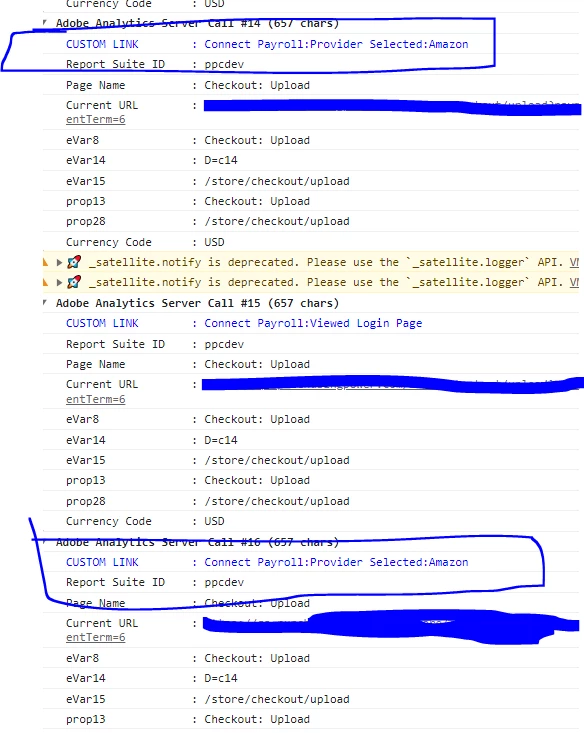
I know its firing 2 times in console but max frequency didn't work in this place. Does max frequency controls frequency for only one direct call firing? Can we write some custom code in set variable section like
if(event.detail.value == "Selected Company From Search By Company Page")
{
linkName = "Connect Payroll:Provider Selected:"+event.detail.value.company;
}
I tried the above code and it didnt work as well.
When you say you tried this code:
if(event.detail.value == "Selected Company From Search By Company Page")
{
linkName = "Connect Payroll:Provider Selected:"+event.detail.value.company;
}
Do you mean as a "custom code" trigger?
This isn't how you listen for a JS custom event, so that's probably why it didn't work.
I have never used the "Direct Call" method for our events, I've always used custom code event listeners like so:
window.addEventListener('atomic-transact-interaction', function (event) {
  if(event.detail.value == "Selected Company From Search By Company Page")
  {
     linkName = "Connect Payroll:Provider Selected:"+event.detail.value.company;
     trigger();
  }
}, false);
Basically, I listen for the event "atomic-transact-interaction", then look into the event.details for some criteria... if it matches, I use the "trigger();" call, this is what actually allows the custom code to move forward to run the rule.
I've not tried setting linkName directly here, but it should work... if not, you may need to set it to a temp variable that you can read in the rule. I generally add the entire event.details into a variable so that I can extract multiple pieces of info to use inside my actions.. and when I am done and the beacon has been sent, I will clear that temp variable.
Now, for the Max Frequency, you didn't really answer how you configured it.. but since this event seems like a generic event used for multiple different items, so this may be why the "max frequency" isn't working.... this may be loading first on the page load, then for something else, then this behaviour which is triggering twice...
But if you are using Max Frequency based on the "Page View"
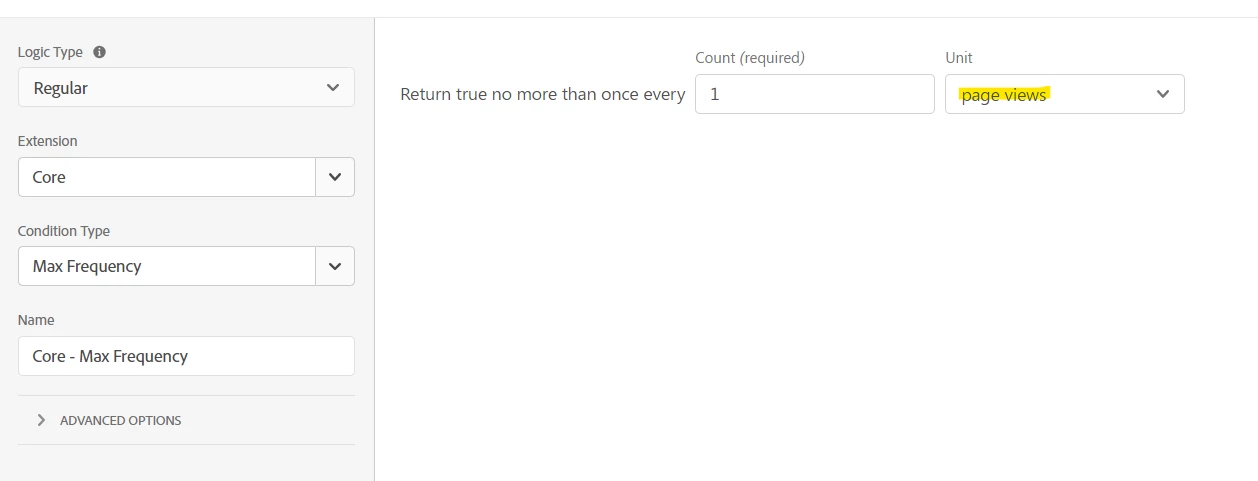
This is probably your issue, as this event has likely already fired on the page....
Try a Max Frequency based on time:
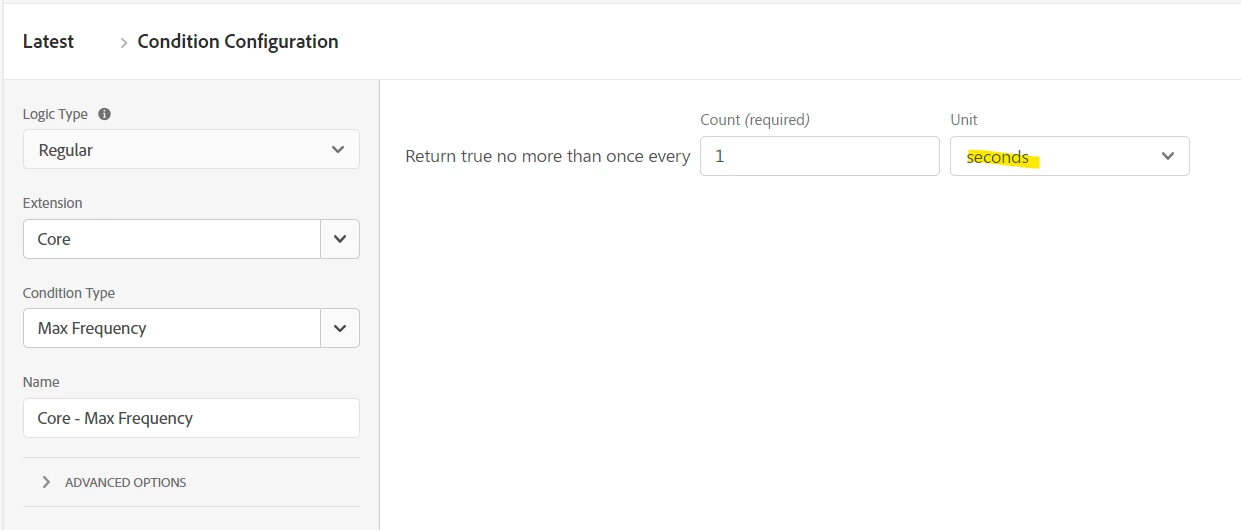
This still may not work depending on how many atomic-transact-interaction events are being fired on your site....
Again, the best solution is to log a ticket with your developers that they need to stop triggering this twice.
Enter your E-mail address. We'll send you an e-mail with instructions to reset your password.