how to pass data to different analytics report suites from same Data Collection tags using Web SDK | Community
Skip to main content
March 14, 2023
Solved

how to pass data to different analytics report suites from same Data Collection tags using Web SDK

  • March 14, 2023
  • 5 replies
  • 5480 views

Hi


We have implemented Web SDK on our websites and a tag in Data Collection. We have a scenario where we have common data layer across sites, common launch script but we need to send data to different report suites from datastream depending upon either a value in datalayer or a folder structure in URL. 

We have common tags, rules, and schema structure and in data streams we can add multiple reportsuites but how do we pass info to only one report suite at a time as per the value in datalayer or URL folder structure?

Passing data to one reportsuite and then creating virtual reporsuite is not possible due to limitations of VRs and also the overall traffic will be too huge to cross monthly limits.

Best answer by Stewart_Schilling

At this point, I don't see any way to do this other than to use VISTA rules. 

https://experienceleague.adobe.com/docs/analytics/technotes/vista.html?lang=en


Your use case seems valid.  I wish that there were a modern way to accomplish it. 


-Stew


5 replies

yuhuisg
Community Advisor
Community Advisor
March 14, 2023

When implementing Web SDK, you have to remember how data flows from your website to AA:

your website --> Launch Tags --> Web SDK --> Datastream --> AA

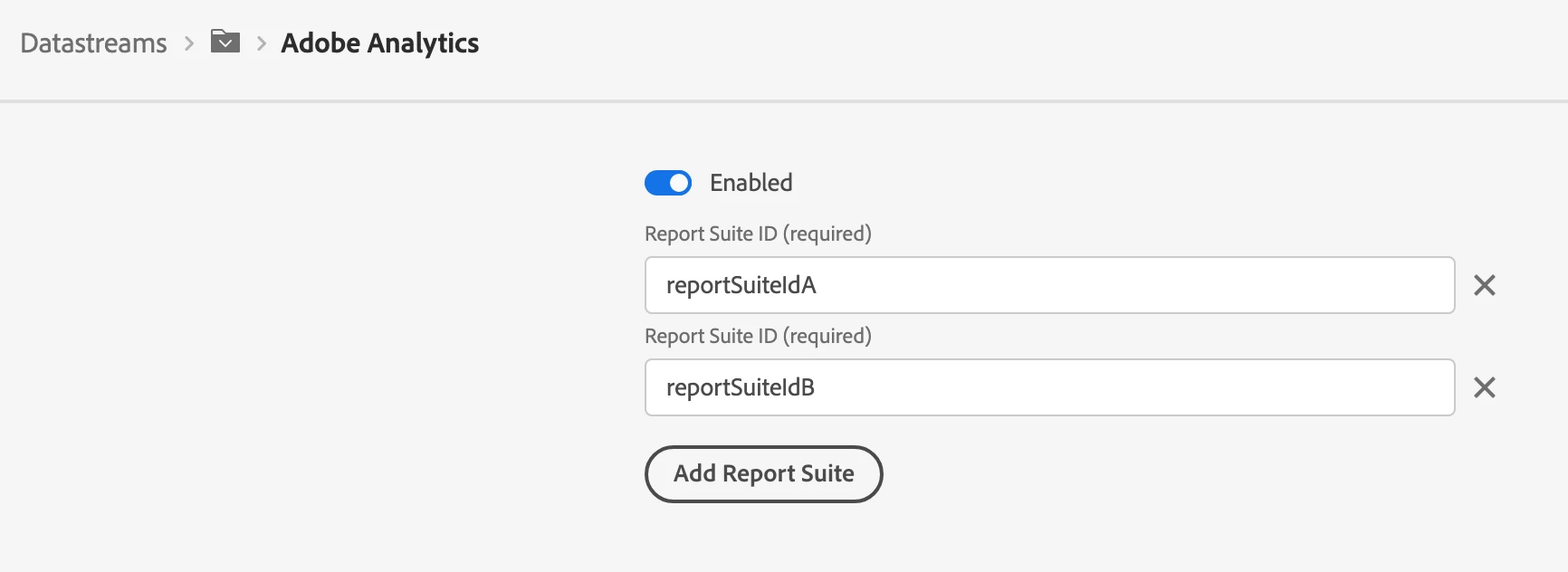
So to send data to multiple AA report suites, you need to modify your Datastream. Click the 3-dot menu for the Adobe Analytics service and choose "Edit". Then add all of the report suite IDs that you need to send data to.

Hope that helps!

Parm2Author
March 14, 2023

But I don't want to send data to all reportsuites in one go. It needs to be on the basis of some condition like


if condition1 == true then send data to reportsuite1

else if condition2 == true then send data to reportsuite2

else send data to reportsuite3


How can this conditional sending to different reportsuites be done with same tags?

yuhuisg
Community Advisor
Community Advisor
March 15, 2023

No, the organization needs to be same as multiple reportsuites are for same org.

But while creating second instance of Web SDK, it doesn't allow to create with same OrgID. It needs different orgID for multiple instances and this is WebSDK limitation 


Oh, err, that sucks. ☹ As I said, I hadn't tried this before, but had always assumed that that's how you could send data to another report suite in the same organisation.

Stewart_Schilling
Community Advisor
Stewart_SchillingCommunity AdvisorAccepted solution
Community Advisor
March 15, 2023

At this point, I don't see any way to do this other than to use VISTA rules. 

https://experienceleague.adobe.com/docs/analytics/technotes/vista.html?lang=en


Your use case seems valid.  I wish that there were a modern way to accomplish it. 


-Stew


Adobe Employee
March 15, 2023

There's currently no way to override the datastream setting, unfortunately. The product team has heard this feedback before, though, and I hope there will be a way to do this in the future.

Adobe Employee
March 15, 2023

Hi @parm2 

Have you looked at Virtual Report Suite in Analytics, that could be your way out that Web SDK is pushing the information to a master report suite and the Virtual Report suite Analytics feature make the data available in subsequent report suites... This requires the report suite to have all the same structure thought and may not be visible in a migration context where each report suite has its own life....


Worth checking this option in Analytics.

Just a thought,

Thanks
Denis

ranjithd
March 16, 2023

You may use the setAnalyticsVisitorID and setMarketingCloudVisitorID methods in Adobe Web SDK to set distinct IDs for each report suite to feed data to multiple Adobe Analytics report suites from the same Data Collection tags.

You can do the following steps:

Include the Adobe Experience Platform Web SDK library and configure the tracking server and report suite IDs to start the Analytics SDK.

//Initialize Adobe Experience Platform Web SDK
const config = {
// Replace with your own tracking server and org ID
tracking: {
server: 'yourTrackingServer',
orgId: 'yourOrgID',
},
// Replace with your own report suite IDs
analytics: {
rsid: 'yourAnalyticsReportSuiteID',
},
};
const adobe = require('adobe-client');
adobe.init(config);

Use the setAnalyticsVisitorID method to set the ID for the first report suite.
adobe.setAnalyticsVisitorID('123456789');

Use the setMarketingCloudVisitorID method to set the ID for the second report suite.
adobe.setMarketingCloudVisitorID('abcdefg');

Track your data as normal with the Data Collection tags, and it will be transmitted to both report suites depending on the IDs you choose.
It should be noted that the setReportSuiteIds function may also be used to set an array of report suite IDs, and the data will be delivered to all report suites in the array.
adobe.setReportSuiteIds(['yourAnalyticsReportSuiteID', 'yourOtherReportSuiteID']);

This approach allows you to collect data from a single set of Data Collection tags and send it to multiple report suites as needed.


Stewart_Schilling
Community Advisor
Community Advisor
March 16, 2023

This seems like a really strange response.  Can you point me to some further official documentation on this approach? 

Parm2Author
July 13, 2023

Thanks everyone for your suggestions and finally I am able to dynamically select the reportsuite on the basis of domain it is coming from and here is a dummy code for same to over write the one mentioned in datastreams


1. Created separate datastreams for each domain

2. Created a data element for DatastreamSelector and created a list of key-value pairs for required datastreams as per the domains  and  added Custom Code to as follows where key is generated at runtime from domain name and the the appropriate datastream ID is selected and returned

key = "";

if (_satellite.environment.stage == "development")
{
if (window.document.domain == "domain1-dev.com" )
           key = "domain1";
else if (window.document.domain == "domain2-dev.com")
          key = "domain2";

key = key + "_development"

}


const dsMap = {
"domain1_development": "<datastreamID for domain1 reportsuite>",
"domain2_development": "<datastreamID for domain2 reportsuite>"

}

return dsMap[key];


3. Added this data element in the Web SDK extension configuration for datastream instead of giving a datastreamID directly


4. With this now I am able to extend it to any no. of environments and domains with single Tag and each domain having its own reportsuite selected as per the page 


October 13, 2023

You can used the newly enabled feature  datastreams override. It will allow you to define additional configurations for your datastream and you can send the data to different report suite based on your use case.
Read the documentation here :-  DataStream Override .