
DTM Upgrade To Launch Grayed Out | Community
Skip to main content
AliMaleki
Level 4
October 10, 2018
Solved

DTM Upgrade To Launch Grayed Out

  • October 10, 2018
  • 5 replies
  • 4322 views

Some background:

- When my company moved to Adobe Experience Cloud a few years a go I implemented Analytics

- I used DTM for all tracking and have always accessed it directly (not through AEC)

- I have admin rights to everything including the Admin Console and all AEC components including Launch
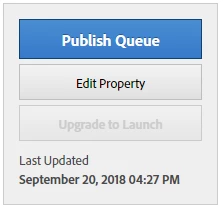
In DTM the "Upgrade To Launch" link is grayed out for all properties:
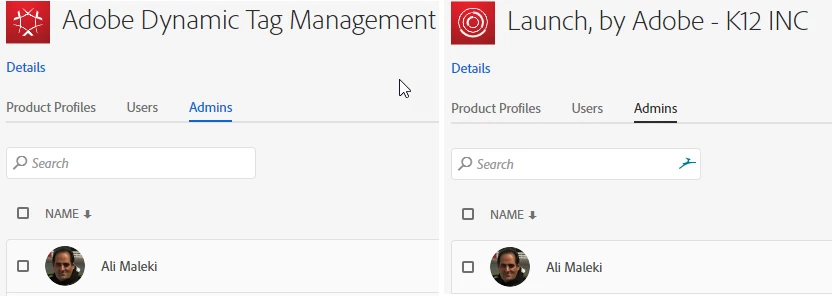
Also, If I access DTM through AEC I only see this:

When access DTM directly and view the list of users I see that I'm not "Experience Cloud Enabled".

I was going to open a ticket with Customer Care but after waiting on hold for 18 minutes I decided to see if anyone here can help.

This post is no longer active and is closed to new replies. Need help? Start a new post to ask your question.
Best answer by atusingh17

You do have all the required access but its just the matter of ID mapping.

Apologies for the inconvenience caused while communicating with Customer Care, however, if you submit a ticket I am sure they'll be willing to help you !

5 replies

Adobe Employee
October 10, 2018

Hi,

Ideally, if you login to DTM via Experience Cloud, you would be able to see Upgrade to launch button within DTM.

However, As you mentioned that you try to login via Experience Cloud, you do not see anything and my guess is that it could be because you DTM account is not linked with your Adobe ID ( Experience Cloud )

May be you can open a ticket with Customer Care and they can help you linking your DTM account.

Hope that helps.

Thanks.

AliMaleki
AliMalekiAuthor
Level 4
October 10, 2018

I was hoping there was some other way since I have admin access to everything and Customer Care has recently been unhelpful (I'm being diplomatic!)

atusingh17Adobe EmployeeAccepted solution
Adobe Employee
October 10, 2018

You do have all the required access but its just the matter of ID mapping.

Apologies for the inconvenience caused while communicating with Customer Care, however, if you submit a ticket I am sure they'll be willing to help you !

AliMaleki
AliMalekiAuthor
Level 4
October 10, 2018

I called Customer Care and spoke with Ankit Sharma. He was very helpful and resolved this issue!

Adobe Employee
October 10, 2018

Great to hear that