Solved
Device condition
Hello,
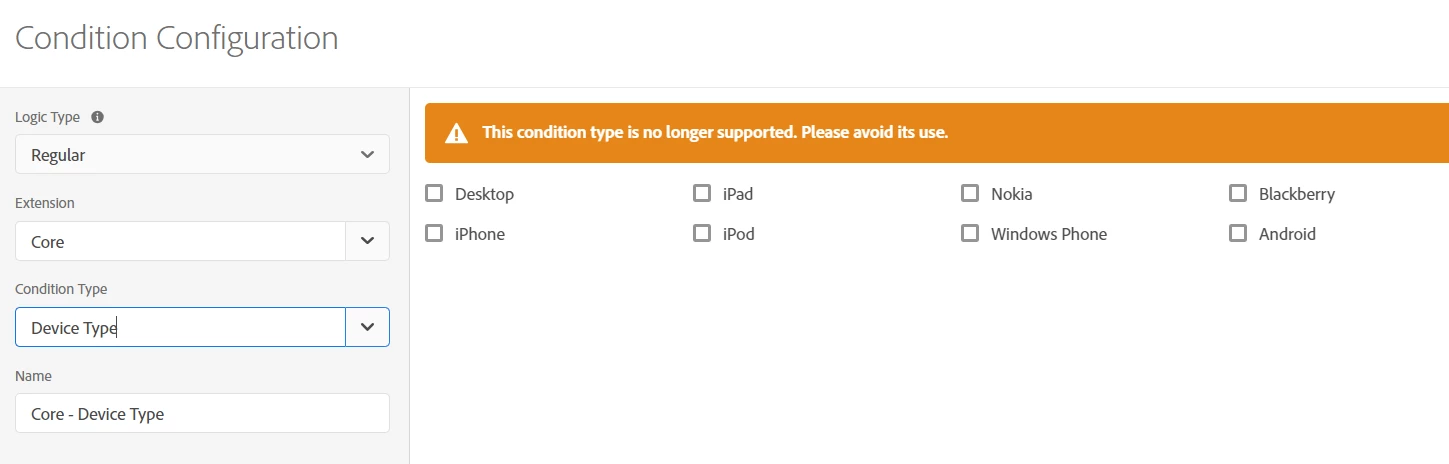
I need to create a rule that only fires for desktop (not mobile) but when I try to use the Device Type condition Launch tells me not to. What should I be doing instead?
Hello,
I need to create a rule that only fires for desktop (not mobile) but when I try to use the Device Type condition Launch tells me not to. What should I be doing instead?
Thanks for the question Dave.hamel. The reason the Device Type condition is no longer supported is largely because the definition of certain "device types" has become very blurry in recent years. For example, what do you consider "desktop" these days?
If the device supports a mouse instead of touch? What if it supports both (e.g., Microsoft Surface)?
If the device screen is a certain resolution? What resolution would be the threshold? What about large difference in pixel density?
Whether the user is on a phone network? What if it's a phone connected to a wireless router?
With the above questions in mind, your definition of a desktop may be wildly different than that of other website owners. I would try to define what you mean by "desktop" and then you may end up needing to write a Custom Code condition or use a library like stewarts16448458 suggests in order to target whatever your definition entails.
Enter your E-mail address. We'll send you an e-mail with instructions to reset your password.