Hi @magicstar
assuming that Björn would be me xD
TL;DR; I would opt for a separation of Target and Analytics page views, see reasons below (and bullet points on how to integrate it), and this his how to do it
https://experienceleague.adobe.com/en/docs/platform-learn/implement-web-sdk/applications-setup/setup-target#
-------------
Long version
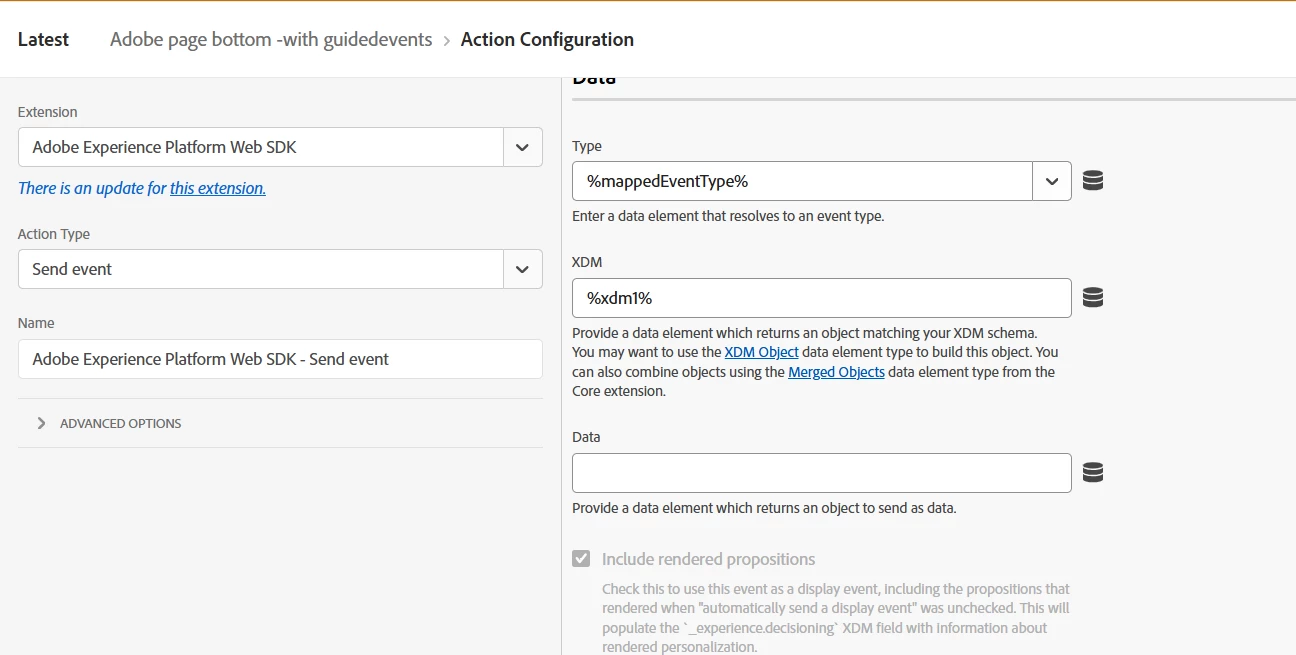
So, in general yes, you can put Target and Analytics data in a single call. That is what alloy / Web SDK has been designed for, forwarding data to the endpoints that have been configured in the datastream. You can add tool-specific context in the data section e.g., data.__adobe.analytics or data.__adobe.target that contains for instance through an XDM data variable.
Bear in mind though that a Target call must execute as early as possible to limit visual impacts / flicker, whereas a page view may be triggered at some later stage.
But - and this may be my personal opinion - you must decide whether you actually want to send Target and Analytics within the same call, especially from a consent perspective.
Yes, it sounds too good to be true, one library to rule them all, but the Adobe tools connected to the datastream may belong to traditionally different cookie consent categories, for instance "Analytics" for AppMeasurement/Adobe Analytics and "Personalization" for at.js/Target.
While in theory, AEP and Web SDK only requires the "collect" cookie consent category to work (which I typically tend to map to the classic Performance/Analytics cookie consent category), you could go crazy from that moment, since Adobe Target by itself does no longer write a cookie, and hence no additional cookie consent would be needed.
Call me old fashioned, but I like to interpret a cookie consent banner more like "which categories of tools would you, dear customer, allow me to use".
In other words, I respect the will of the visitor, and if my consent banner shows both analytics and personalization categories, for me that means that if he says no to personalization and yes to analytics, I must make sure Target activities are not triggered.
So, in other words, my go-to setup comprises
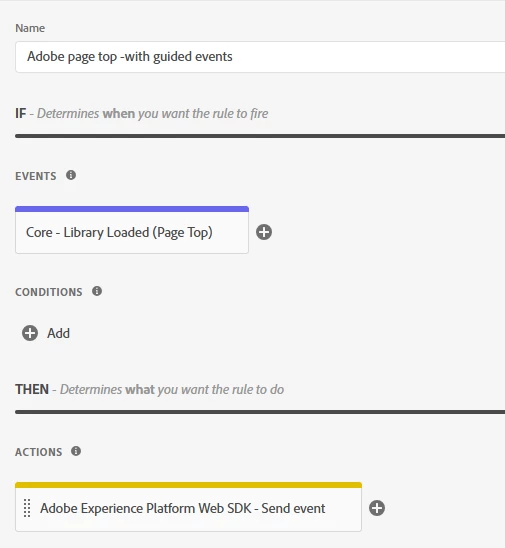
- one "library loaded" rule that
- requires Personalization consent
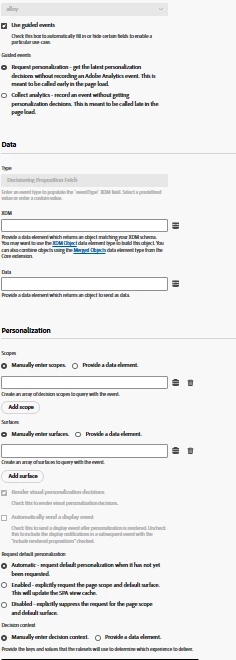
- triggers a Target cal, using guided events with "Request personalization" to make sure data is not inadvertedly sent to Analytics
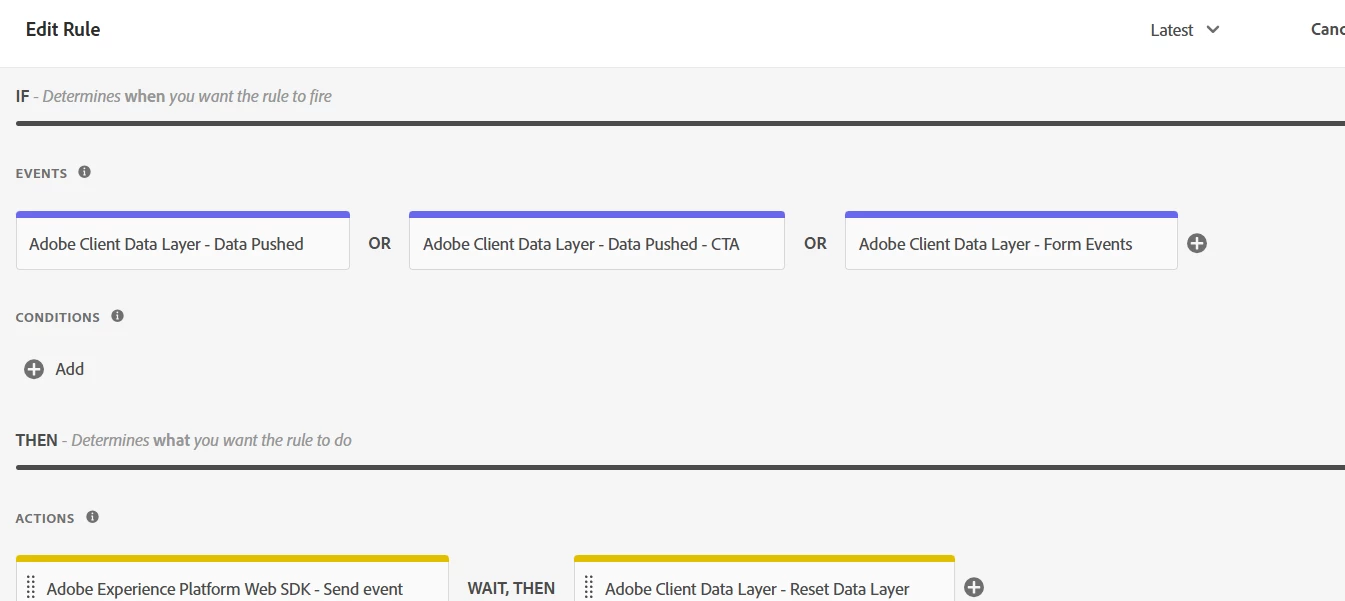
- one "page view" rule that
- requires Analytics/Performance consent
- is typically event-driven and triggered by an event being pushed to my data layer
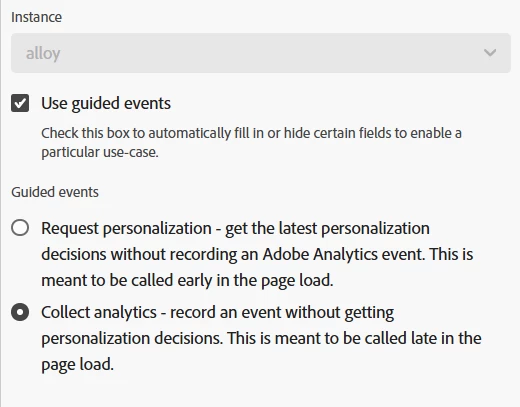
- uses guided events with "Collect analytics" to make sure no Target activity get rendered