Adobe Launch: Rule to Capture ID for a Clicked Checkbox | Community
Skip to main content
Level 3
April 10, 2018
Solved

Adobe Launch: Rule to Capture ID for a Clicked Checkbox

  • April 10, 2018
  • 7 replies
  • 7391 views

I have a series of check boxes. See source HTML below.

When the checkbox is clicked, I want Adobe Launch to capture the "id" and push into Adobe Analytics which clicked without having to wait for a pageload.

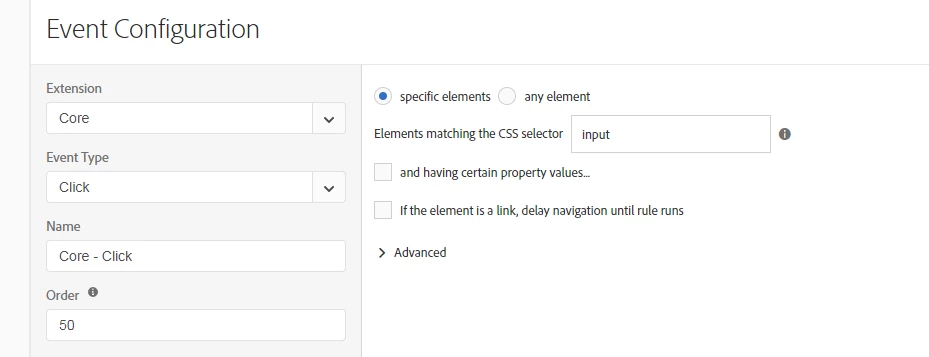
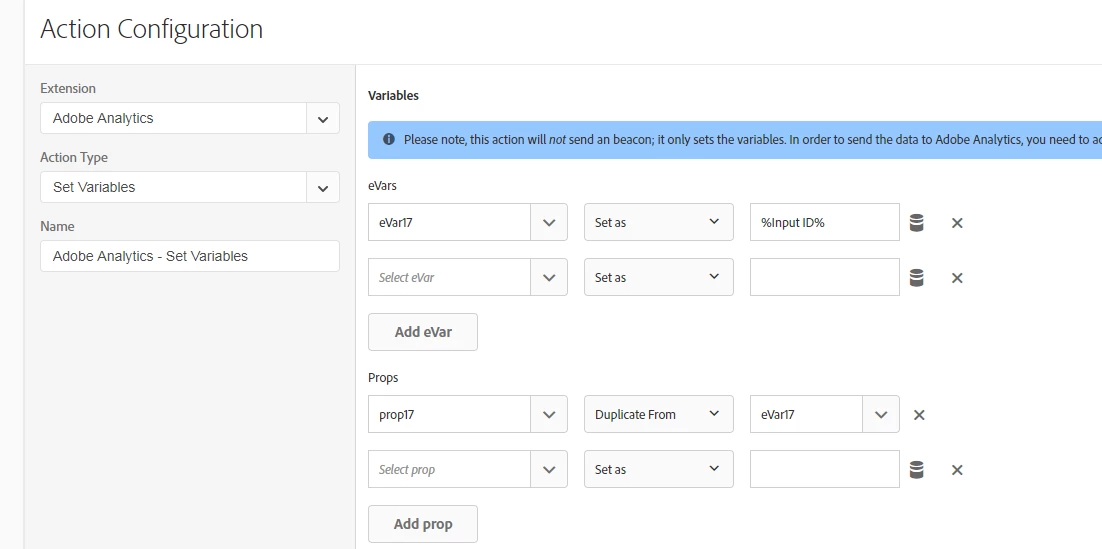
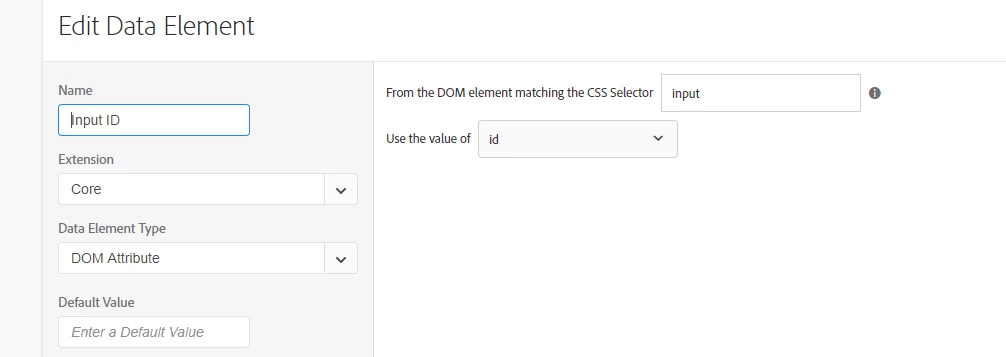
I have configured a rule to capture "id" for element "input" on mouse click.

However, the rule captures the 1st element "input" not the "input" which was clicked.

How do you configure a rule to capture the id for a clicked checkbox?

Can this be done without custom Javascript?

<input type="checkbox" id="Return3year" name="performance_returnsThreeYears" class=" skitchen-menu-input" value="performance_returnsThreeYears" data-bind="checked: orders().indexOf(&quot;performance_returnsThreeYears&quot;) >= 0">

<input type="checkbox" id="Return5year" name="performance_returnsFiveYears" class=" skitchen-menu-input" value="performance_returnsFiveYears" data-bind="checked: orders().indexOf(&quot;performance_returnsFiveYears&quot;) >= 0">

<input type="checkbox" id="Return10year" name="performance_returnsTenYears" class=" skitchen-menu-input" value="performance_returnsTenYears" data-bind="checked: orders().indexOf(&quot;performance_returnsTenYears&quot;) >= 0">

This post is no longer active and is closed to new replies. Need help? Start a new post to ask your question.
Best answer by eham1906

I figured it out...

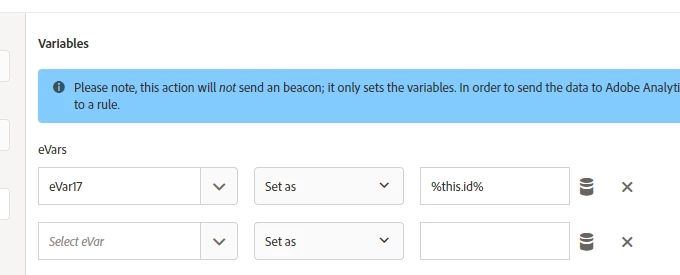
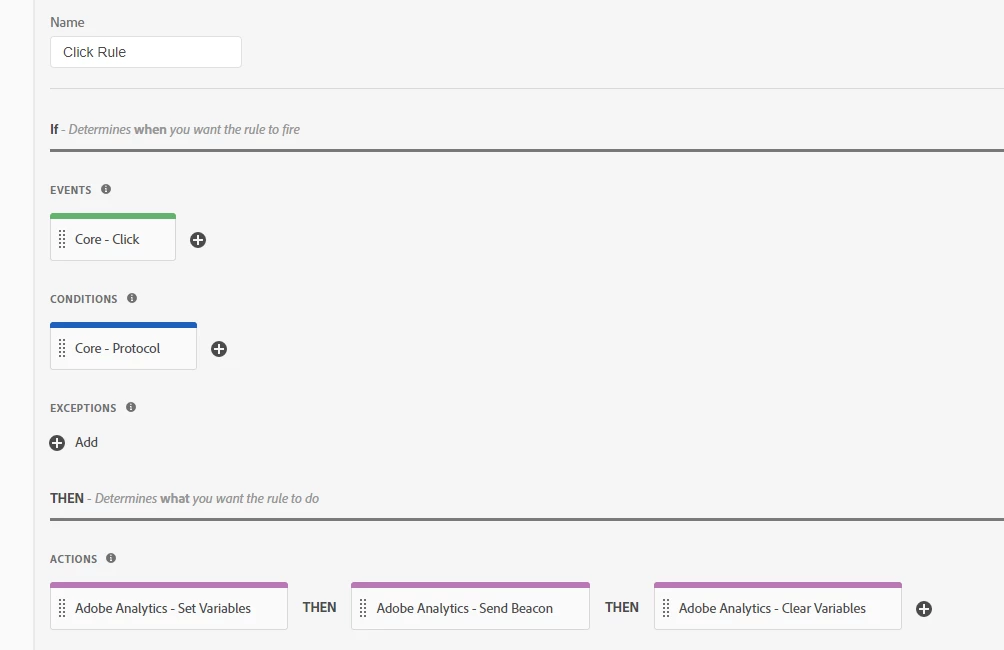
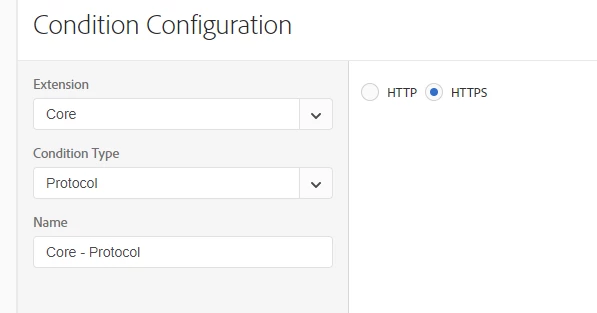
This will capture the current value of ID on each click...

7 replies

jantzen_b
Adobe Employee
Adobe Employee
April 16, 2018

Can you post a screenshot of how you've configured the rule? I'm not sure if this can be done in the interface, but it could definitely be done with some custom JavaScript.

eham1906Author
Level 3
April 17, 2018

Thanks

eham1906AuthorAccepted solution
Level 3
April 18, 2018

I figured it out...

This will capture the current value of ID on each click...

jantzen_b
Adobe Employee
Adobe Employee
April 18, 2018

I'm glad you were able to figure it out. i was going to suggest looking into the "this" keyword for JavaScript/jQuery.

Level 3
December 19, 2018

How did you specify the %this.id% data element?

eham1906Author
Level 3
December 20, 2018

No, I did not specify this %this.id% as a data element.

Thanks

saml9443
Level 2
March 16, 2020

My best solution has been to create a data element with the custom code below which allows me to loop through each item with the <a> tag, find the index of the onclick, and return the text value.


It's interesting to see "this" being used - I'll have to give that a try!


var pageItemA = document.getElementsByTagName('a'); for (var pageItemAi = 0, len = pageItemA.length; pageItemAi<len; pageItemAi++) { (function(index) { pageItemA[pageItemAi].onclick = function() { var pageSelectionA = document.getElementsByTagName('a')[index].textContent; _satellite.track("pageItemClick",{pageItem: pageSelectionA}); } }) (pageItemAi); }