Adobe Analytics extension, propagate custom code to all rules
I have a question about defining props/evars through Custom Code in Adobe Analytics extension. Particularly, how to propagate values not only for s.t() (pageview rule), but also for s.tl() (clicks).
Example:
Site configuration
I have a site with dataLayer. When a user clicks on some button, we push an event in the dataLayer.
Adobe Launch configuration
Installed two extensions:
- Data Layer Manager
- Adobe Analytics
Adobe Analytics extension settings:
Library Management: Manage the library for me - Checked: Make tracker globally accessible
Configure tracker using custom code:
s.usePlugins=true
s.doPlugins=function(s) {
s.eVar10=s.getNewRepeat(30,'s_gnr');
s.eVar11="Test";
}
/* Plugin: getNewRepeat 1.2 - Returns whether user is new or repeat */
s.getNewRepeat=new Function("d","cn",""
+"var s=this,e=new Date(),cval,sval,ct=e.getTime();d=d?d:30;cn=cn?cn:"
+"'s_nr';e.setTime(ct+d*24*60*60*1000);cval=s.c_r(cn);if(cval.length="
+"=0){s.c_w(cn,ct+'-New',e);return'New';}sval=s.split(cval,'-');if(ct"
+"-sval[0]<30*60*1000&&sval[1]=='New'){s.c_w(cn,ct+'-New',e);return'N"
+"ew';}else{s.c_w(cn,ct+'-Repeat',e);return'Repeat';}");
Execute custom code: After other setting are applied
Added two rules:
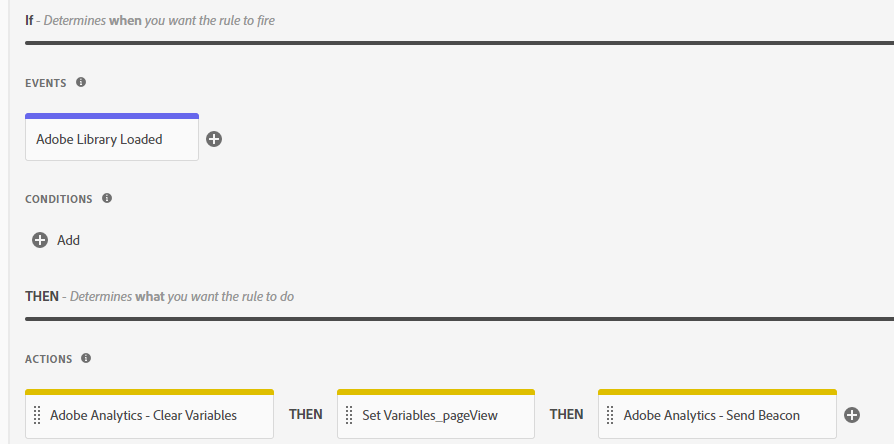
1. Pageview
2. Button click
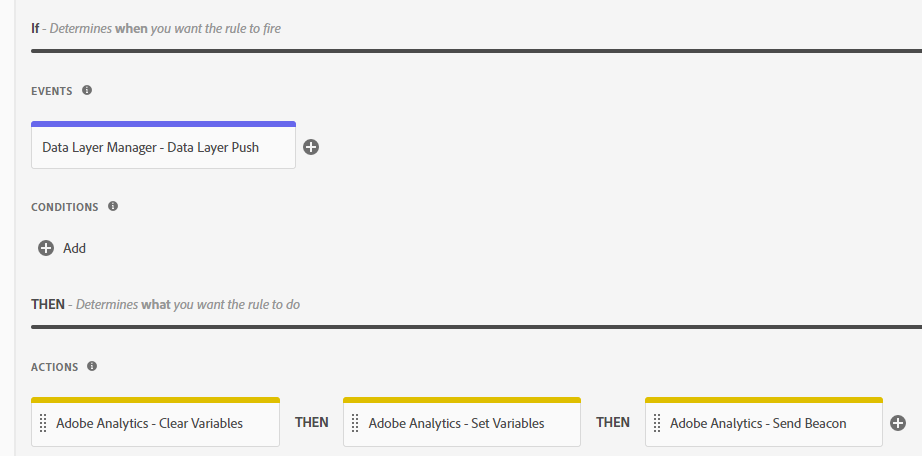
*Custom code added only in Adobe Analytics extension. In action Set variables, sets only events.
When the page is loaded => the pageview tag fires with eVar10 = New, eVar11 = Test.
Click on the button => the click tag fires, but eVar's don't appear.
I tried to change fire condition for button click from dataLayer push to css selector - nothing changed.
Could you please explain, how to populate eVars with the values from Global custom code on this button click?
Do I need to add custom code with all plugins to each rule?