Access to ADBMobileConfig.json configuration file | Community
Skip to main content
trochira
Level 2
April 13, 2021
Question

Access to ADBMobileConfig.json configuration file

  • April 13, 2021
  • 1 reply
  • 1381 views

Hi,

I am looking for a way to download ADBMobileConfig.json configuration file to launch mobile Apps SDK's. All I can see in documentation is following :


To download the JSON configuration file, use the following URL:
https://assets.adobedtm.com/PASTE-LAUNCH-ENVIRONMENT-ID.json


Does anyone of you know where can I get "LAUNCH-ENVIRONMENT-ID"?


Regards


Rafal

This post is no longer active and is closed to new replies. Need help? Start a new post to ask your question.

1 reply

Jennifer_Kunz
Adobe Champion
Adobe Champion
April 19, 2021

I'm assuming this is for version 5 SDKs? (https://aep-sdks.gitbook.io/docs/using-mobile-extensions/mobile-core/configuration ?)

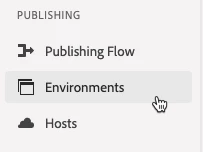
In launch, go to "Environments" in the left rail:


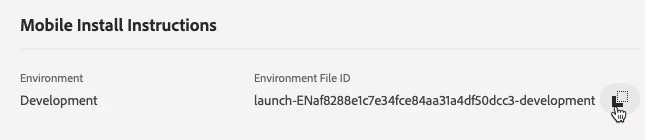
Then click the little box icon for the appropriate environment (dev, staging, production- I'm assuming you're still in dev mode):

Then that should create a popup with your environment ID (as well as a lot of other useful installation info).


For what it's worth, if you follow the instructions in that popup, you may not need to do anything with the ADBMobileConfig.json file... most of that is handled automatically by the Launch SDK.