Workflow for data upload on drive. | Community
Skip to main content
July 6, 2022
Solved

Workflow for data upload on drive.

  • July 6, 2022
  • 1 reply
  • 991 views

Hi all,


Please can someone provide me solution on how to create a workflow for an asset to be uploaded on google drive. I am new to workflow so, the solutions explained were not that clear.


Thanks in advance. 
This post is no longer active and is closed to new replies. Need help? Start a new post to ask your question.
Best answer by ShaileshBassi

To create a new workflow with the editor:

  1. Open the Workflow Models console; via Tools, Workflow, Models or, for example: https://localhost:4502/aem/workflow
  2. Select Create, then Create Model.
  3. The Add Workflow Model dialog appears. Enter the Title and Name (optional) before selecting Done.
  4. The new model is listed in the Workflow Models console.
  5. Select your new workflow, then use Edit to open it for configuration:


  6. Add the process step in the step 5. Reference for creating the process step:                                 https://aem.redquark.org/2019/09/workflows-in-aem-02-process-step.html


  7. Within the process step call the asset api to get the input stream of the asset and then the drive api to post the inputstream to the drive. Reference for api for drive api - https://developers.google.com/drive/api/guides/manage-uploads

Hope this helps!

Thanks

1 reply

ShaileshBassi
Community Advisor
ShaileshBassiCommunity AdvisorAccepted solution
Community Advisor
July 6, 2022

To create a new workflow with the editor:

  1. Open the Workflow Models console; via Tools, Workflow, Models or, for example: https://localhost:4502/aem/workflow
  2. Select Create, then Create Model.
  3. The Add Workflow Model dialog appears. Enter the Title and Name (optional) before selecting Done.
  4. The new model is listed in the Workflow Models console.
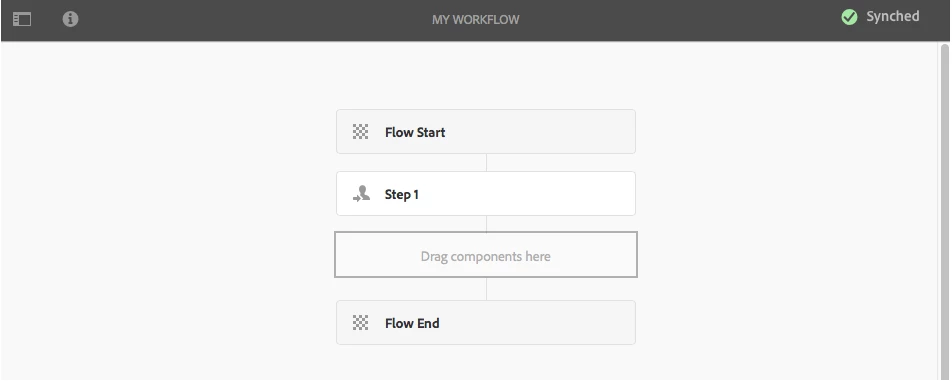
  5. Select your new workflow, then use Edit to open it for configuration:


  6. Add the process step in the step 5. Reference for creating the process step:                                 https://aem.redquark.org/2019/09/workflows-in-aem-02-process-step.html


  7. Within the process step call the asset api to get the input stream of the asset and then the drive api to post the inputstream to the drive. Reference for api for drive api - https://developers.google.com/drive/api/guides/manage-uploads

Hope this helps!

Thanks

July 6, 2022

Thanks, I will try and implement this