WKND - OSGi Bundle Dependency Issue | Community
Skip to main content
September 11, 2020
Solved

WKND - OSGi Bundle Dependency Issue

  • September 11, 2020
  • 4 replies
  • 1561 views

After I installed WKND to AEM, I noticed that I don't see some of components. I got the error after I added the "byline" component.
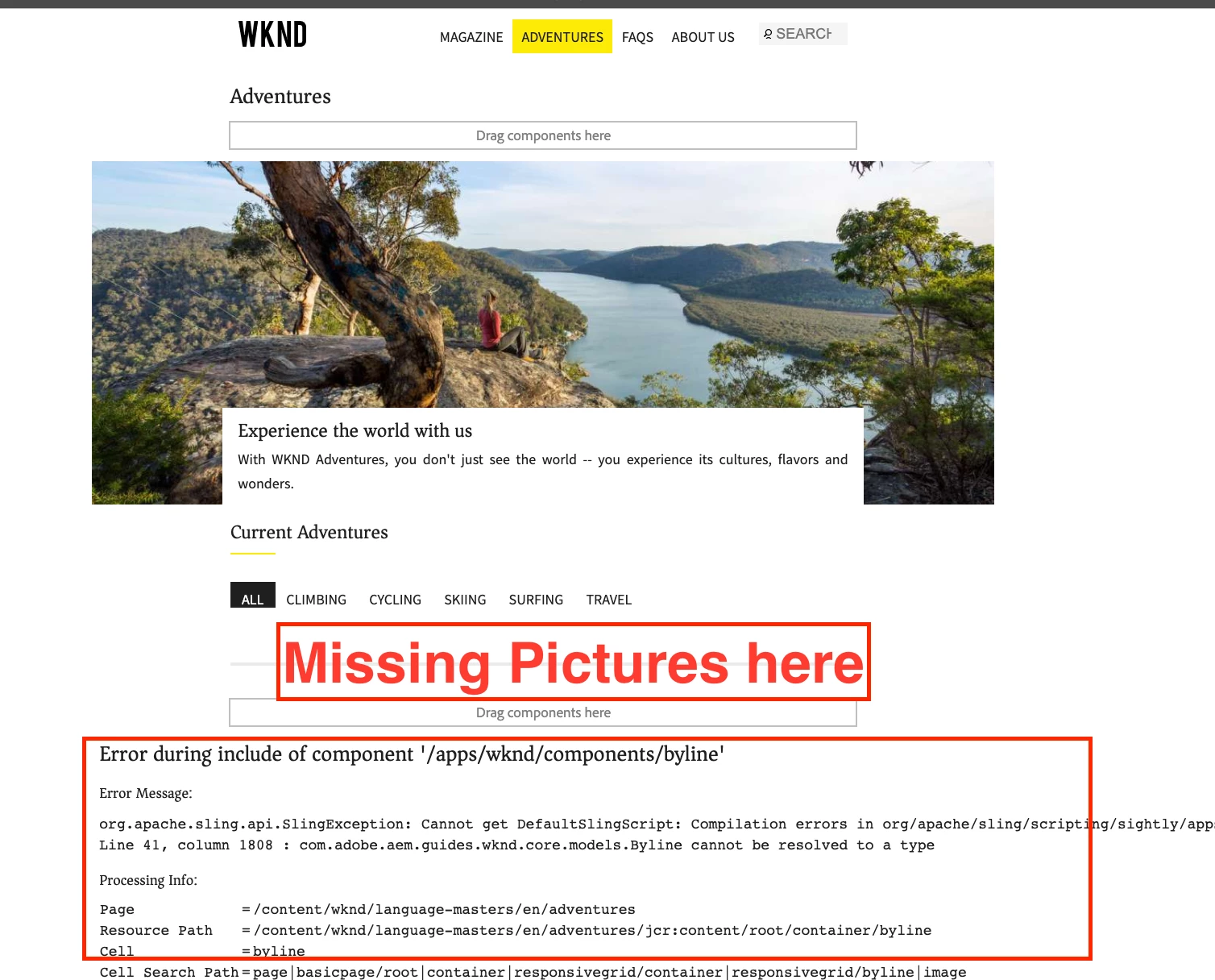


Then, I found I have some dependency issues. 
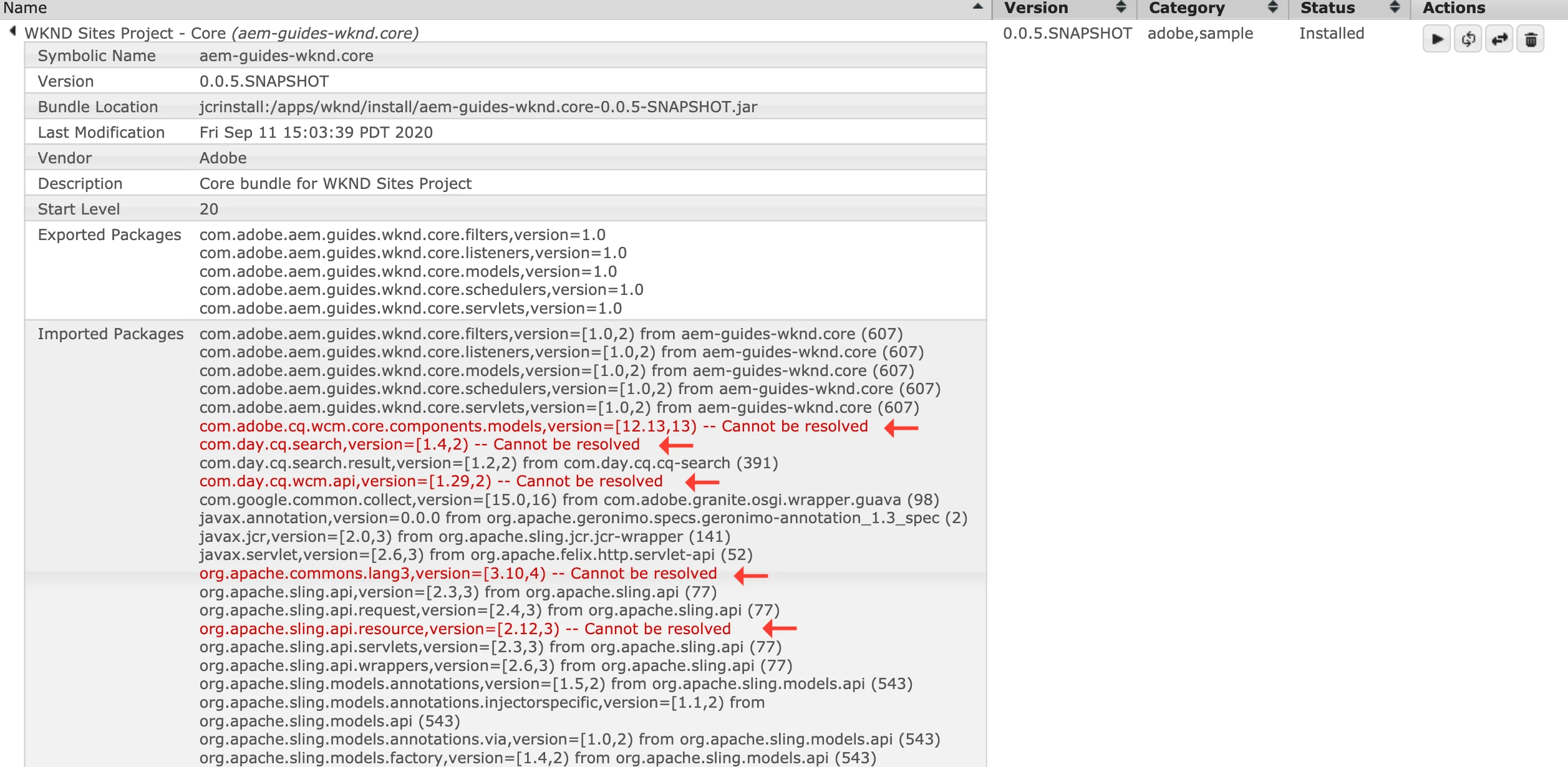
I went to http://localhost:4502/system/console/depfinder

 

I was looking at other article, and tried a command from a terminal console (Mac), it didn't fix it.

          mvn -PautoInstallPackage -Padobe-public clean install


I deleted all installed WKND packages from a package manager (http://localhost:4502/crx/packmgr/index.jsp) and deleted the WKND bundle from OSGi and started over to install WKND files, but I got same issues. 


I appreciate if you can find out what I need to do. I'm a beginner of AEM, Java, and Eclipse. Thank you so much for your help. 


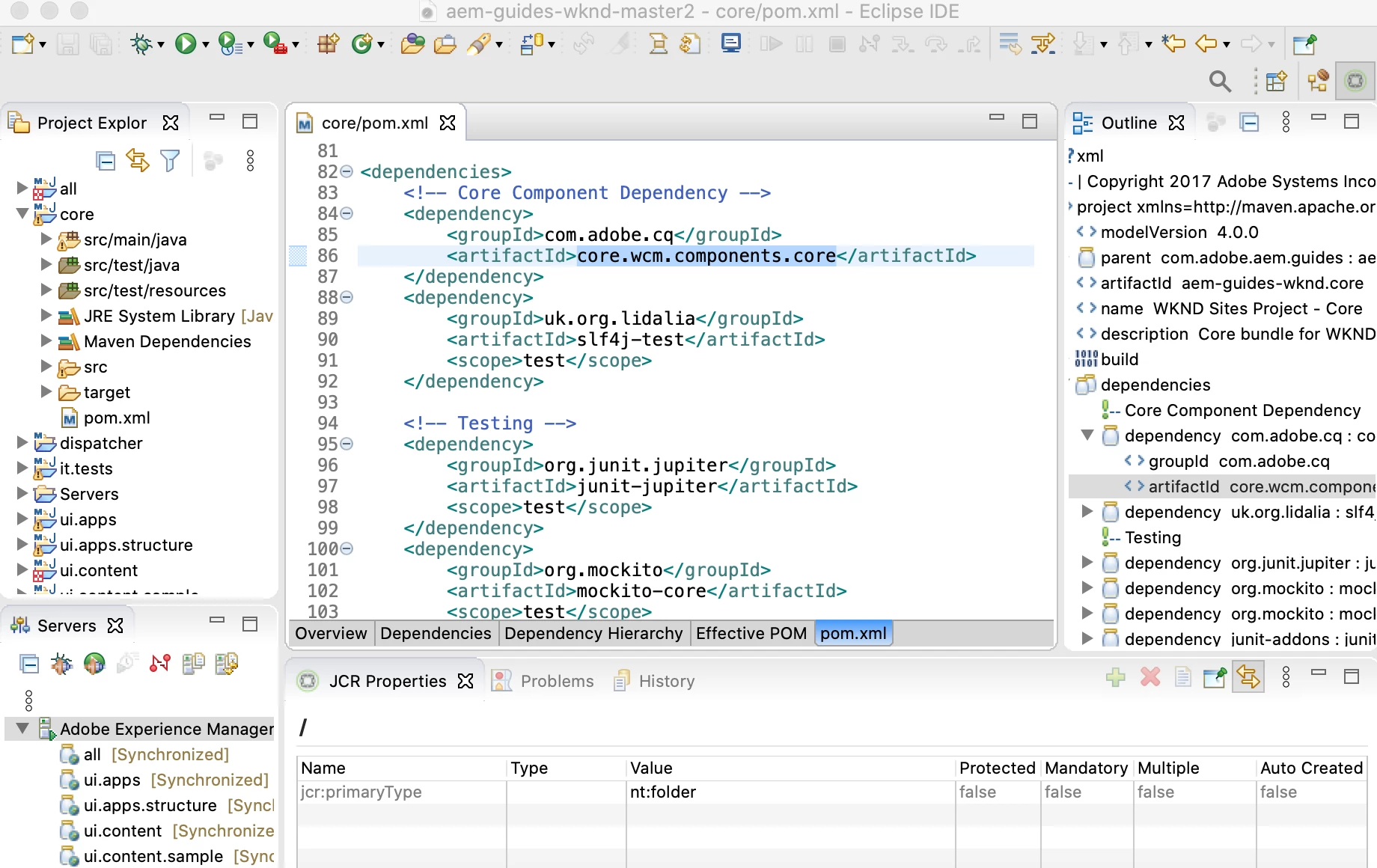
I took pom.xml screenshot just in case.
 

=== My System ===

macOS 10.15.6

Java 11.0.7

Maven 3.6.3

Node.js v12.18.0

npm 6.14.4

Git 2.24.3

AEM 6.5.5.0 



This post is no longer active and is closed to new replies. Need help? Start a new post to ask your question.
Best answer by joerghoh

Looks like you did not use the release 0.0.4 version of the wknd tutorial, but used the un-released master-branch of the wknd-tutorial (in the screenshot I see the version number 0.0.5-SNAPSHOT). But according to the documentation this release is targeting AEM as a Cloud Service as "primary" version.

But the documentation also says, that if you want to use it on AEM 6.x (and not Cloud Service), you should use this command:


mvn clean install -PautoInstallSinglePackage -Pclassic


4 replies

Nikhil-Kumar
Community Advisor
Community Advisor
September 13, 2020

@aembeginner 

Sometime back I also used WKND sample project on 6.5.5 but didn't found any such issue. 
Below steps I followed to setup WKND on 6.5.5
1. Installed SP5 over 6.5
2. Installed latest ACS Commons package.
3. Deployed AEM WKND Project.


@joerghoh  @vanegi  @arunpatidar  Can you guys provide your inputs ?


Thanks,
Nikhil 

arunpatidar
Community Advisor
Community Advisor
September 13, 2020

Can you try with java 8.

Arun Patidar
joerghoh
Adobe Employee
joerghohAdobe EmployeeAccepted solution
Adobe Employee
September 14, 2020

Looks like you did not use the release 0.0.4 version of the wknd tutorial, but used the un-released master-branch of the wknd-tutorial (in the screenshot I see the version number 0.0.5-SNAPSHOT). But according to the documentation this release is targeting AEM as a Cloud Service as "primary" version.

But the documentation also says, that if you want to use it on AEM 6.x (and not Cloud Service), you should use this command:


mvn clean install -PautoInstallSinglePackage -Pclassic


September 17, 2020
Thank you @joerghoh! I have a quick question. I was able to install it correctly from your command to AEM. Since I didn't install WKDN from Eclipse, what should I do for Eclipse side? It looks like it's not connected. When I followed the video instruction to update “Byline” component and saved the html. It didn’t save to AEM. But, When I started Servers, everything is synchronized.
September 14, 2020

Thank you so much for replying my issues!! @arunpatidar @nikhil-kumar @joerghoh 


I run this command, it worked!! Thank you sooooooo much to find out my issue. I appreciate all your help. 🙂

mvn clean install -PautoInstallSinglePackage -Pclassic

