Why WKND site page "start targeting" button is disabled | Community
Skip to main content
Level 4
January 6, 2023

Why WKND site page "start targeting" button is disabled

  • January 6, 2023
  • 3 replies
  • 2367 views

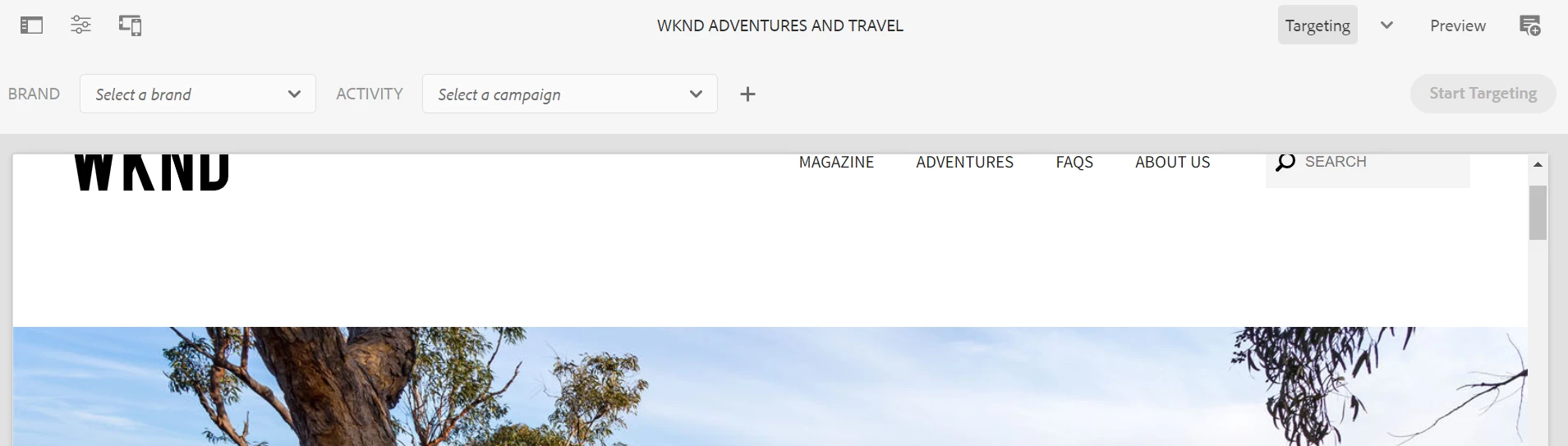
I can see the contexthub in preview. However, when I go to targeting mode, the "Start targeting" button is disable?

The contexthub is in the page custom header sling code and all the context hub default setting seems fine. See images below. "Start Targeting" is disabled. I am using the release 2.1.2, main branch.
This post is no longer active and is closed to new replies. Need help? Start a new post to ask your question.

3 replies

nitesh_kumar-1
Adobe Employee
Adobe Employee
January 6, 2023

Hi @davidzhang ,


I think you have not added configuration for the brand/activity, which I see blank in the dropdown in your screenshot. Once you configured it and the brand/activity is created/selected you will see the button enabled.


Please follow this link for more details

https://experienceleague.adobe.com/docs/experience-manager-65/authoring/personalization/content-targeting-touch.html?lang=en 


Regards,

Nitesh

Level 4
January 6, 2023

I added the brand and activity. the "Starting Targeting" button is working now. However, still, for component, I didn't see the target button.

nitesh_kumar-1
Adobe Employee
Adobe Employee
January 6, 2023

Which version of AEM are you using, I tested on 6.5.15 with the WKND sample (link below) and I am able to see that.

Also, are you seeing this behavior for one component or all of them?


https://github.com/adobe/aem-guides-wknd/releases/download/aem-guides-wknd-2.1.2/aem-guides-wknd.all-2.1.2-classic.zip 


Regards,

Nitesh

Manu_Mathew_
Community Advisor
Community Advisor
January 6, 2023

@davidzhang you probably need to select the brand and the activity for it to enable.


https://medium.com/@manumathew28.94/contexthub-in-aem-for-personalization-52b888511bf


Kishore_Kumar_
Level 9
January 26, 2023

Hi David,


To enable 'Start Targeting' we need to select a Brand/Activity.


To enable targeting icon on components please check if  cq:disableTargeting is set to false.