Solved
Where is the javascript file responsible for the Accordion component?
Hi AEM aficionados,
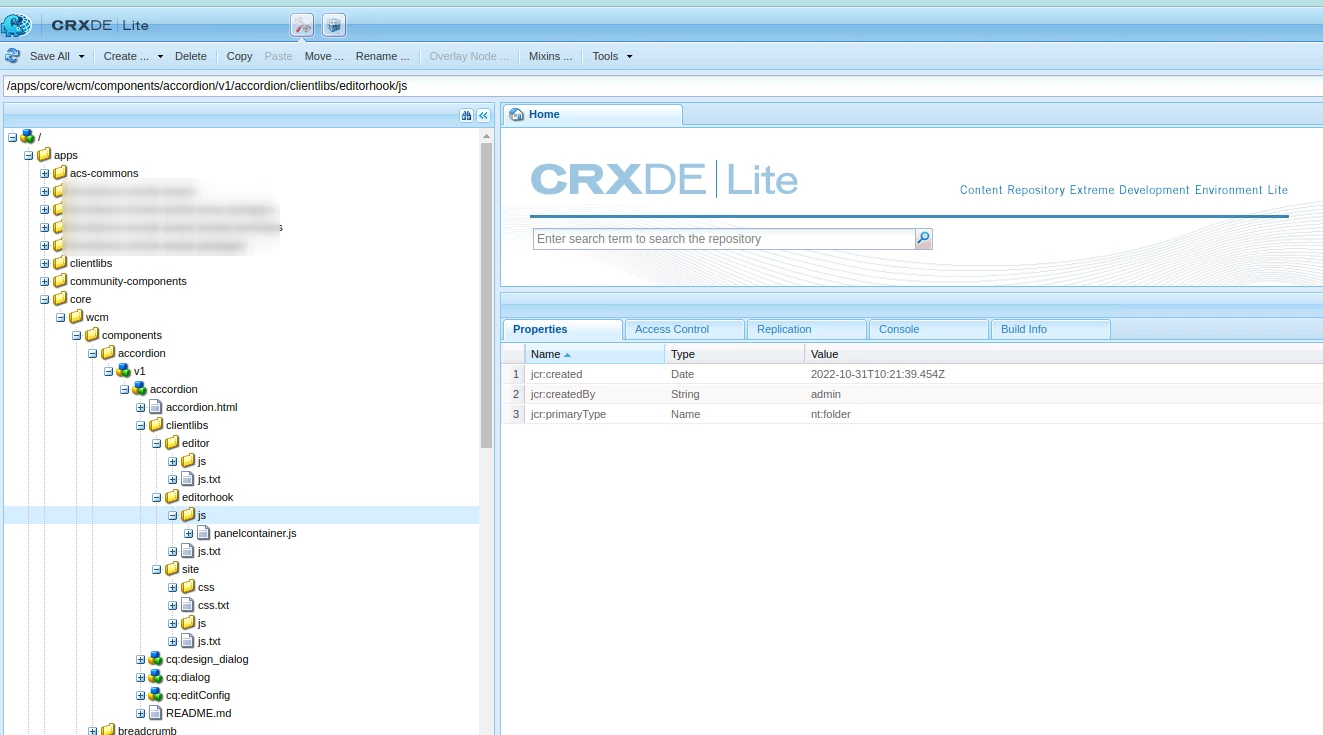
I am using AEM Cloud, and trying to customize the Accordion component from the "core.wcm.components" package.
For context, I hope to slow down the toggle into a smoother transition with a 1 second delay.
Anyway, I have overridden the file '/clientlibs/editor/js/accordion.js', but the component still follows the default behaviour.
I realized that the "accordion.js" file may not be the one controlling the component's behaviour, as it uses the selector `data-cmp-is="accordion"` to grab the element from the DOM and to initiate the toggle behaviour.
accordion.js
var NS = "cmp";
var IS = "accordion";
var selectors = {
self: "[data-" + NS + '-was="' + IS + '"]'
};
However, some other javascript file removes the `data-cmp-is="accordion"` attribute from the html file below once it is rendered! You can reproduce this in your browser.
accordion.html
<div data-sly-use.accordion="com.adobe.cq.wcm.core.components.models.Accordion"
     data-panelcontainer="${wcmmode.edit && 'accordion'}"
     id="${accordion.id}"
     class="cmp-accordion"
     data-cmp-is="accordion"
     data-cmp-data-layer="${accordion.data.json}"
     data-cmp-single-expansion="${accordion.singleExpansion}"
     data-placeholder-text="${wcmmode.edit && 'Please drag Accordion item components here 123' @ i18n}">
I suspect that whatever javascript that removed the `data-cmp-is="accordion"` is also controlling its behavior, instead of the "accordion.js" file.
Does anyone knows where that file is and how to override it?
Thanks,