When toggled between 'Minimize' and 'Maximize' in Rich Text component, the rich text editor is shown twice.in AEM 6.3 | Community
Skip to main content
Level 2
November 29, 2017

When toggled between 'Minimize' and 'Maximize' in Rich Text component, the rich text editor is shown twice.in AEM 6.3

  • November 29, 2017
  • 2 replies
  • 2353 views

Hi Team

https://helpx.adobe.com/experience-manager/using/touchUI_RTE_configure.html

  1. 1) download Install Package
  2. 2) Open page http://localhost:4502/editor.html/content/TestTouchRTE.html
  3. 3) Double click on Edit Config
  4. 4) Click on Toggle Full Screen and click again toggle Full screen.
  5. Find Duplicate Rich text.

thanks

Kotireddy Naru

This post is no longer active and is closed to new replies. Need help? Start a new post to ask your question.

2 replies

smacdonald2008
Level 10
November 29, 2017

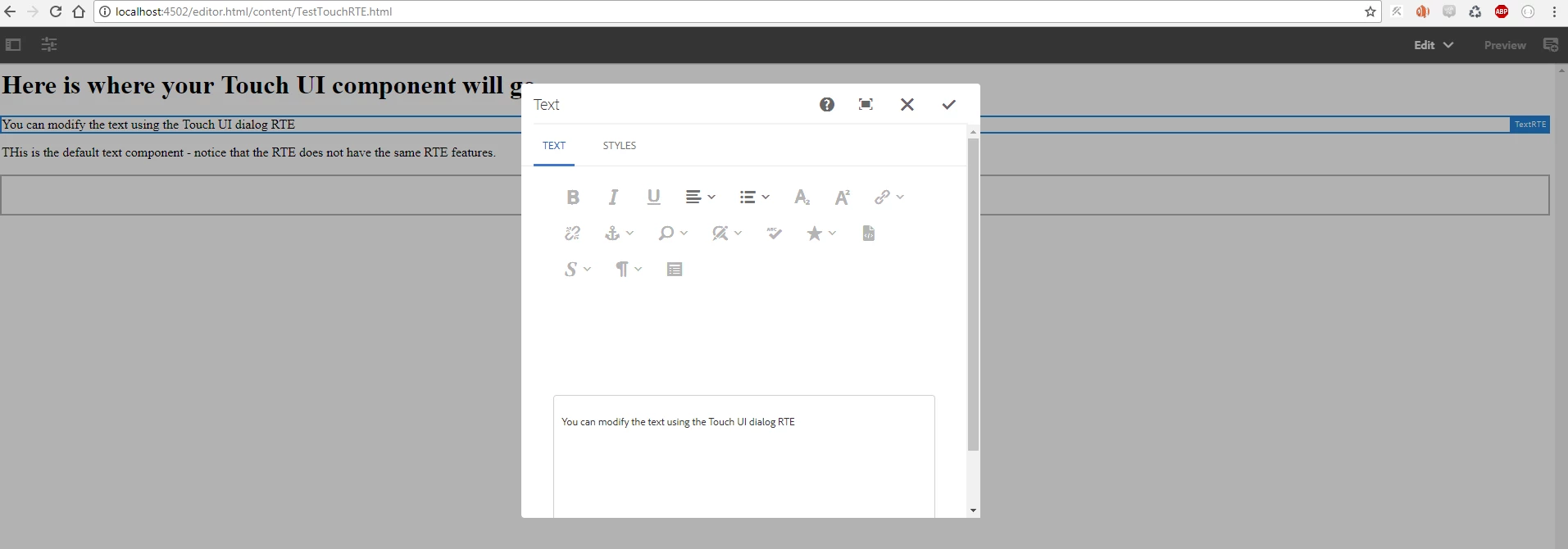
I installed the package and I see this when i click edit:

When i click full screen button -- I see this --

This is the same RTE in full screen mode - there is not a duplicate RTE.

If you click the Full Screen mode when its already in Full Screen  - it returns to the 1st view - this one.

Ratna_Kumar
Level 10
November 29, 2017

Hi Kotireddy,

I just now tested the article which contains the RTE package and it is working fine with no duplicate RTE.

First when I edit, I see the below dialog with RTE.

When I click on toggle full screen, then I see dialog with RTE plugins in full screen mode as below.

And again when I click again on toggle full screen, it comes to normal view as below.

Hope this helps!!

~Ratna.

Level 2
November 29, 2017

thanks for reply Ratna Kumar,

                 When  I debugging multiple time's ,I  am finding duplicate rich text toolbar.

check it inspect element,you can find duplicate of rich text toolbar

1)  Why i am getting space between rich text tool bar and rich text editor.

2)  When I  am using find plugin  it's sightly invisible

when add css working fine

3)  I add large content in rich text component. I am trying to find keyword complete.

find plugin working fine,but complete keyword finding but scrollbar was not working.

Level 3
August 23, 2023

did you ever get a resolution to this?


I'm facing the same issue on AEM cloud instance.