WCM Components Core Bundle not active | Community
Skip to main content
Level 3
February 25, 2022
Solved

WCM Components Core Bundle not active

  • February 25, 2022
  • 1 reply
  • 1887 views

After building the project, 

"Adobe Experience Manager Core WCM Components Core Bundle com.adobe.cq.core.wcm.components.core" is not in active state. Hence no pages are loading.

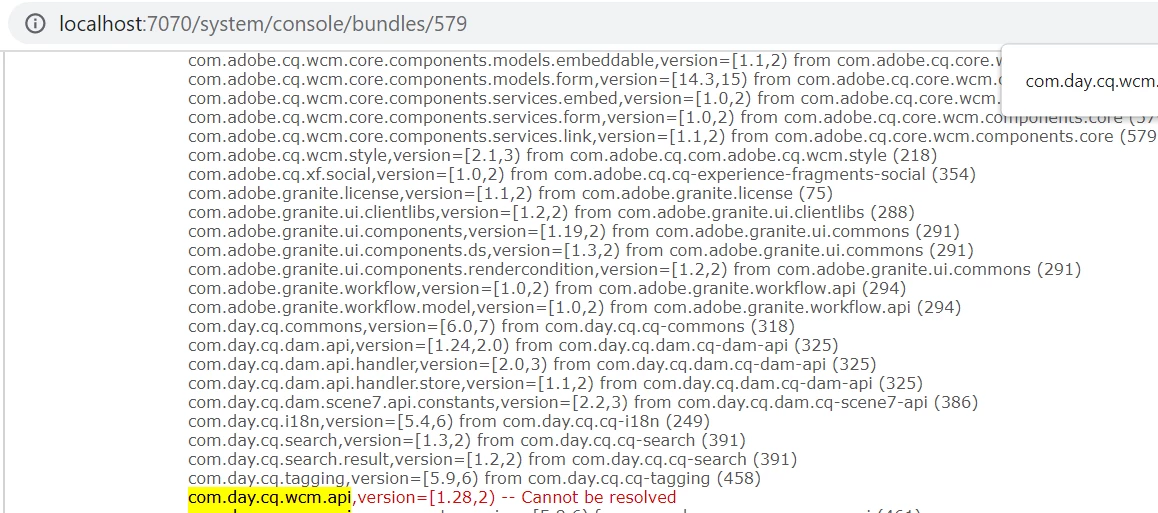
com.day.cq.wcm.api,version=[1.28,2) -- Cannot be resolved

org.apache.sling.api.servlets,version=[2.3,3) -- Cannot be resolved


Error in log file

*ERROR*  org.apache.felix.http.jetty %bundles.pluginTitle: Cannot start (org.osgi.framework.BundleException: Unable to resolve com.adobe.cq.core.wcm.components.core [579](R 579.1): missing requirement [com.adobe.cq.core.wcm.components.core [579](R 579.1)] osgi.wiring.package; (&(osgi.wiring.package=com.day.cq.wcm.api)(version>=1.28.0)(!(version>=2.0.0))) Unresolved requirements: [[com.adobe.cq.core.wcm.components.core [579](R 579.1)] osgi.wiring.package; (&(osgi.wiring.package=com.day.cq.wcm.api)(version>=1.28.0)(!(version>=2.0.0)))])
org.osgi.framework.BundleException: Unable to resolve com.adobe.cq.core.wcm.components.core [579](R 579.1): missing requirement [com.adobe.cq.core.wcm.components.core [579](R 579.1)] osgi.wiring.package; (&(osgi.wiring.package=com.day.cq.wcm.api)(version>=1.28.0)(!(version>=2.0.0))) Unresolved requirements: [[com.adobe.cq.core.wcm.components.core [579](R 579.1)] osgi.wiring.package; (&(osgi.wiring.package=com.day.cq.wcm.api)(version>=1.28.0)(!(version>=2.0.0)))]


Kindly help me on this. Thanks in advance
This post is no longer active and is closed to new replies. Need help? Start a new post to ask your question.
Best answer by DEBAL_DAS

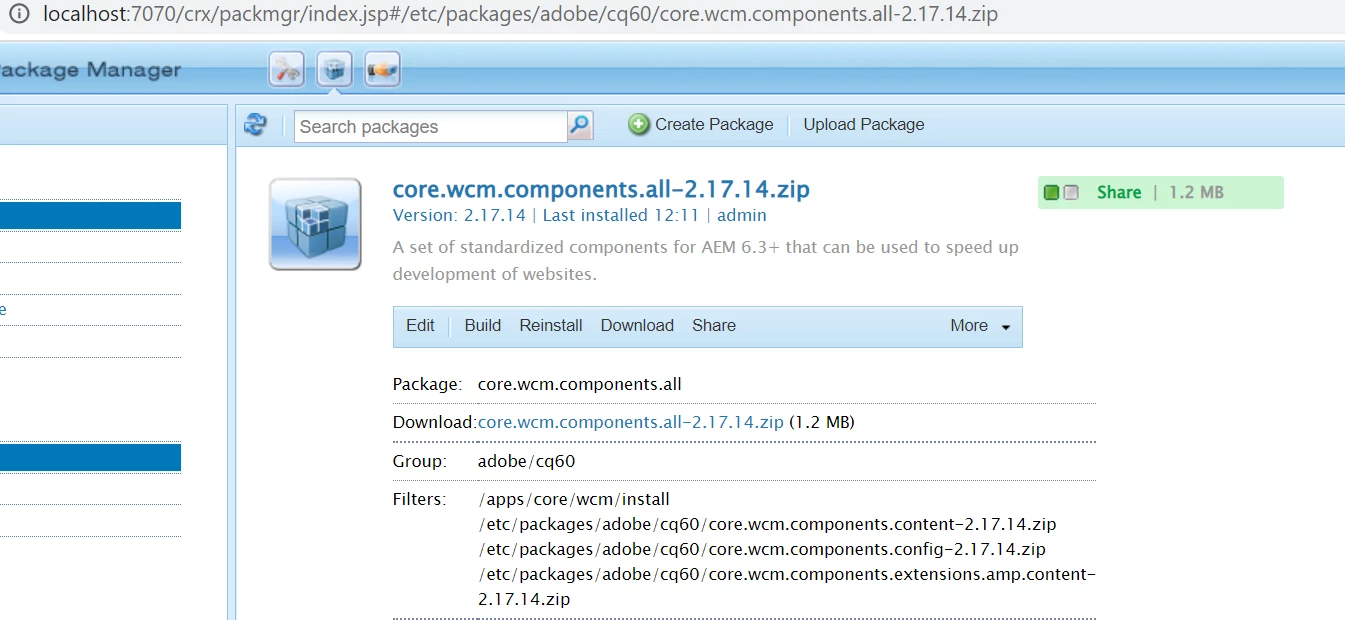
Below you could see I am having similar issue after installing wcm core component package -


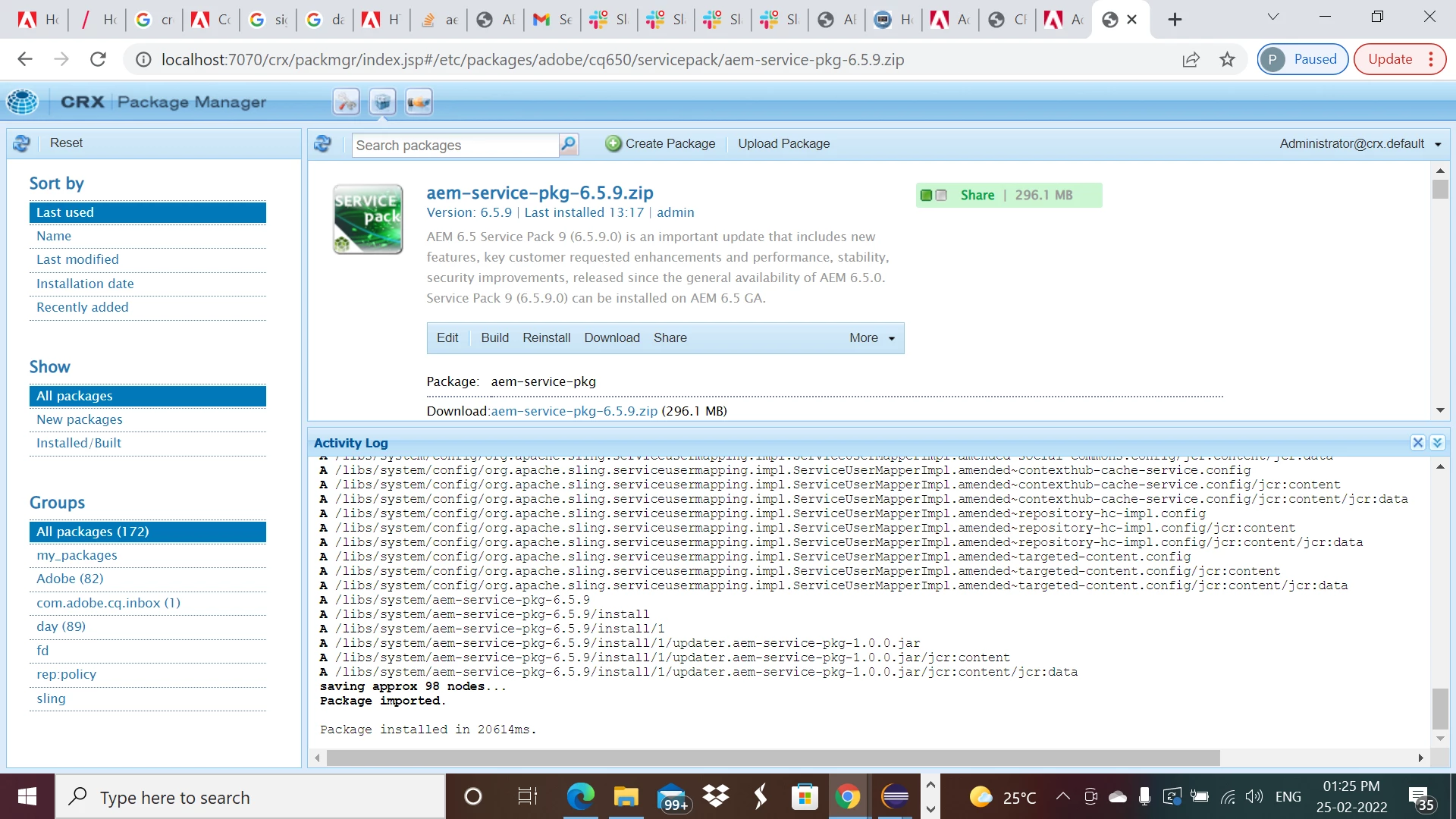
Now after installing AEM service pack 6.5.9 , these dependency issue got resolved -


Please let us know AEM version, wcm core components version like 2.17.14 then we can give a try to fix this issue with relevant service pack.


Hope this will help.


1 reply

DEBAL_DAS
DEBAL_DASAccepted solution
New Member
February 25, 2022

Below you could see I am having similar issue after installing wcm core component package -


Now after installing AEM service pack 6.5.9 , these dependency issue got resolved -


Please let us know AEM version, wcm core components version like 2.17.14 then we can give a try to fix this issue with relevant service pack.


Hope this will help.


Debal Das, Senior AEM Consultant
DollyAuthor
Level 3
February 25, 2022

Previously, AEM version installed was 6.3. Installed AEM 6.5. Worked fine. Thanks 

DEBAL_DAS
New Member
February 25, 2022

if I don't install any specific wcm core component version then I could see below information -


Debal Das, Senior AEM Consultant