video file doesn't play in publish site after I publish from author to publish | Community
Skip to main content
Level 4
October 29, 2018
Solved

video file doesn't play in publish site after I publish from author to publish

  • October 29, 2018
  • 13 replies
  • 4639 views

Hello Everyone,

I published content(text, image, video) from author site to publish site.

Text and image display  in publish site successfully.

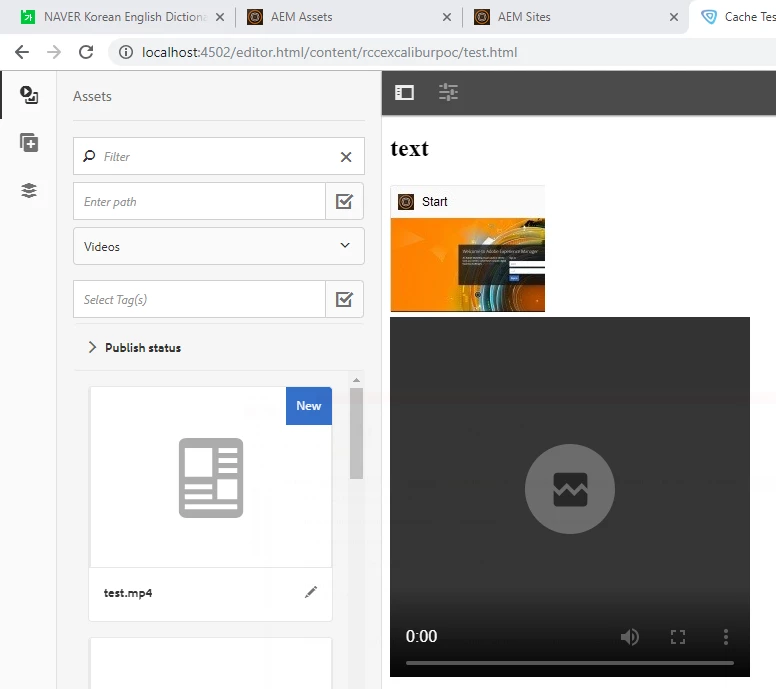
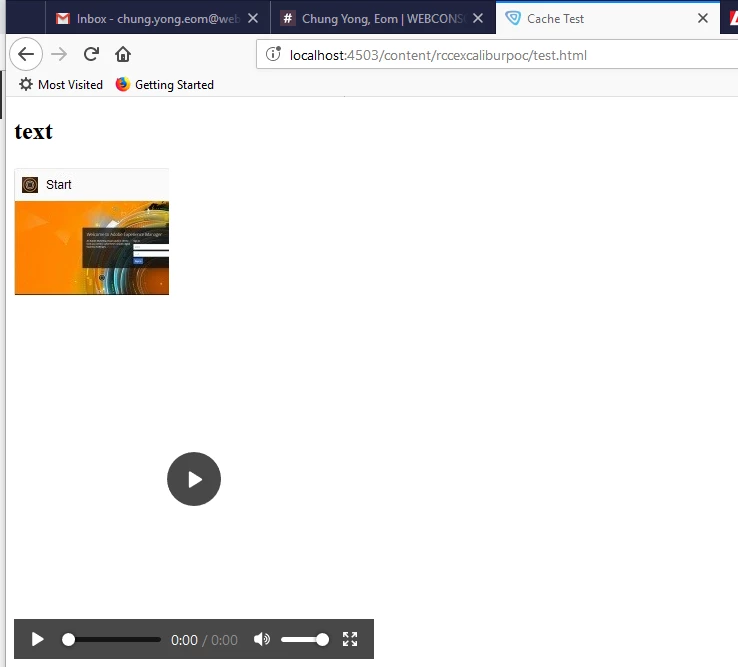
But video file(ex:test.mp4) doesn't play in publish site.

I uploaded video file(ex:test.mp4) into Assets like below one.
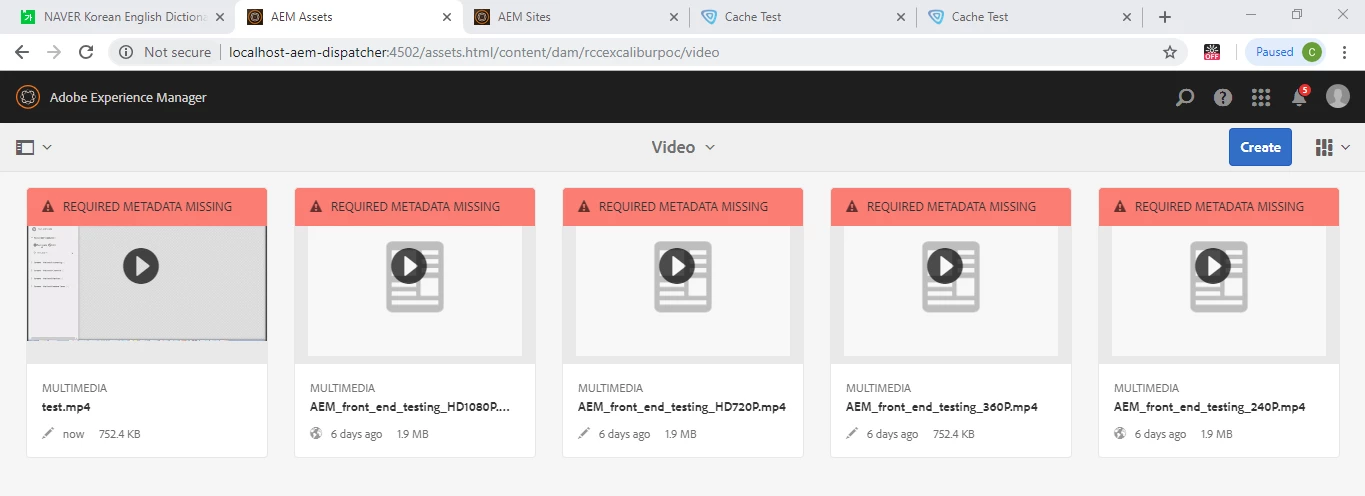
In Assets, it plays but doesn't sound.

Author url  : http://localhost:4502/editor.html/content/rccexcaliburpoc/test.html
Publish url : http://localhost:4503/content/rccexcaliburpoc/test.html
when I play the video file(ex:test.mp4) in window media play directly, it plays very well and it sounds.

I can not understand why.

How can I play the video file in publish site after I publish from author to publish?

Regards

Chung Yong.

This post is no longer active and is closed to new replies. Need help? Start a new post to ask your question.
Best answer by smacdonald2008

There is a bug for that video component.

I can reproduce that issue. That is, the video component in General does not work in AEM 6.3/6,4.

I recommend opening a support ticket so Eng fixes this. In mean time - i also recommend writing a custom video component - like the one we show in the AEM Movie component article.

Also - you can create a component using a JQuery plug-in like this one -- https://videojs.com/

I did this and it works nicely for a custom video component:

<head>

  <link href="https://vjs.zencdn.net/7.2.4/video-js.css" rel="stylesheet">

  <!-- If you'd like to support IE8 (for Video.js versions prior to v7) -->

  <script src="https://vjs.zencdn.net/ie8/ie8-version/videojs-ie8.min.js"></script>

</head>

<body>

<h3>Adobe Experience Manager Custom Vidoe Component</p>

  <video id="my-video" class="video-js" controls preload="auto" width="640" height="264"

  poster="MY_VIDEO_POSTER.jpg" data-setup="{}">

    <source src="${properties.video}" type='video/mp4'>

    <p class="vjs-no-js">

      To view this video please enable JavaScript, and consider upgrading to a web browser that

      <a href="https://videojs.com/html5-video-support/" target="_blank">supports HTML5 video</a>

    </p>

  </video>

  <script src="https://vjs.zencdn.net/7.2.4/video.js"></script>

</body>

For a dialog - simply copy the TOUCH UI dialog from the movie component to the project that uses this component.

13 replies

smacdonald2008
Level 10
October 29, 2018

I will test videos on Publish using a component we have that plays videos. As long as all assets and components are on Pub - it should behave the same as on the Author instance.

chandu_t
Level 3
October 29, 2018

Looks like your using old foundation jsp video component. Which is not working as expected. Try to use a custom component and use below code.

<video width="400" controls>

  <source src="/content/dam/video/test.mp4" type="video/mp4">

  Your browser does not support HTML5 video.

</video>

I activated video, component and page.

It worked for me in author and publish both.

smacdonald2008
Level 10
October 29, 2018
Level 4
October 31, 2018

Dear Chandu,

Here is the properties of my video in Author CRXDE Lite.

/content/rccexcaliburpoc/test_from_browser_to_general/jcr:content/content/video

My AEM Version is 6.3.

As you told me about old foundation jsp video component, I want to check if my version of video component is old.

Where can I check the version of video component?

I have no idea how I check the version of video component.

Regards

Chung Yong.

smacdonald2008
Level 10
October 31, 2018

If you are using the OOTB Video component located in the General Category - there seems to be a bug here. I recommend opening a ticket. To get videos playing - write a custom video component that i demonstrated in the article that i posted.

Level 4
November 5, 2018

I think that this Adobe Experience Manager Help | Creating an AEM 6.4 HTML Template Language movie component is in AEM 6.4 Version.

My AEM Version is 6.3.

Can I write a custom video component in AEM 6.3 ?

If so, can you show me how to write a custom video component in AEM 6.3?

Regards

Chung Yong.

smacdonald2008
Level 10
November 5, 2018

that does work on 6.4 and is a HTL component. It plays a video selected from the component dialog.

Level 4
November 5, 2018

Hello Everyone,

If you have AEM version 6.3 with me, Can you play video on author and publish instance after you add video component using the OOTB Video component located in the General Category?

I wonder if you guys have same problem with me.

Regards

Chung Yong.

smacdonald2008
smacdonald2008Accepted solution
Level 10
November 5, 2018

There is a bug for that video component.

I can reproduce that issue. That is, the video component in General does not work in AEM 6.3/6,4.

I recommend opening a support ticket so Eng fixes this. In mean time - i also recommend writing a custom video component - like the one we show in the AEM Movie component article.

Also - you can create a component using a JQuery plug-in like this one -- https://videojs.com/

I did this and it works nicely for a custom video component:

<head>

  <link href="https://vjs.zencdn.net/7.2.4/video-js.css" rel="stylesheet">

  <!-- If you'd like to support IE8 (for Video.js versions prior to v7) -->

  <script src="https://vjs.zencdn.net/ie8/ie8-version/videojs-ie8.min.js"></script>

</head>

<body>

<h3>Adobe Experience Manager Custom Vidoe Component</p>

  <video id="my-video" class="video-js" controls preload="auto" width="640" height="264"

  poster="MY_VIDEO_POSTER.jpg" data-setup="{}">

    <source src="${properties.video}" type='video/mp4'>

    <p class="vjs-no-js">

      To view this video please enable JavaScript, and consider upgrading to a web browser that

      <a href="https://videojs.com/html5-video-support/" target="_blank">supports HTML5 video</a>

    </p>

  </video>

  <script src="https://vjs.zencdn.net/7.2.4/video.js"></script>

</body>

For a dialog - simply copy the TOUCH UI dialog from the movie component to the project that uses this component.

Level 4
November 5, 2018

I have never openned a support ticket before.

I don't know how to open a support ticket.

Can you tell me how to open it?

AS you recommended me, I will try to write a custom video component.