Use featured image from page properties in HTL | Community
Skip to main content
Level 4
May 18, 2022
Solved

Use featured image from page properties in HTL

  • May 18, 2022
  • 4 replies
  • 4569 views

I want to render the current page featured image on the same page. And for that I am using HTL. Is there a way I can just call currentPage or properties object in HTL to get that image as we do for jcr:title( ${properties.jcr:title})?
Best answer by arunpatidar

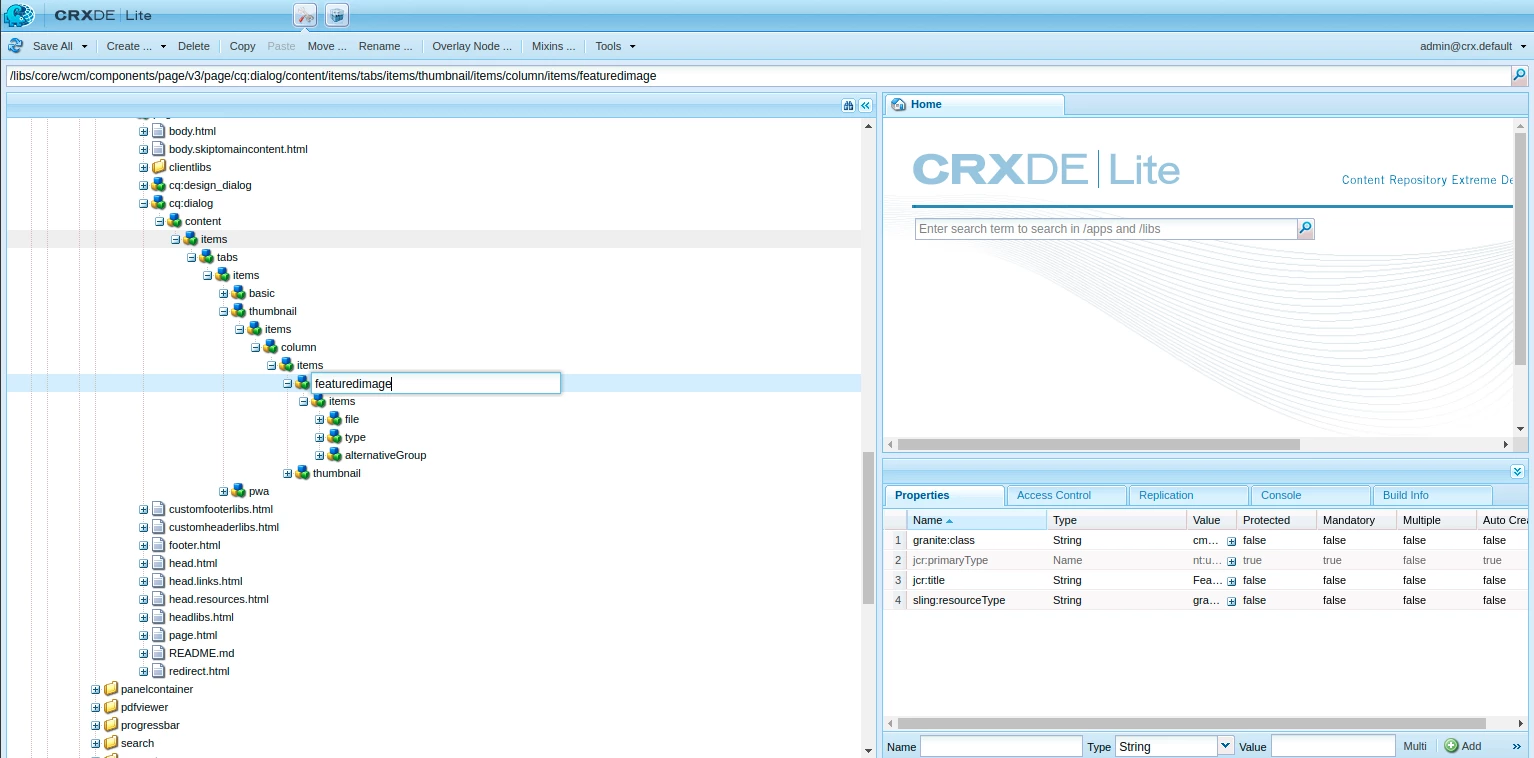
1. There is no property name. I just want to use the featured image of the core page component. It is found in the dialog box. here is the screenshot:


2. I want to access this in HTL of a component.


Hi,

The names of the property is at https://github.com/adobe/aem-core-wcm-components/blob/72ee9a869c51deb4e5d2a5c1ec5b60c5579b2f68/content/src/content/jcr_root/apps/core/wcm/components/page/v3/page/_cq_dialog/.content.xml#L123


You must try

${pageProperties['cq:featuredimage/fileReference']}


4 replies

SantoshSai
Community Advisor
Community Advisor
May 18, 2022

Hi @nikita24tailor 

It depends on your customization (Static/Editable templates). If you're not customizing anything then it would store here- /content/yourpagepath/jcr:content/image. If you look at the property of fileReference then you'll see the image reference path. You'll have to use Server Side script (JavaScript API) or use Java to read this and inject back to HTL/HTML.

Regards,
Santosh

Santosh Sai
Level 4
May 18, 2022

I'm not using any custom property for image. I'm using the one which is already available in page properties in Image tab.

SantoshSai
Community Advisor
Community Advisor
May 18, 2022

@nikita24tailor 

Do you mean this Thumbnail Image? It looks like that Image tab is customized one - If yes refer to my above answer please.

Santosh Sai
Anish-Sinha
Adobe Employee
Adobe Employee
May 18, 2022

Hi @nikita24tailor ,

You can read the image fileReference like this - 

${properties['image/fileReference']}
Level 4
May 18, 2022

This isn't working.

Anish-Sinha
Adobe Employee
Adobe Employee
May 18, 2022

Can you share a screenshot of which image property you are checking and in which tab for page properties.

arunpatidar
Community Advisor
Community Advisor
May 18, 2022

try with ${pageProperties.propertyName}

Arun Patidar
Level 4
May 18, 2022

This is not working.

arunpatidar
Community Advisor
Community Advisor
May 18, 2022

Can you share,

1. what is the property name ?

2. where are want to access this property? in a component or in a page component?

Arun Patidar
Level 3
October 31, 2023

Hi What is the correct answer?
If i want to a have from child page

    String imagePath = childResource.getValueMap().get("./cq:featuredimage/fileReference", String.class);
will this work?
arunpatidar
Community Advisor
Community Advisor
October 31, 2023

Yes, It will work if you have the resource object in the sling model.


Please check properties and resource global object https://experienceleague.adobe.com/docs/experience-manager-htl/content/global-objects.html?lang=en to use directly in HTL

Arun Patidar