
Upload and Build package failing in Chrome | Community
Skip to main content
viveksachdeva
Community Advisor
Community Advisor
May 28, 2020
Solved

Upload and Build package failing in Chrome

  • May 28, 2020
  • 5 replies
  • 9580 views

Hi,

While uploading/building/any other operation on package manager, I see following JS error in the console and hence it gets stuck.
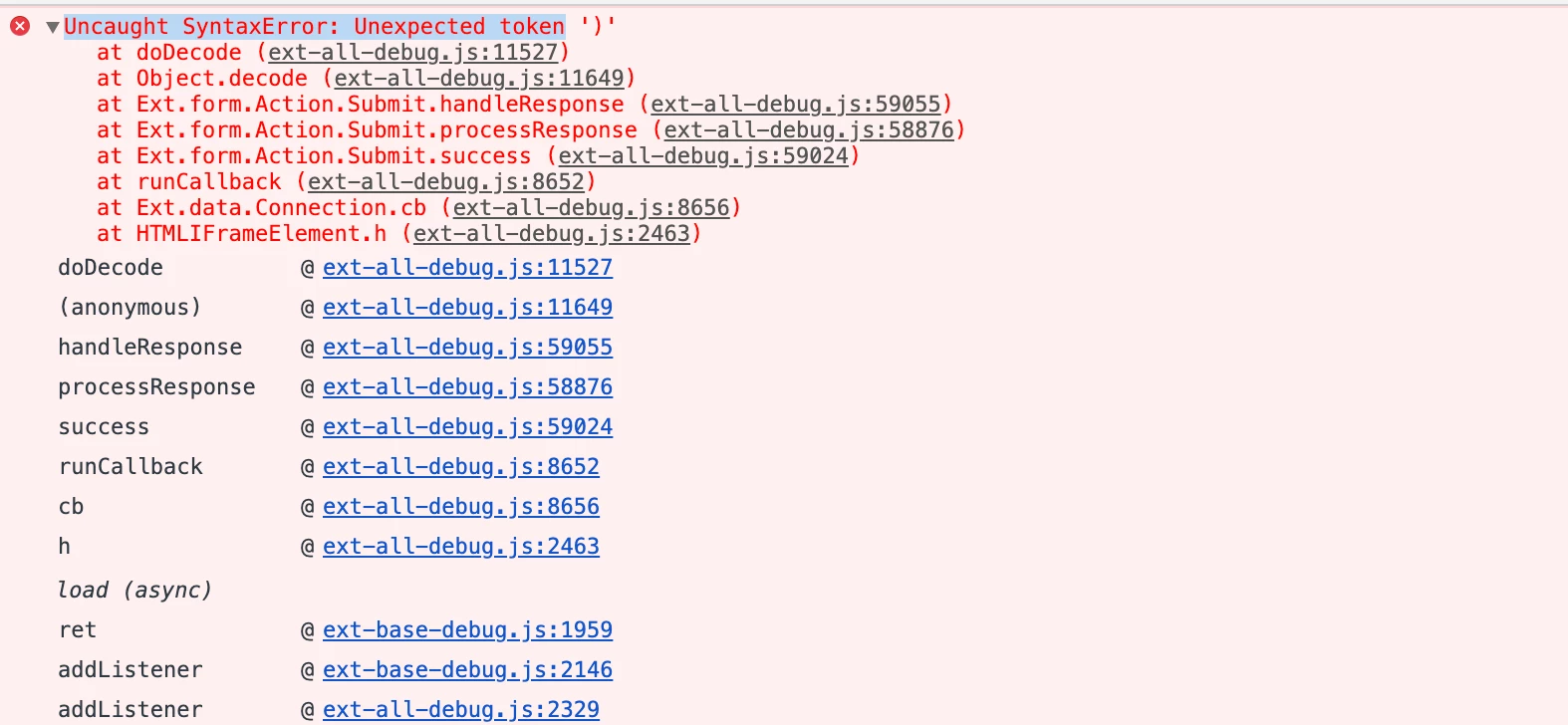
Anyone faced this issue on any browser?

It works in Safari though. 

Chrome Version : Version 83.0.4103.61 (Official Build) (64-bit)


Even OOTB pacakge installation is not wokring:

29.05.2020 01:04:46.951 *INFO* [qtp1661131386-2036] com.day.crx.packaging.impl.SlingInstallerSupportImpl Sling installer node /system/sling/installer/jcr/pauseInstallation/de790995-cf96-44dd-89d6-59b39ff13ffa/com.day.crx.packaging.impl.SlingInstallerSupportImpl/6966a3a6-e2ff-471c-8aa6-74f8de1431f6 created.
29.05.2020 01:04:46.976 *INFO* [qtp1661131386-2036] com.day.crx.packaging.impl.J2EEPackageManager Found installable at /apps/core/wcm/config/com.adobe.cq.wcm.core.components.internal.services.embed.OEmbedClientImplConfigurationFactory-facebookVideo.config
29.05.2020 01:04:46.987 *INFO* [qtp1661131386-2036] org.apache.jackrabbit.vault.packaging.impl.ActivityLog adobe/cq60:core.wcm.components.config:2.8.0: INSTALL
29.05.2020 01:04:47.000 *INFO* [qtp1661131386-2036] com.day.crx.packaging.impl.SlingInstallerSupportImpl Sling installer node /system/sling/installer/jcr/pauseInstallation/de790995-cf96-44dd-89d6-59b39ff13ffa/com.day.crx.packaging.impl.SlingInstallerSupportImpl/6966a3a6-e2ff-471c-8aa6-74f8de1431f6 removed.
29.05.2020 01:04:47.000 *INFO* [qtp1661131386-2036] com.day.crx.packaging.impl.J2EEPackageManager Scanner detected potential jcr installable. delaying installation for 2 seconds.

This post is no longer active and is closed to new replies. Need help? Start a new post to ask your question.
Best answer by aemmarc2

@viveksachdeva


[EDIT] -- revising my post to reduce confusion -- the fix is within build --> com.adobe.granite.crx-packagemgr-1.2.100.jar 


5 replies

arunpatidar
Community Advisor
Community Advisor
May 28, 2020

Yes, we are also facing issue.
This is due to Chrome Browser upgrade I guess.

We did not debug the actual cause, instead of using another browser.

Arun Patidar
viveksachdeva
Community Advisor
Community Advisor
May 28, 2020
Argh.. this is so irritating.. Chrome is always my default browser.. Will try degrading it I guess, if I dont find a solution
aemmarc2Adobe EmployeeAccepted solution
Adobe Employee
May 29, 2020

@viveksachdeva


[EDIT] -- revising my post to reduce confusion -- the fix is within build --> com.adobe.granite.crx-packagemgr-1.2.100.jar 


Adobe Employee
May 29, 2020
GRANITE-30226 (Package Manager), GRANITE-30280 (CRX DE)
nidhip010816
Adobe Employee
Adobe Employee
June 1, 2020

Hi @viveksachdeva ,


This is a known issue which is currently being worked upon by AEM Development team under internal ticket ID -- GRANITE-30226. This is specifically seen with browser - Google Chrome(83.0.4103.61). You could test this on any other browser and it should work fine for the time being.


This has been fixed for AEM 6.5.6.0 (Releasing on Sept 3rd, 2020) & AEM 6.4.8.2. [NPR-33714], I hope this would help your concern. 🙂


Warm regards,

Nidz.

Adobe Employee
June 3, 2020

hello @viveksachdeva 


Please raise a support ticket and you would be given a fix for this.


Regards,

Manish Singh

viveksachdeva
Community Advisor
Community Advisor
June 3, 2020
I got granite hot fix for 6.5 and the issue is fixed now
May 2, 2021