unavailable_after meta tag on robots tag | Community
Skip to main content
raja-thannasi
Level 2
December 12, 2023
Solved

unavailable_after meta tag on robots tag

  • December 12, 2023
  • 2 replies
  • 1136 views

Dear All,

      I want to add unavailable_after(including date) meta tag on robots tags under page properties-->advanced tab--> Robots Tags drop down. Kindly help on this. please find the attachment.
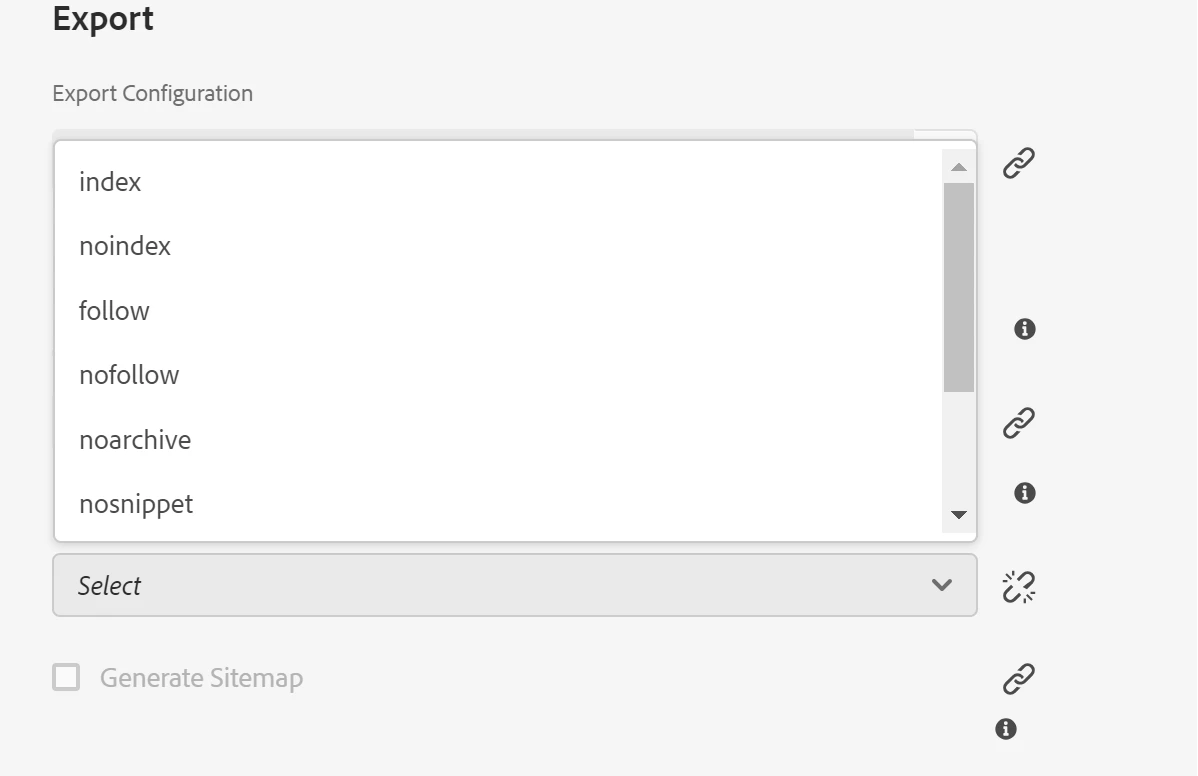
 

About unavailable_after meta tag:

The unavailable_after meta tag is a way to tell search engines that a web page should not be crawled or shown in the search results after a certain date and time. It is useful for pages that have an expiration date, such as event pages, temporary promotions, or news articles. The unavailable_after meta tag is a hint, not a directive, meaning that search engines can choose to ignore it and still crawl or show the page.

For example, if you want to tell search engines not to crawl or show your page after August 5, 2023, you can use this tag:

<meta name="robots" content="unavailable_after: 8/5/2023">

This post is no longer active and is closed to new replies. Need help? Start a new post to ask your question.
Best answer by arunpatidar

Hi @raja-thannasi 
1.Need to overlay and extend the Advance Tab dialog to add the type from dropdown from /libs/wcm/foundation/components/basicpage/v1/basicpage/tabs/advanced/items/column/items/seo/items/robotsTags/items

2. Add another field to get the date

3. Need to overlay and update head.html to add date along with type e.g. <meta name="robots" content="unavailable_after: 8/5/2023">

2 replies

aanchal-sikka
Community Advisor
Community Advisor
December 12, 2023

Hello @raja-thannasi 


As per my knowledge, the feature isn't available OOTB.

You can however add a new field to Page component and use that value in meta tags in head.html 


Another conversation on adding custom meta tags:

https://experienceleaguecommunities.adobe.com/t5/adobe-experience-manager/create-custom-meta-tag-in-aem/td-p/362783 

Aanchal Sikka
arunpatidar
Community Advisor
arunpatidarCommunity AdvisorAccepted solution
Community Advisor
December 12, 2023

Hi @raja-thannasi 
1.Need to overlay and extend the Advance Tab dialog to add the type from dropdown from /libs/wcm/foundation/components/basicpage/v1/basicpage/tabs/advanced/items/column/items/seo/items/robotsTags/items

2. Add another field to get the date

3. Need to overlay and update head.html to add date along with type e.g. <meta name="robots" content="unavailable_after: 8/5/2023">

Arun Patidar