Unable to see the s3 asset ingestor tool | Community
Skip to main content
Level 4
August 11, 2020
Solved

Unable to see the s3 asset ingestor tool

  • August 11, 2020
  • 3 replies
  • 2097 views

I am trying to move bulk assets from s3 to AEM ..I was following along this https://adobe-consulting-services.github.io/acs-aem-commons/features/mcp-tools/asset-ingestion/s3-asset-ingestor/index.html . I got the s3 connector(1.8.6) installed in my local .. and i am using service pack 6.5.4 and acs commons 4.8 version.. I tried to start my AEM but i dont see this s3 ingestor tool. Can i know what else could i check to make sure i see that tool 
This post is no longer active and is closed to new replies. Need help? Start a new post to ask your question.
Best answer by leoberliant

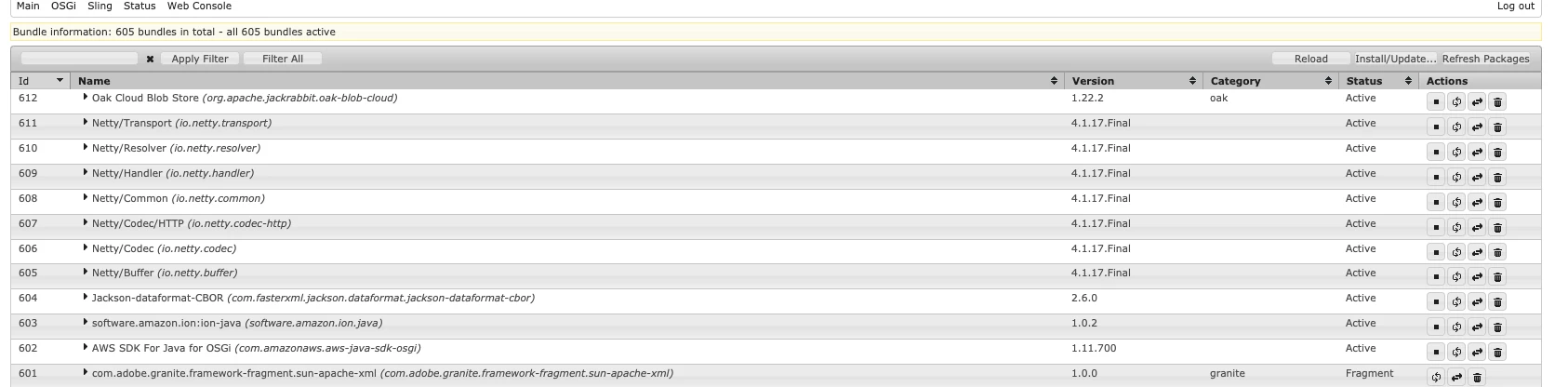
How did you install the S3 connector? You should download S3 connector zip that fits into your version of AEM version, stop AEM  and paste 

/Users/berliant/Downloads/com.adobe.granite.oak.s3connector-1.10.10/jcr_root/libs/system/install into crx-quickstart folder. Start AEM and make sure that all bundles are in runing state.


3 replies

vanegi
Adobe Employee
Adobe Employee
August 11, 2020

Are you checking with admin user? This https://adobe-consulting-services.github.io/acs-aem-commons/features/mcp-tools/asset-ingestion/s3-asset-ingestor/index.html says that this tool only appears for the “admin” user right now.

AEMnewbieAuthor
Level 4
August 11, 2020
Yes i am logged in as Admin
leoberliantAdobe EmployeeAccepted solution
Adobe Employee
August 11, 2020

How did you install the S3 connector? You should download S3 connector zip that fits into your version of AEM version, stop AEM  and paste 

/Users/berliant/Downloads/com.adobe.granite.oak.s3connector-1.10.10/jcr_root/libs/system/install into crx-quickstart folder. Start AEM and make sure that all bundles are in runing state.


AEMnewbieAuthor
Level 4
August 11, 2020
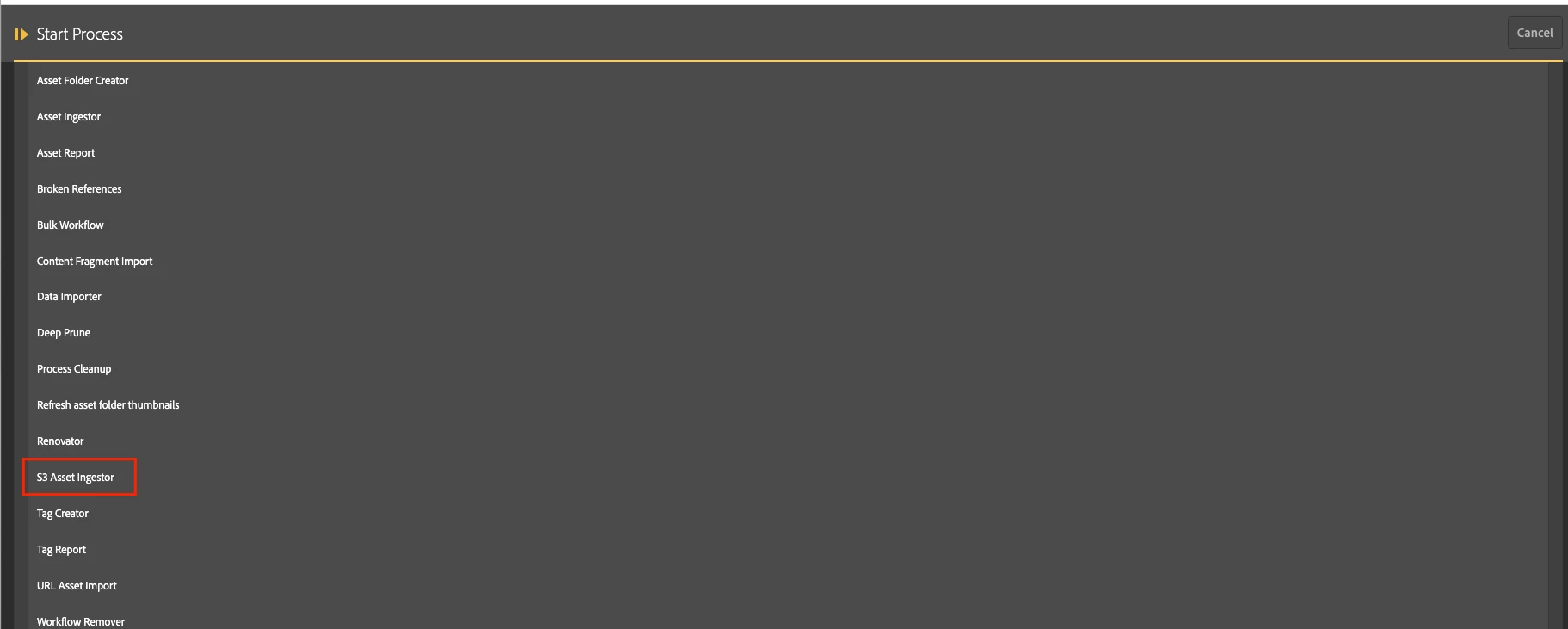
@leoberliant ..Yeah thats exactly how i installed the connector.. And i see all the bundles running fine.. wondering if you could point me to the endpoint which is taking you to the second screenshot..
Adobe Employee
August 11, 2020

From AEM TouchUI

Click Tools -> ACS AEM Common -> Manage Controlles Processes 

Click Start Process button

From the list of available tasks select S3 Asset Ingestor 

AEMnewbieAuthor
Level 4
August 11, 2020
Thanks!! @leoberliant