
Unable to see Allowed Components list in custom layout container
Hi Team,
We are trying to create custom Layout Container(wcm/foundation/components/responsivegrid) component in AEM 6.4 to have fixed width and full width layouts in our project. Below are the steps i followed to create an editable template but unable to see Allowed Components even after creating a policy and configuring components.
- Create an editable template, open it to find a Layout Container(wcm/foundation/components/responsivegrid)
- Create a policy at Layout Container root level to allow custom Layout Container
- Drag and drop custom Layout Container
- Create and set another policy to allow project specific components for example, title, text, etc...
- Unlock custom Layout Container, i do not see allowed components here, whereas for OOTB Layout Container, am able to see Allowed Components list.
- I believe this section is necessary to edit component policies where style system configurations can be set
Attached screenshot of we.retail hero-page template where it works
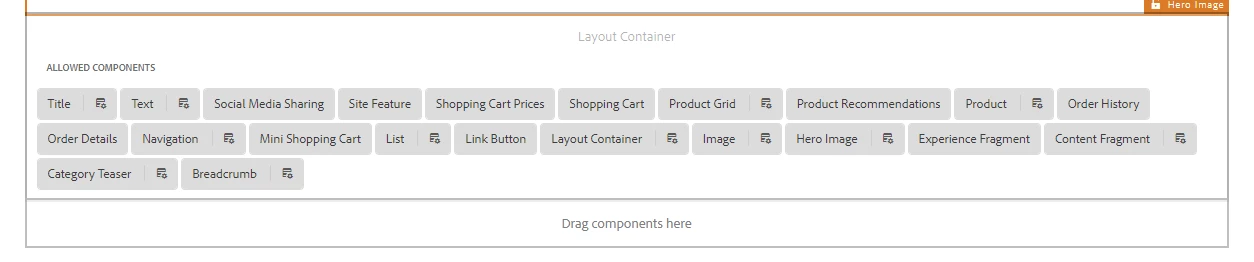
Note: sling:resourceSuperType of our custom layout container component is wcm/foundation/components/responsivegrid, we have just added dialog fields for full-width and fixed-width to add bootstrap classes container-fluid and container respectively.
Can someone please let us know if the above approach is correct or could you please point me to references to achieve our requirement.