Unable to overlay the rtetoolbar under edit template | Community
Skip to main content
hari_purushotha
Level 2
December 16, 2020
Solved

Unable to overlay the rtetoolbar under edit template

  • December 16, 2020
  • 1 reply
  • 1958 views

Hello,

I am working on a use case -->Indesign template editing inside AEM, where I need to control the display of font in the edit template dropdown.


Eg:

When I install the font in indesign server, I need to add the same font name in the dropdown..so while processing the indd template (If we choose the installed font in dropdown, indesign template gets updated with the selected font).
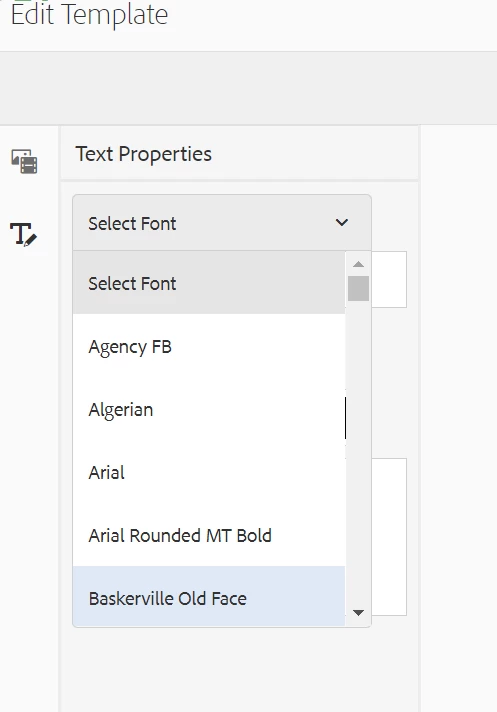


Currently I am able to do that (Below are the steps).

  1. I have installed the font in indesign server
  2. Added the font under
    • /libs/dam/gui/content/idsprint/templates/edittemplate/jcr:content/body/items/form/items/wizard/items/editor/items/side-panel/items/tabs/items/textToolsTab/items/tools/rteToolbar
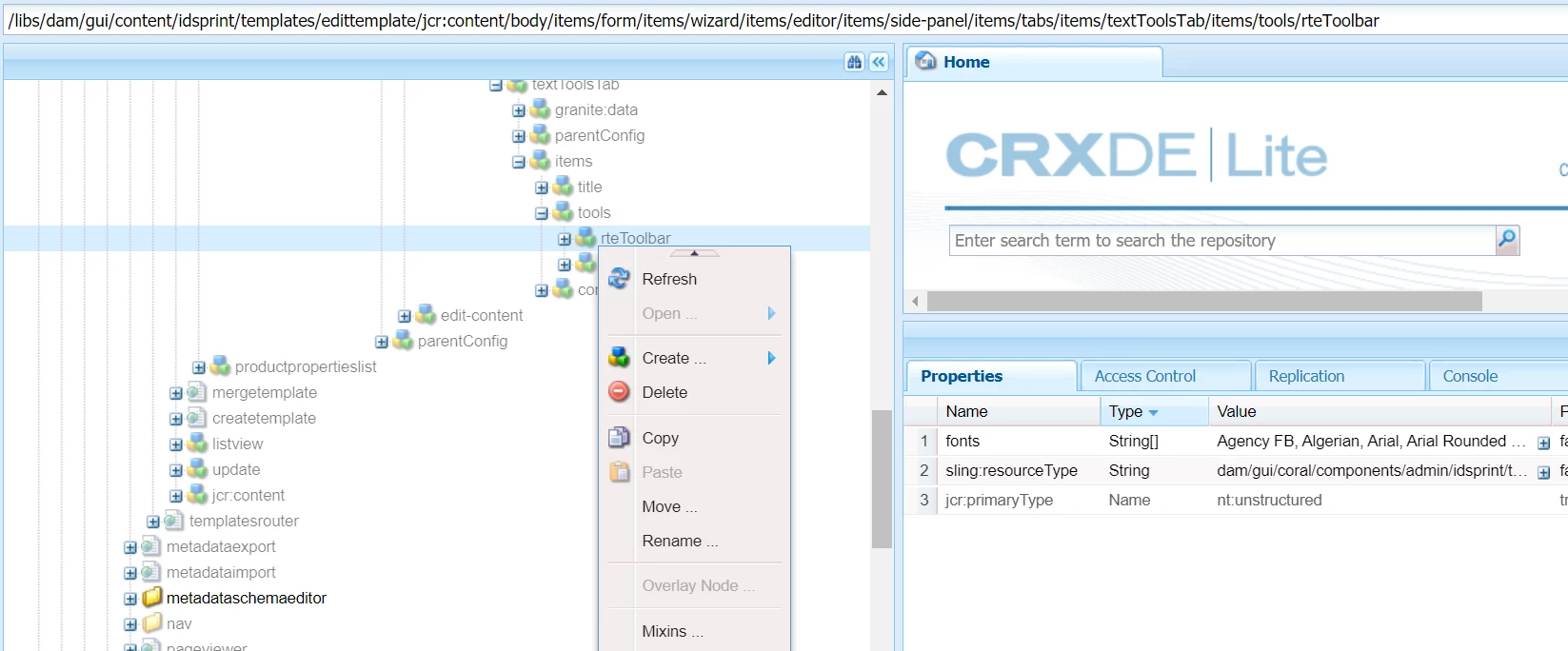
 

Now I need to Overlay the above node. Which I am unable to do so (Disabled).

Need help on how to overlay the above node.


Thanks,

Hari


This post is no longer active and is closed to new replies. Need help? Start a new post to ask your question.
Best answer by shelly-goel

@hari_purushotha 

If not already tried, instead of overlaying the node, you can rather go for sling resource merger override for updating the 'fonts' property in rteToolbar. Recreate the entire structure with all intermediate nodes as nt:unstructured and then redefine the 'fonts' property.
Reference Link: https://experienceleague.adobe.com/docs/experience-manager-65/developing/platform/sling-resource-merger.html

1 reply

shelly-goel
Adobe Employee
shelly-goelAdobe EmployeeAccepted solution
Adobe Employee
December 19, 2020

@hari_purushotha 

If not already tried, instead of overlaying the node, you can rather go for sling resource merger override for updating the 'fonts' property in rteToolbar. Recreate the entire structure with all intermediate nodes as nt:unstructured and then redefine the 'fonts' property.
Reference Link: https://experienceleague.adobe.com/docs/experience-manager-65/developing/platform/sling-resource-merger.html

hari_purushotha
Level 2
December 20, 2020

Hi Shelly,


Thanks for your reply.


I am also thinking the same approach of using sling resource merger.But In the meantime, I am also looking for any other approach apart from sling resource merger.