Unable to get key/value using Query Builder API | Community
Skip to main content
ariellea4070516
November 20, 2018
Solved

Unable to get key/value using Query Builder API

  • November 20, 2018
  • 10 replies
  • 2433 views

I am trying to get the cq:name and dam:relativePath of PDFs found within a dam content folder. I followed this tutorial:

Adobe Experience Manager Help | Querying Adobe Experience Manager 6.4 JCR data using the QueryBuilder API

I have everything plugged in, debugged and working except that when I click my button to submit my AJAX call it says that no data is available. Here is my hashmap:

Map<String, String> map = new HashMap<String, String>();

map.put("type", "dam:AssetContent");
map.put("path", "/content/dam/formsanddocuments/provider-forms");
map.put("p.limit", "20");

Query query = builder.createQuery(PredicateGroup.create(map), session);

query.setStart(0);
query.setHitsPerPage(20);

SearchResult result = query.getResult();
int hitsPerPage = result.getHits().size();

Here is my AJAX call:

$(document).ready(function() {
   var table = $('.forms-table').DataTable();
   var submit = $('.submit');

   submit.on('click', function() {
   $.ajax({
   type: 'GET',
   url:'/bin/myCustData',
   data:'type='+ 'data',
   success: function(msg) {
   var xml = msg;

   var oTable = $('.forms-table').dataTable();
   oTable.fnClearTable(true);

   $(xml).find('Form').each(function() {
   var $field = $(this);
   var Title = $field.find('Title').text();
   var Path = $field.find('Path').text();

   oTable.fnAddData( [
   Title,
   Path
   ]);
  });
  }
  });
  });
});

I tested the query in the debugger and am able to yield the right properties so I'm not sure what I'm doing wrong here. Does anyone have an idea? Thank you so much in advance for your help!

This post is no longer active and is closed to new replies. Need help? Start a new post to ask your question.
Best answer by smacdonald2008

That error means that the POM file was not properly setup. Can you build your bundle - including the POM dependencies as shown in the artilce. You also have to setup the system user and permissions as stated. If you would like - we can setup a BLUEJEAN call and i wcan walk you through  the process.

10 replies

smacdonald2008
November 20, 2018

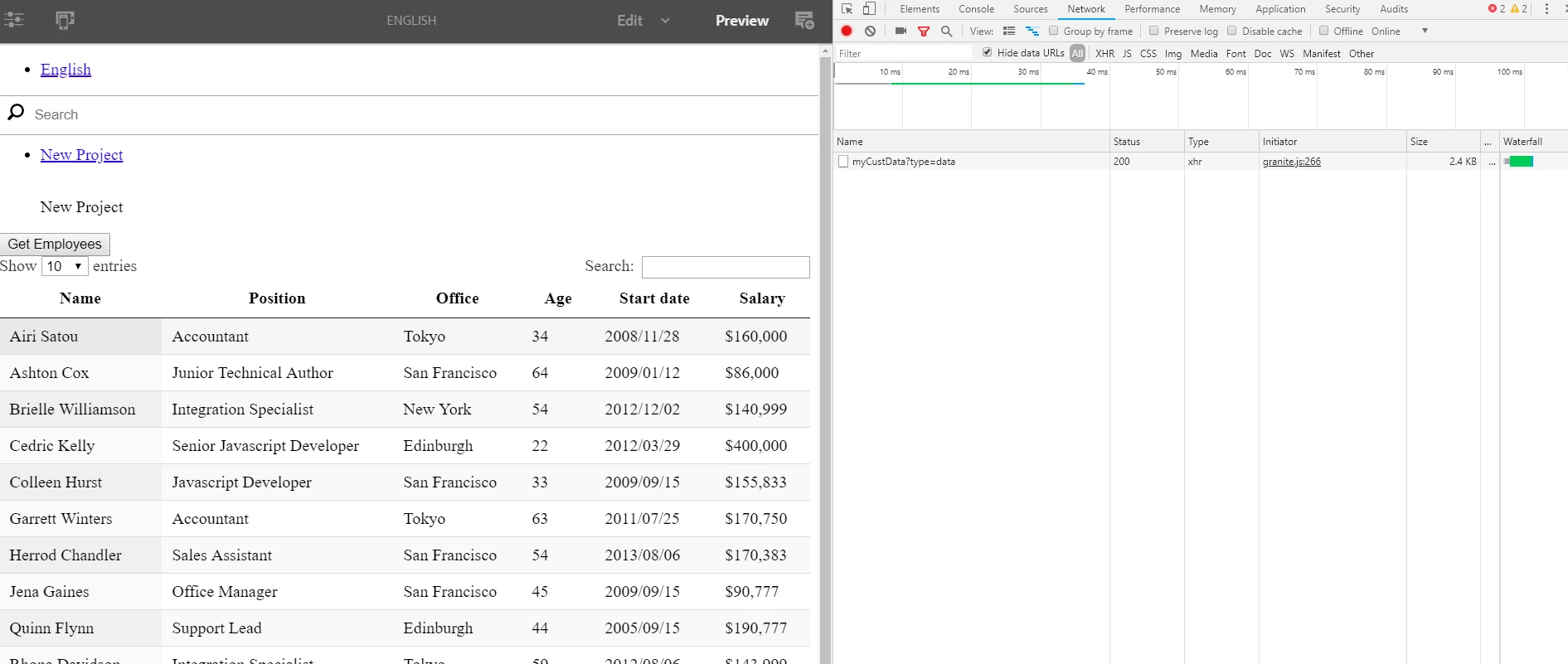
When you click the button - look at the network tab in chrome - are you getting 200 as the HTTP response.

When you follow that tutorial and pull in Employee data -- as shown in the example (install the package) - do you see the component populated with data?

This works - watch the video at end of article.

smacdonald2008
November 20, 2018

Also - make sure you OSGi bundle is in active state - check that HTTP Response code.

smacdonald2008
November 20, 2018

Did you create a system user and setup the Sling Mapping Service config too. You need to do that!

smacdonald2008
November 20, 2018

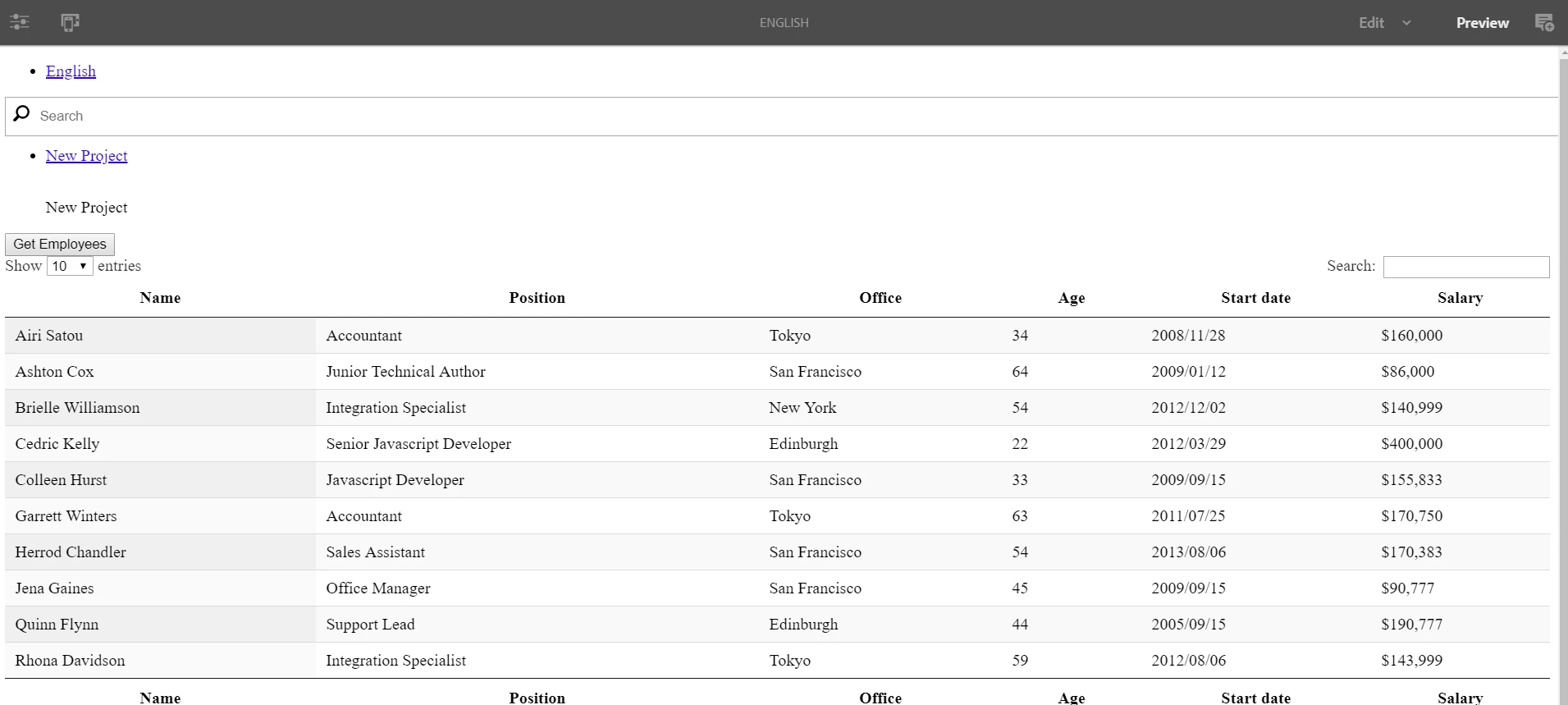
Just retested - if you follow the article - you will get this result:

VeenaVikraman
Community Advisor
Community Advisor
November 20, 2018

As Scott mentioned , could you please check if the service is returning 200 OK in the network tab ? If no, please pull the error logs.Your error log should be able to tell you what is failing in your case. If hyou can share the same we can guide you what went wrong

Thanks

Veena

smacdonald2008
November 20, 2018

For now - follow the article to see if you can pull a result set, etc. Once you know its working - you can try and modify the Query Builder code.

ariellea4070516
November 20, 2018

So, I received a 200 HTTP response for that implementation, but I went ahead made the code consistent with the tutorial verbatim. I am still getting a 200 HTTP response but no data.

I checked and everything is consistent down to the 'data' user and User Service Mapping.

I did validate my package and received this error:

1 unsatisfied OSGi package import in 1 bundle.

1. Unsatisfied package import javax.inject-[0.0.0,1.0.0) in bundle Demo_Site.Demo.core-1.0.0.SNAPSHOT present at OSGi

Following 1 bundle will go from 'Active' to 'Installed' state if you install this content package.

1. Demo_Site.Demo.core-1.0.0.SNAPSHOT

The javax.inject is referring to the HelloWord java model though I'm not sure if this is relevant.

Thanks again for your help!

EDIT:

Also, I see the employee data under /content/employees and, I did confirm, the bundle is in an active state.

ariellea4070516
November 20, 2018

Does the bundle location matter? Mine is found at

`jcrinstall:/apps/QUeryJCR64/install/QUeryJCR64.core-1.0-SNAPSHOT.jar`

smacdonald2008
smacdonald2008Accepted solution
November 20, 2018

That error means that the POM file was not properly setup. Can you build your bundle - including the POM dependencies as shown in the artilce. You also have to setup the system user and permissions as stated. If you would like - we can setup a BLUEJEAN call and i wcan walk you through  the process.

ariellea4070516
November 20, 2018

That was it! As always, thank you so much for sharing your expertise and helping me solve this issue!