unable to fetch dropdown value correctly | Community
Skip to main content
April 16, 2021
Solved

unable to fetch dropdown value correctly

  • April 16, 2021
  • 2 replies
  • 1043 views

I have a component in which i have a multifield item. In each multifield item i have separate containers. In of the containers i have a dropdown. I am trying to fetch the selected value of the dropdown, but i am only getting select as the value with the below code. Whereas if use this code in other components having multifield and dropdown directly as an item in the multifield then i am getting the correct value.

My component1-->Tab(Data)-->multifield item1-->container(list)-->container(button)-->dropdown (below code doesn't work).

My component2-->Tab(Data)-->multifield item1-->container(list)-->dropdown (below code works).

console.log("text.js");
(function ($, document, ns) {
$(document).on("dialog-ready", function() {
$(".coral3-Multifield-item").each(function( index ) {
let dropdown = $(this).find(".cq-dialog-dropdown-showhide-multi")[0].selectedItem.value;
console.log(ctaDropdown); //prints "select" all the time.

}) });
})(Granite.$, document, Granite.author);

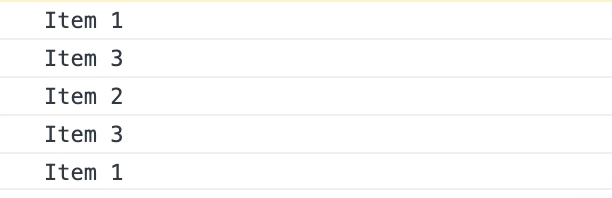
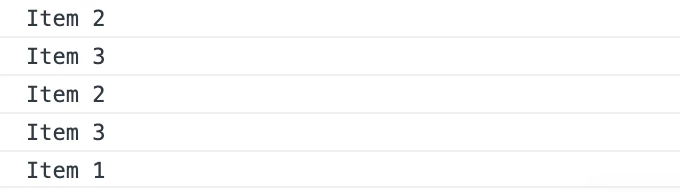
below is the dropdown property for both comp1 and comp2

Do I need modify my loop because of the extra container/nesting of container?

This post is no longer active and is closed to new replies. Need help? Start a new post to ask your question.
Best answer by Asutosh_Jena_

Hi @shaheena_sheikh 


Can you please put the dialog structure here for the below use case?

My component1-->Tab(Data)-->multifield item1-->container(list)-->container(button)-->dropdown (below code doesn't work).


Just want to ensure that I am following the correct structure.


Thanks!

2 replies

Asutosh_Jena_
Community Advisor
Asutosh_Jena_Community AdvisorAccepted solution
Community Advisor
April 16, 2021

Hi @shaheena_sheikh 


Can you please put the dialog structure here for the below use case?

My component1-->Tab(Data)-->multifield item1-->container(list)-->container(button)-->dropdown (below code doesn't work).


Just want to ensure that I am following the correct structure.


Thanks!

Asutosh_Jena_
Community Advisor
Community Advisor
April 16, 2021

Update:


@shaheena_sheikh 


I just tried with the below structure and it works for me and prints the requried values:


Both the use case works with same piece of code. Just ensure you do not have the default value as "select" else it will show the same value always until unless you change the value in dropdown.


(function ($, document, ns) {
$(document).on("dialog-ready", function () {
$(".coral3-Multifield-item").each(function (index) {
let dropdown = $(this).find(".cq-dialog-dropdown-showhide-multi")[0].selectedItem.value;
console.log(dropdown);
})
});
})(Granite.$, document, Granite.author);


Let me know if I am using wrong structure. Also please see the highlighted section above in code. It looks like you are using a different variable to store the data and retrieving from a different one.


Thanks!

Anudeep_Garnepudi
Community Advisor
Community Advisor
April 16, 2021

@shaheena_sheikh 

Is granite:class property value(cq-dialog-dropdown-showhide-multi) same for both select fields?