
Unable to edit any component in AEM 6.3 Classic UI
Hi,
We want to open and edit pages in classic UI mode in AEM 6.3. We enabled classic UI (disabled by default in AEM 6.3) by following the instructions here.
However when we open the Classic UI in AEM 6.3, it does seem as if the page has opened in edit mode (as seen from the sidekick option). The sidekick shows that the page is already open in edit mode. However we are not able to in-place edit any of the components (text, title, image, custom components). Or even if we right-click on the component, it doesn't show any option to edit. Check the attached screenshot of AEM 6.3 Classic UI mode showing edit not working.
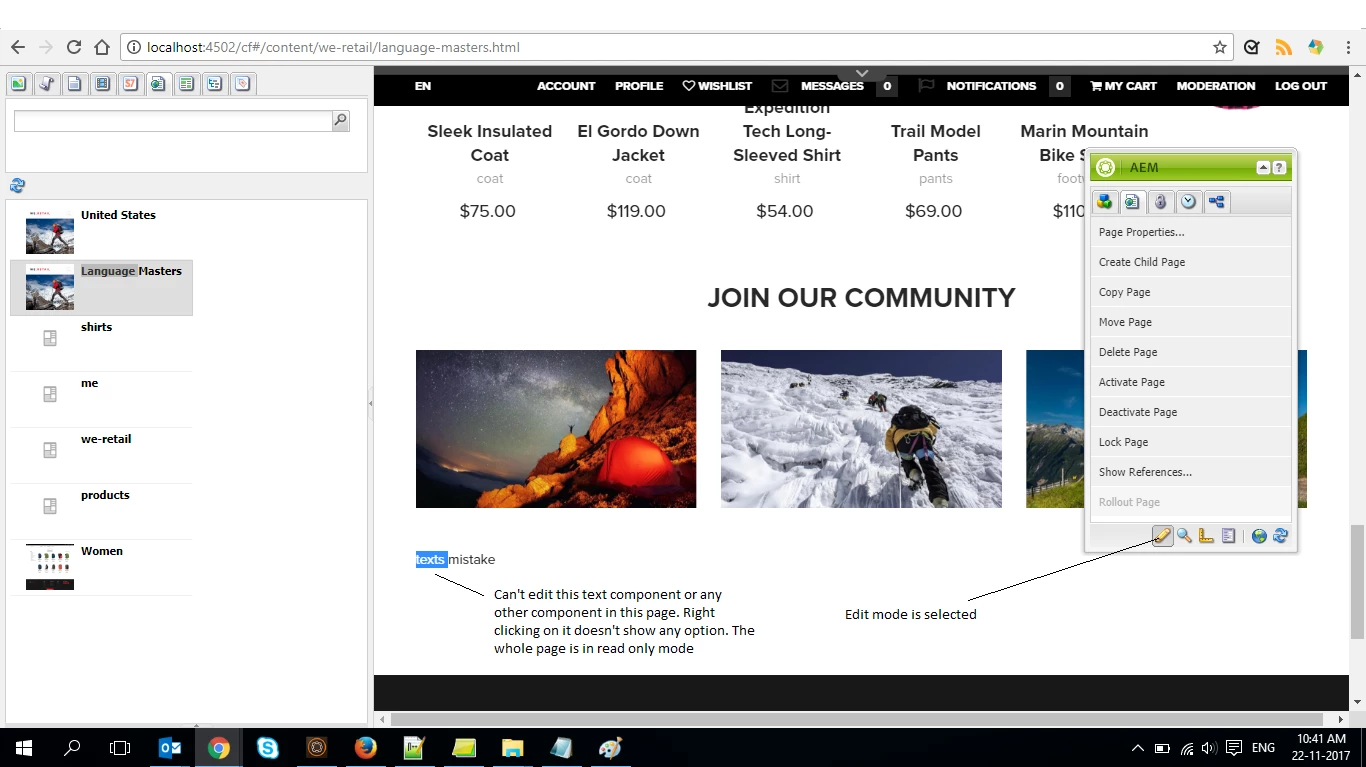
We also checked suggestion given here. Even though its for AEM 6.2. We already have the profile node present with correct value set up like the link says.
Thanks