Unable to change Properties Site | Community
Skip to main content
Level 2
September 21, 2023
Solved

Unable to change Properties Site

  • September 21, 2023
  • 3 replies
  • 1624 views

HI i am learning about AEM and doing some practices, but i am having some issues with following some steps as i do it as it says but the result is not the one expected.

In this case i created a site in crxlite but when i truy to add the properties in the AEM "admin" it is totally blank, here is the example:

 

 the node improntus is in the file /content/imrpontus and this is what i see when i try to access its properties:
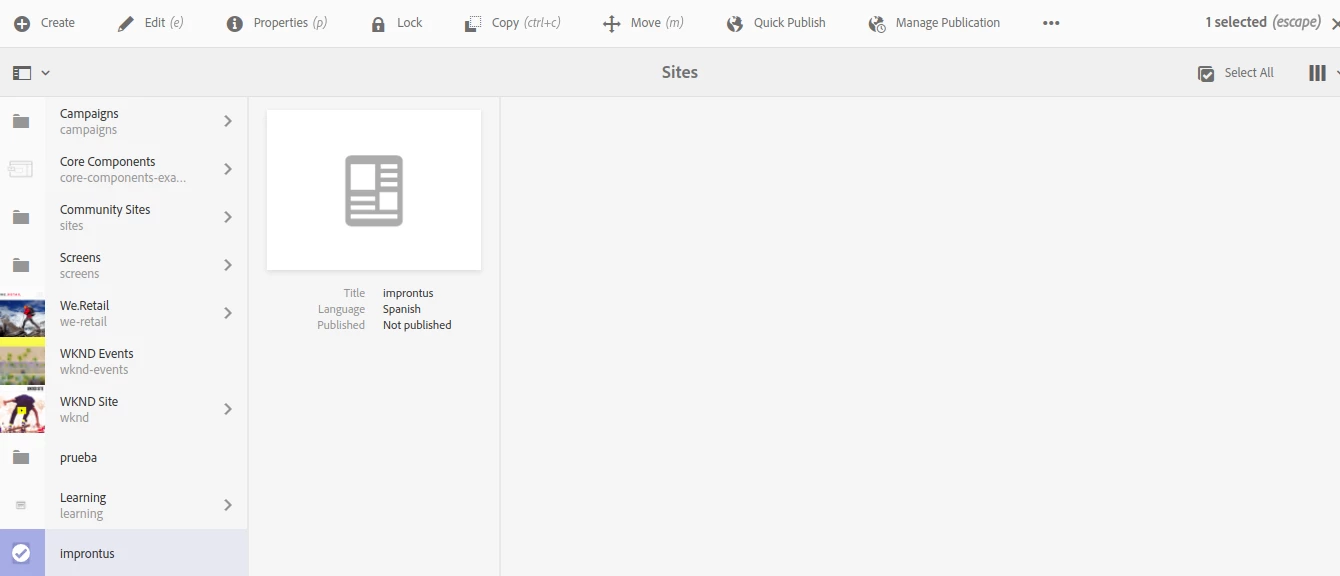


can anyone guide me what could be the issue here?

thanks

This post is no longer active and is closed to new replies. Need help? Start a new post to ask your question.
Best answer by aanchal-sikka

Hello @agustinafernandez 


This is how the main site of WKND /content/wknd looks like.

Please try appending the properties, if they help you out.


{ "jcr:primaryType": "cq:PageContent", "jcr:createdBy": "admin", "jcr:title": "WKND Site", "cq:template": "/conf/wknd/settings/wcm/templates/landing-page-template", "sling:configRef": "/conf/wknd", "cq:redirectTarget": "/content/wknd/us/en", "cq:contextHubSegmentsPath": "/conf/wknd/settings/wcm/segments", "jcr:created": "Wed Sep 13 2023 13:16:18 GMT+0530", "cq:lastModified": "Tue Apr 27 2021 20:19:05 GMT-0800", "cq:conf": "/conf/wknd", "sling:resourceType": "wknd/components/page", "cq:contextHubPath": "/conf/wknd/settings/cloudsettings/default/contexthub", "cq:allowedTemplates": [ "/conf/wknd/settings/wcm/templates/landing-page-template", "/conf/wknd/settings/wcm/templates/article-page-template", "/conf/wknd/settings/wcm/templates/content-page-template", "/conf/wknd/settings/wcm/templates/adventure-page-template" ], "cq:lastModifiedBy": "admin" }


3 replies

Harwinder-singh
Community Advisor
Community Advisor
September 21, 2023

@agustinafernandez There might be a couple of things that need to be done before you can see the page content in your site.

First of all, How are you creating this site? Is it by creating a node structure in CRXDE?

If yes, then you will have to a lot node creation before you can actually see your page content.

For instance - sling:resourceSuperType - imrpontus/components/structure/page , Does this path resolves to a page component?

To simplify site creation, you can create your site from a site template.

You can check out this for more details - https://experienceleague.adobe.com/docs/experience-manager-cloud-service/content/sites/administering/site-creation/create-site.html?lang=en


Level 2
September 22, 2023

Hi @harwinder-singh thanks for your response.  In this case, what i did was to create the site in crxlite via nodes. here are some screens for you to see:


1- /content/improntus/jcr:content

aanchal-sikka
Community Advisor
Community Advisor
September 22, 2023

Hello @agustinafernandez 


Please change the property name from sling:resourceSuperType to sling:resourceType and check

Aanchal Sikka
Level 2
September 22, 2023

Hi @aanchal-sikka 

this change of the value property that you suggest me o try, and i did it in the node located in /content/improntus/jcr:content 


ad you can see i tried what you suggeted but without any luck, i don't know if you refered to try it in another place. thanks

aanchal-sikka
Community Advisor
aanchal-sikkaCommunity AdvisorAccepted solution
Community Advisor
September 22, 2023

Hello @agustinafernandez 


This is how the main site of WKND /content/wknd looks like.

Please try appending the properties, if they help you out.


{ "jcr:primaryType": "cq:PageContent", "jcr:createdBy": "admin", "jcr:title": "WKND Site", "cq:template": "/conf/wknd/settings/wcm/templates/landing-page-template", "sling:configRef": "/conf/wknd", "cq:redirectTarget": "/content/wknd/us/en", "cq:contextHubSegmentsPath": "/conf/wknd/settings/wcm/segments", "jcr:created": "Wed Sep 13 2023 13:16:18 GMT+0530", "cq:lastModified": "Tue Apr 27 2021 20:19:05 GMT-0800", "cq:conf": "/conf/wknd", "sling:resourceType": "wknd/components/page", "cq:contextHubPath": "/conf/wknd/settings/cloudsettings/default/contexthub", "cq:allowedTemplates": [ "/conf/wknd/settings/wcm/templates/landing-page-template", "/conf/wknd/settings/wcm/templates/article-page-template", "/conf/wknd/settings/wcm/templates/content-page-template", "/conf/wknd/settings/wcm/templates/adventure-page-template" ], "cq:lastModifiedBy": "admin" }


Aanchal Sikka
kautuk_sahni
Community Manager
Community Manager
September 22, 2023

@agustinafernandez Did you find the suggestions from users helpful? Please let us know if more information is required. Otherwise, please mark the answer as correct for posterity. If you have found out solution yourself, please share it with the community.

Kautuk Sahni
Level 2
September 22, 2023

I was able to resolve it. Thanks for the help