Translation Job fails on AEM local instance | Community
Skip to main content
Level 2
November 9, 2022
Solved

Translation Job fails on AEM local instance

  • November 9, 2022
  • 1 reply
  • 1240 views

Hi, I am trying to complete a translation job on my local instance, I have created the language copy of the WKND reference site but it fails to translate with message 'failed to start translation' and status remains 'translation in progress'. It should get automatically to the 'Approved' status as per the AEM tutorial. Is it a config issue or perhaps the local instance / sandbox doesn't support this?
 

This post is no longer active and is closed to new replies. Need help? Start a new post to ask your question.
Best answer by salamswapnil

@arianname 

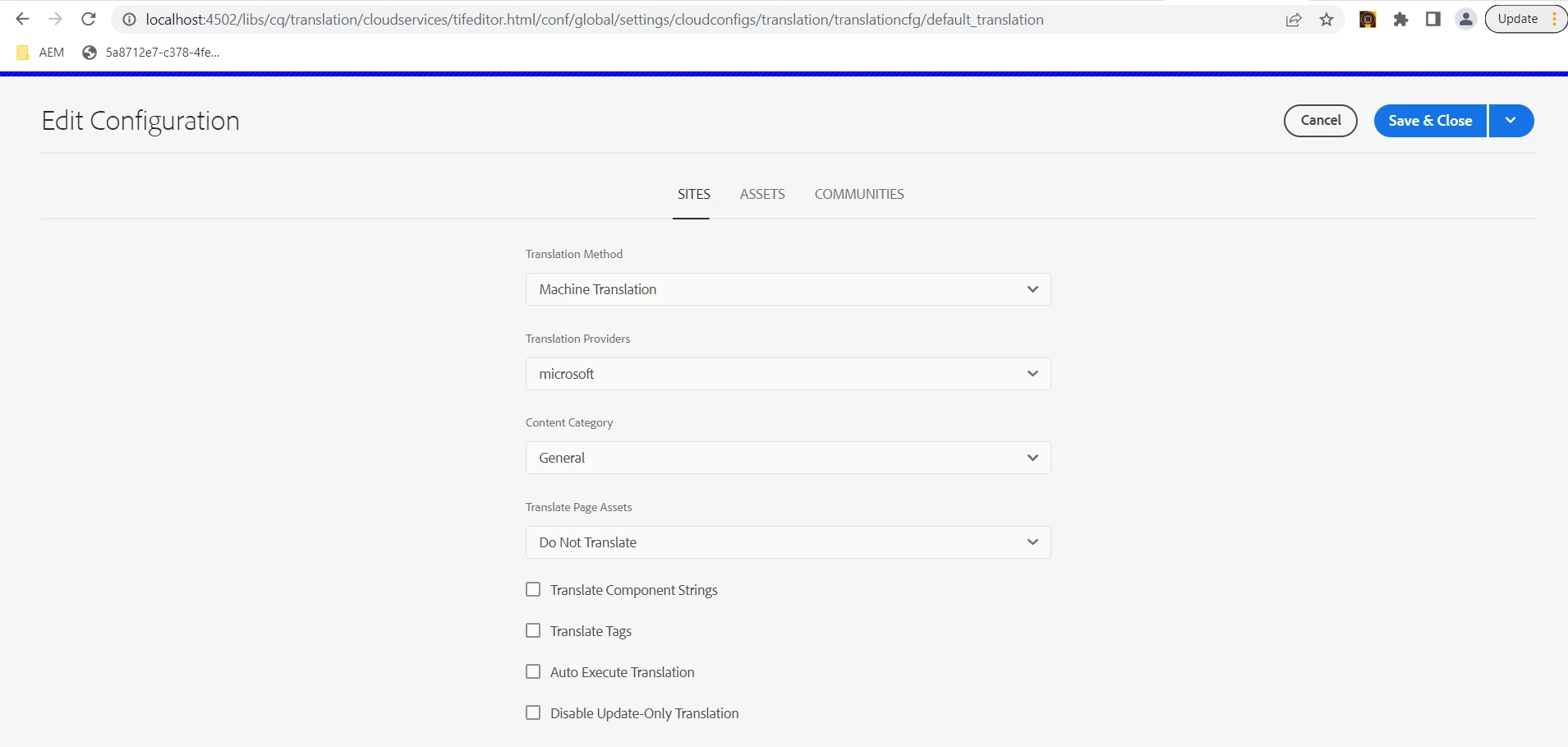
Have you created a translation config like below?


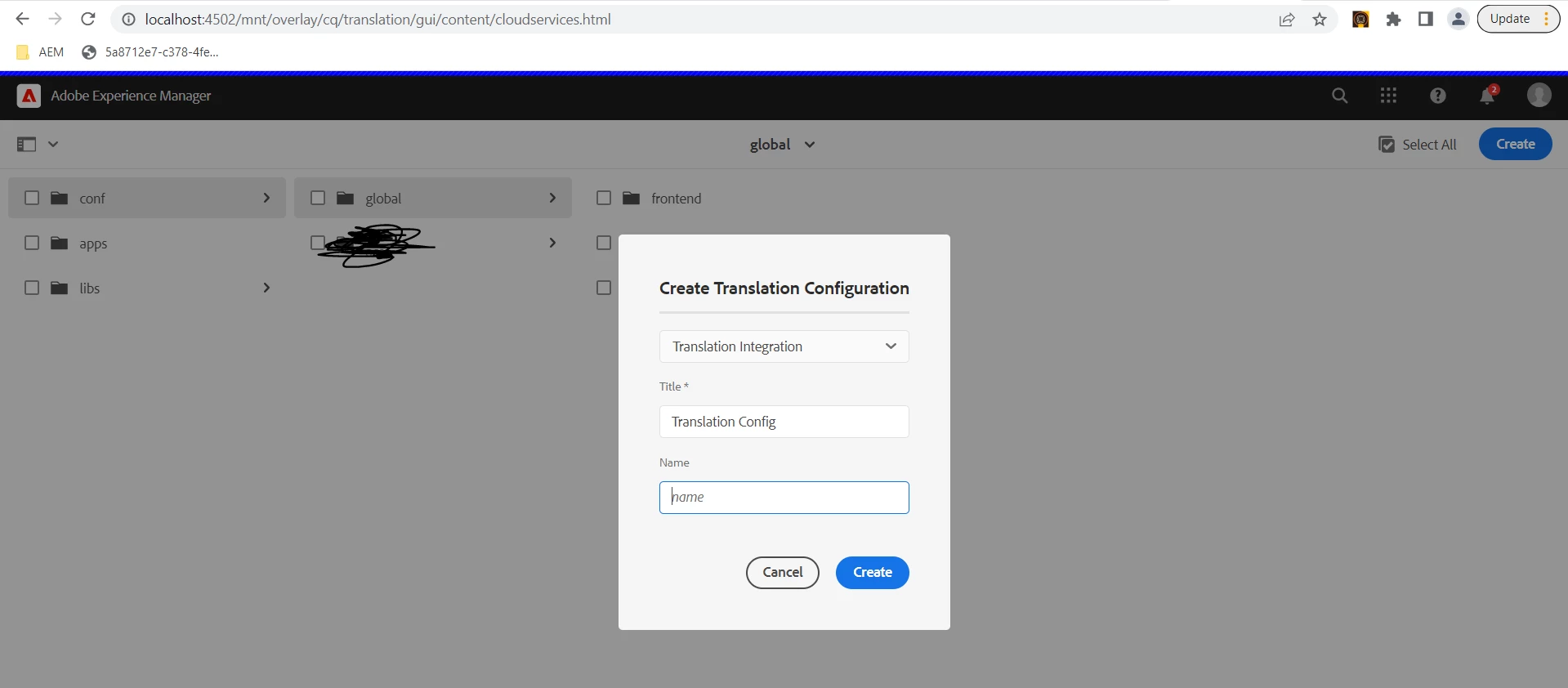
If not then you need to create one and set cloud configuration path in your translation project.

To create this config go to Tools > Cloud Services > Translation Cloud Services > create

Also can you share the error logs when you try to start the translation job?

1 reply

Avinash_Gupta_
Community Advisor and Adobe Champion
November 9, 2022

@arianname What type of translation method are you using Human Translation or Machine Translation ? In case you are using machine translation, first you would need to create the cloud configuration for the translation service connector that is used for the project. These connectors are not supported OOB in AEM local instance.


Hope this helps.

AriannaMeAuthor
Level 2
November 9, 2022

Thank you, it makes sense, I will explore the topic but the tutorial was doing it this way _ see below and I was under the impression that I could do it on the local instance as well. 


salamswapnilCommunity AdvisorAccepted solution
Community Advisor
November 9, 2022

@arianname 

Have you created a translation config like below?


If not then you need to create one and set cloud configuration path in your translation project.

To create this config go to Tools > Cloud Services > Translation Cloud Services > create

Also can you share the error logs when you try to start the translation job?