Toggle button in page properties | Community
Skip to main content
Level 5
December 19, 2023
Solved

Toggle button in page properties

  • December 19, 2023
  • 3 replies
  • 1450 views

Hi all,


Is there way to add a toggle button when configuring the page properties?
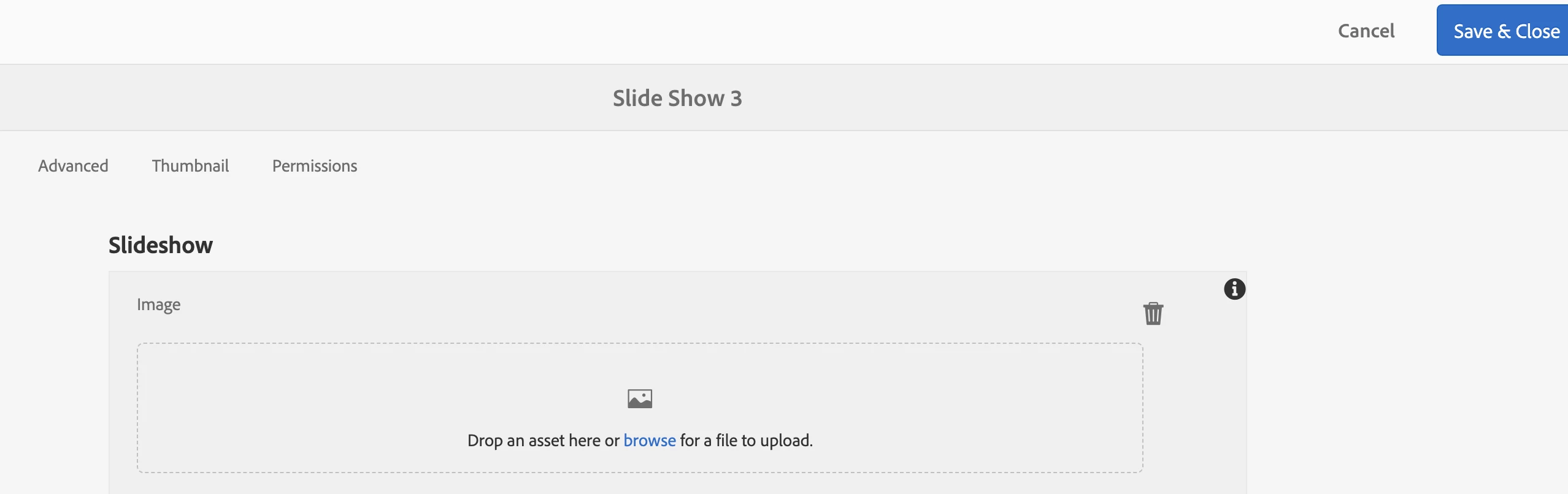
 

For instance in this case, I like to drag and drop the assets to the slideshow, but there is no asset panel on the left side as the page detail does. I know fileupload has an assetpicker option, but it doesn't produce the same experience as the toggle button does. 


Thanks!


-kt

This post is no longer active and is closed to new replies. Need help? Start a new post to ask your question.
Best answer by arunpatidar

Hi @kevin_gta 
OOTB this is not possible , Generally we use path field instance of fileBrowser. But not sure if this can be implemented using assets selector https://experienceleague.adobe.com/docs/experience-manager-65/assets/managing/asset-selector.html?lang=en 


3 replies

arunpatidar
Community Advisor
Community Advisor
December 20, 2023
Kevin_GTaAuthor
Level 5
December 20, 2023

Hi @arunpatidar ,

Thanks for your suggestion. I should have clarified more about the situation. When you open a page, you will see two icons , "Toggle Side Panel" and "Page Information" when hovering over them, on the top left corners. When clicking on the "Page Information" icon, you can select "Page Properties". Once you get into page properties, those two icons will be gone. I like to retain the two icons on the top left corner when staying in the properties page. The purpose of having these icons is being able to get the assets from the side panel. I wonder Switch can achieve that.


-kt

arunpatidar
Community Advisor
arunpatidarCommunity AdvisorAccepted solution
Community Advisor
December 20, 2023

Hi @kevin_gta 
OOTB this is not possible , Generally we use path field instance of fileBrowser. But not sure if this can be implemented using assets selector https://experienceleague.adobe.com/docs/experience-manager-65/assets/managing/asset-selector.html?lang=en 


Arun Patidar
kautuk_sahni
Community Manager
Community Manager
January 2, 2024

@kevin_gta Did you find the suggestions from users helpful? Please let us know if more information is required. Otherwise, please mark the answer as correct for posterity. If you have found out solution yourself, please share it with the community.

Kautuk Sahni
kautuk_sahni
Community Manager
Community Manager
January 2, 2024

@kevin_gta Did you find the suggestions from users helpful? Please let us know if more information is required. Otherwise, please mark the answer as correct for posterity. If you have found out solution yourself, please share it with the community.

Kautuk Sahni
Kevin_GTaAuthor
Level 5
January 2, 2024

Yes, I got it. Thanks for your help!
